ChatGPT vs. LogoAI for Logo Design: Key Differences for Beginners
Compare ChatGPT and LogoAI for logo creation—from prompting and concept exploration to refinement, brand assets, and keeping a usable logo system over time.
ChatGPT and LogoAI can both help you explore a logo, but they start from different jobs. ChatGPT is a general creative assistant: you describe an idea, generate an image, and iterate through conversation. LogoAI is built around the logo workflow: start with a business name or visual input, compare logo directions, refine a selected concept, and carry it into related brand assets.
For a beginner, the most useful question is not which tool can produce a striking first image. It is which workflow gives you a logo you can read, reuse, and maintain across the places your business needs it.
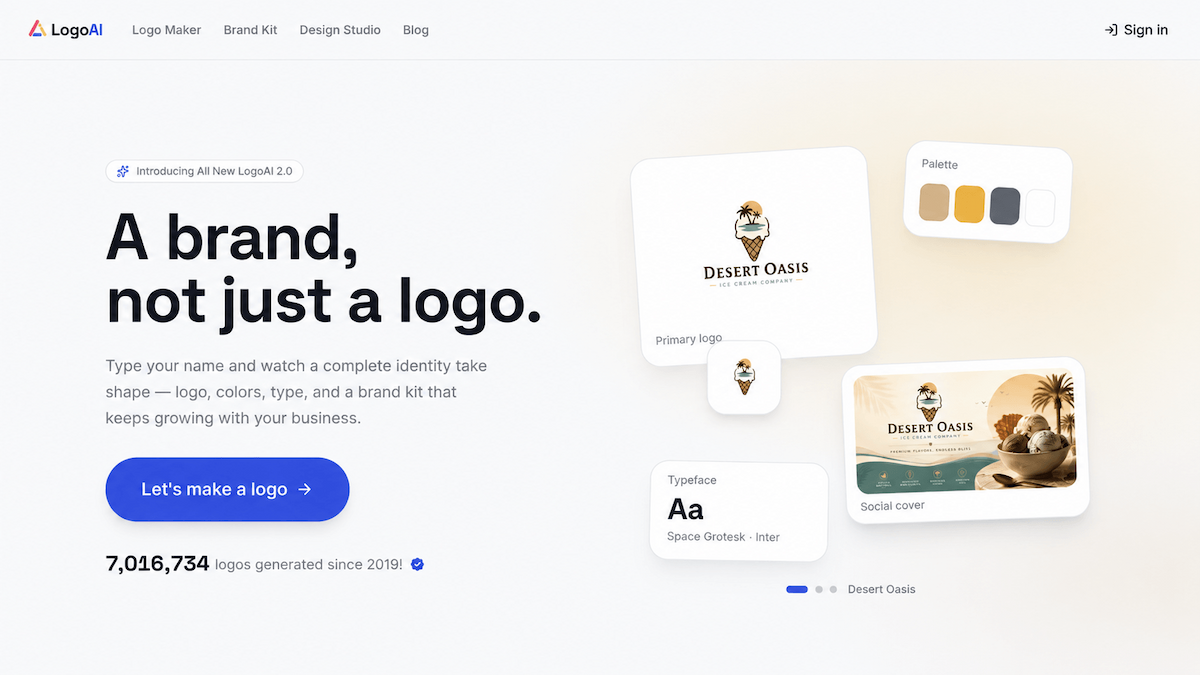
Click the image to explore LogoAI's homepage and its brand-building workflow.
ChatGPT vs. LogoAI at a glance
| Question | ChatGPT | LogoAI |
|---|---|---|
| How do you start? | Describe a visual idea in a prompt and iterate conversationally. | Start with a business name, an image, or an existing logo, then follow a logo-focused workflow. |
| How do you explore options? | Ask for new concepts, styles, or variations one prompt at a time. | Compare logo directions and style options in a dedicated creation flow. |
| How do you refine a mark? | Give follow-up instructions and review each new image. | Refine a chosen concept or use structured controls for an existing logo. |
| How do you build a brand set? | Request additional assets separately and organize the files yourself. | Continue from the logo into organized brand assets in Brand Kit. |
| Best fit | Open-ended visual ideation and unusual creative directions. | A guided path from logo idea to a reusable beginner-friendly brand system. |
The right choice depends on whether you need a creative conversation or a repeatable logo workflow.
Getting started: prompt-based design or a guided workflow?
ChatGPT is useful when you already have a visual direction and want to explore it quickly. You can describe the subject, mood, lettering, composition, or references, then ask for changes in a conversation. OpenAI explains the current image-generation and editing workflow in its guide to images in ChatGPT.
That flexibility also means you must define the design process yourself. You have to decide which prompts to try, how to compare results, and which version is actually suitable for a small business. A visually interesting image may still be difficult to read at favicon size, reproduce in one color, or use consistently across packaging and social profiles.
To create a logo with LogoAI, you enter a business name and can add short business details when the name alone does not explain the business. You then explore dedicated logo directions such as wordmarks, monograms, and combination marks before comparing concepts.
LogoAI also has separate paths for common starting points:
- Use redesign an existing logo when you want to improve typography, colors, layout, or the icon without starting from a blank page.
- Use turn an image into a logo when a sketch, photo, or other visual reference is the most useful starting point.
This distinction matters for beginners. ChatGPT gives you a blank creative canvas; LogoAI gives you a sequence of decisions that narrows the work toward a usable logo.
Exploring multiple logo concepts and styles
With ChatGPT, you can ask for five completely different directions, change the tone from playful to premium, or combine references in one prompt. That is valuable during early ideation. The trade-off is that each result depends on how clearly you describe the change, and you need to compare the outputs against the same criteria.
A practical comparison checklist is:
- Can someone recognize the business category without the mark becoming generic?
- Does the name remain legible when the logo is small?
- Does the symbol work without the full wordmark?
- Can the design survive in black and white?
- Is the concept distinctive enough to investigate for trademark conflicts?
LogoAI keeps those questions closer to the creation flow. You can compare different logo concepts and style directions before committing to one. That does not guarantee originality, trademark availability, or a perfect first result. It simply makes it easier to judge several logo-specific options side by side instead of treating every generated image as a separate experiment.
Refining a logo: conversation or design controls?
ChatGPT is strong when the change is hard to express as a preset. You can say that the icon feels too literal, the lettering needs more breathing room, or the overall mark should feel less busy, then review the next result. This is a good way to investigate a visual direction.
LogoAI is more direct when you know what needs to change in the logo itself. You can open a concept and describe changes such as a simpler symbol, different lettering, or a new palette. For an existing mark, its redesign workflow focuses on practical decisions such as icon treatment, colors, typography, layout, and overall style, with space for custom instructions.
Whichever tool you use, inspect every revision at the sizes and backgrounds where customers will see it. AI refinement can change details you did not ask to change, so keep the version that meets the business requirement rather than the version that merely looks newest.
From one logo to a complete set of brand assets
A logo is only one file in a working brand system. You may need a transparent version for a website, a single-color version for printing, a favicon, a social profile image, a merchandise mockup, and a presentation or video asset.
ChatGPT can help you create those pieces, but you normally have to request each one, keep the instructions consistent, and organize the resulting files. That approach is flexible when you want bespoke visuals. It also makes version control your responsibility.
LogoAI's complete brand system is designed for the next step after the logo. The current workflow can extract the brand colors and provide logo files such as transparent, single-color, and white-on-color versions. It also supports related assets including a symbol or favicon, alternative logo treatments, a mascot, mockups for stationery and merchandise, signage and digital placements, social assets, brand videos, and a website direction.
The useful distinction is workflow continuity. ChatGPT can generate many kinds of images; LogoAI connects logo decisions to the set of brand materials a small business is likely to need next.
Managing and updating your brand over time
Early logo work often creates a versioning problem. Six months later, you may have several prompts, exported images, edited files, and slightly different colors. If you return to ChatGPT, you need to bring the right reference and restate the constraints.
A dedicated logo workflow makes the source concept easier to revisit. In LogoAI, you can return to the logo process, refine the selected direction, or continue building brand assets from the same visual foundation. You still need to keep the final files and usage rules organized for your team, but the design decisions are easier to trace back to one logo system.
Which tool should you choose?
Choose ChatGPT when:
- You want open-ended brainstorming before you know what visual direction fits.
- You need unusual illustrations or a creative partner for exploring references.
- You are comfortable writing prompts and evaluating several iterations yourself.
Choose LogoAI when:
- You want a guided path from business name or visual input to logo concepts.
- You need to compare logo-specific styles and refine a selected direction.
- You want common logo variations and related brand assets in one workflow.
- You are creating a first brand and want fewer decisions about what to do next.
You can also combine them. Use ChatGPT to brainstorm language, references, or broad visual directions. Then use LogoAI when you are ready to compare logo concepts, refine a mark for real use, and build the supporting asset set.
Final thoughts
ChatGPT is a flexible creative assistant that can help you investigate almost any visual idea. LogoAI is a focused logo workflow that helps turn a business name or visual starting point into a logo and a more complete brand system.
For beginners, the deciding factor is usually the work after the first concept. If you want to keep prompting and organizing each output yourself, ChatGPT offers room to explore. If you want a clearer path from idea to reusable logo assets, LogoAI is the more direct fit.
Ready to create your own logo?
Turn your brand name into professional logo concepts in seconds with LogoAI.
Generate my logo