7 Fun Ways to Turn an Image into a Video (With Prompts)
Try seven creative image-to-video ideas, from miniature adventures to surprising cake reveals, with ready-to-use starter images and copyable video prompts.
A coffee cup becomes a mountain. A pile of stones wakes up. A tennis ball turns out to be cake. Image-to-video AI lets you take an ordinary picture and give it an unexpected next moment, making it a useful playground for social content, product storytelling, and creative experiments.
Below are seven ideas, each paired with an original AI-generated starter image and a video prompt. Upload an image to LogoAI, paste the matching prompt, and generate your first clip. Treat the prompts as starting points and refine the results as needed.
1. Turn a product into a miniature adventure
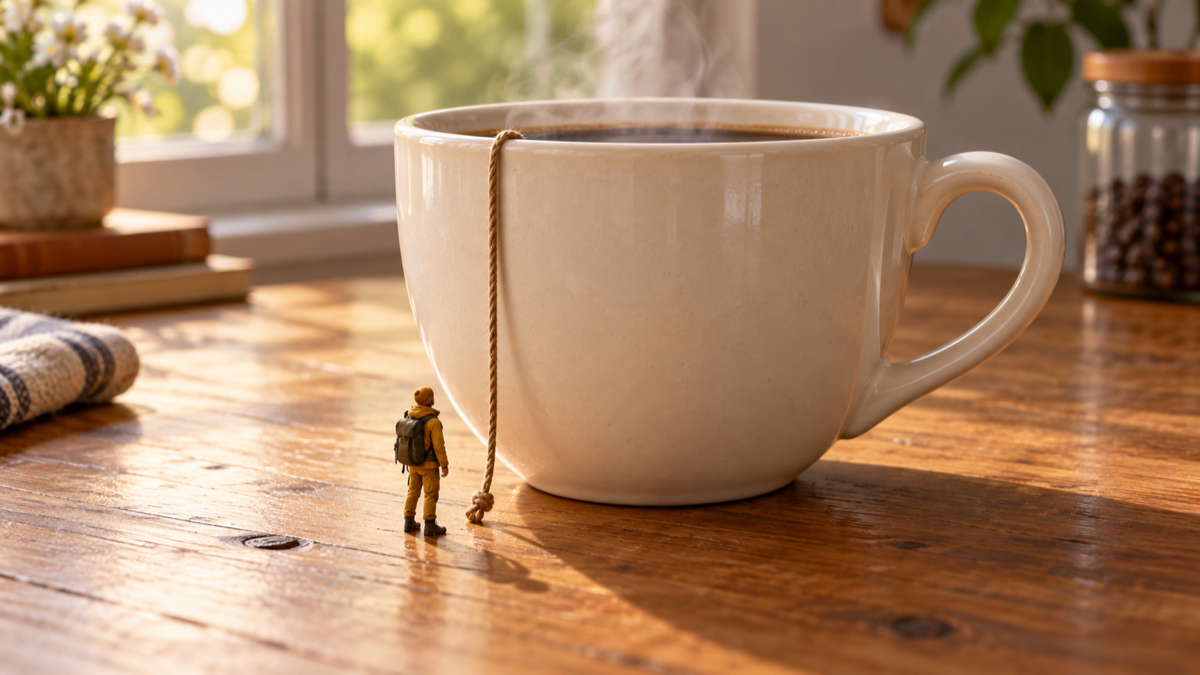
A familiar object becomes fascinating when its scale changes. Here, a tiny explorer stands beside an enormous coffee cup, with a rope already hanging from the rim. That setup makes the intended action easy to understand and gives the viewer a small story to follow.
Video prompt:
The tiny explorer takes hold of the rope and climbs toward the coffee cup’s rim. Steam drifts overhead. The camera slowly moves closer as the explorer climbs. Warm morning light, believable miniature scale, one continuous shot.
Try this idea with a bottle, a stack of books, or a shoe. Put the explorer and any climbing equipment in your starting image so the video can concentrate on movement. Runway’s image-to-video examples include a related giant-soda climbing scene.
2. Give a product a cinematic camera orbit
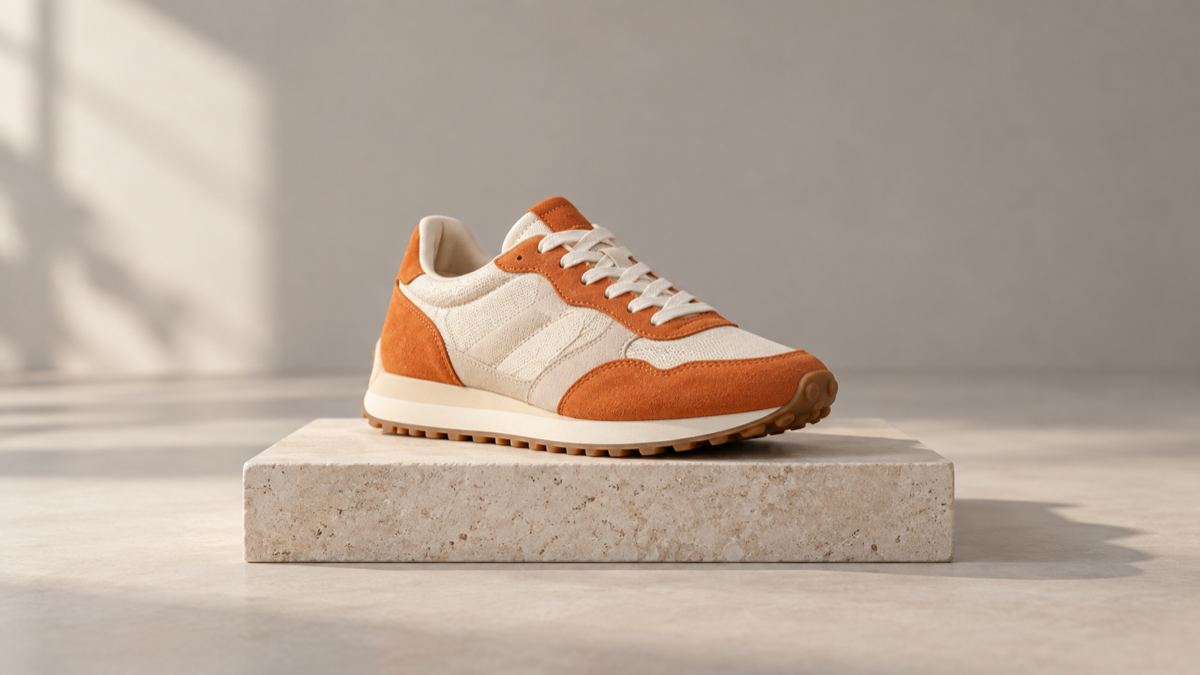
Sometimes the camera can provide all the excitement. A gentle orbit reveals a product from a changing angle, giving a still photograph more depth. Our starter image uses a sneaker on a simple plinth with enough surrounding space for the camera movement.
Video prompt:
The camera slowly arcs around the stationary sneaker from a front three-quarter view toward its side. The shoe and stone plinth remain still. Soft studio light reveals the suede and fabric textures. Smooth, continuous product cinematography.
Start with a modest arc. A complete rotation requires the model to invent unseen surfaces, which can change the design. Check details such as stitching, laces, and proportions before using the result in a product campaign.
3. Keep one person still while the world moves
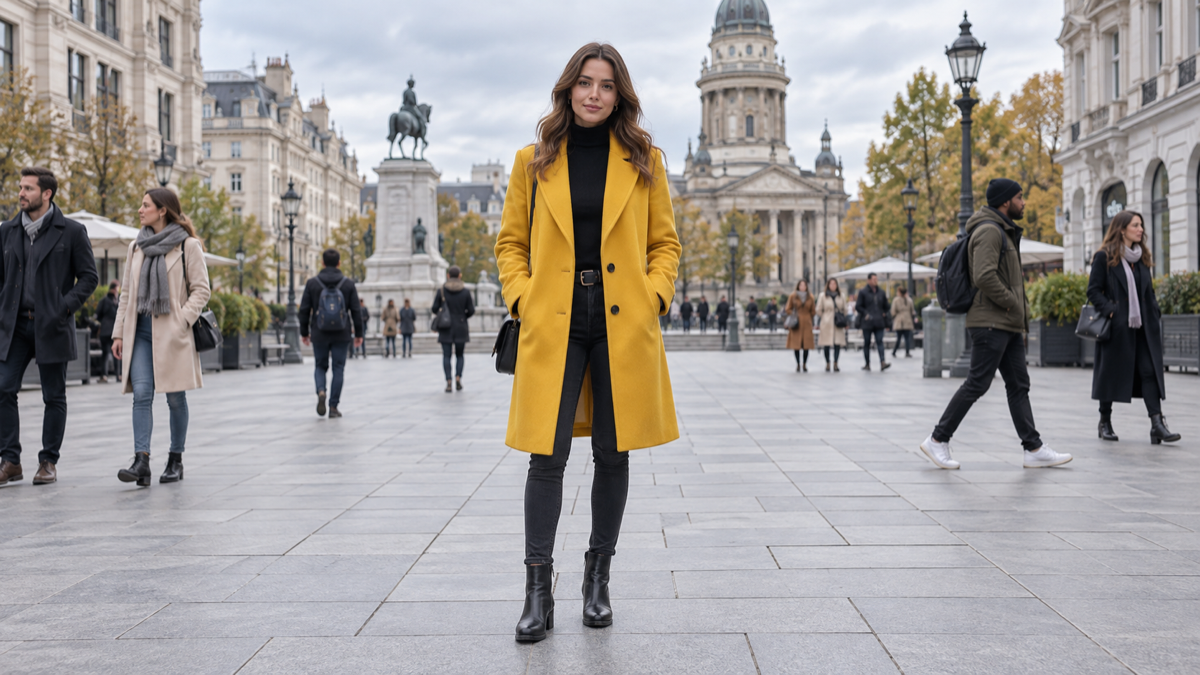
This effect creates a moment of calm inside a busy scene. The woman’s bright coat separates her from the surrounding pedestrians, making her the obvious focal point. Movement belongs to the crowd, while her steady pose provides contrast.
Video prompt:
The woman in the mustard coat stands still, looking toward the camera. Pedestrians move quickly past on both sides, creating soft motion trails. She remains sharply defined as the camera slowly pulls backward. One continuous cinematic shot.
Choose a photograph with space between the central person and the crowd. If the subject begins moving too much, simplify the instruction and lock the camera. This can work well for reflective personal posts or a campaign about finding focus.
4. Assemble ordinary objects into a creature

A small pile of stones can become a character with a few deliberate movements. The starter image leaves room above the pile for a body to assemble and space beside it for a first step. The surprise comes from giving something lifeless a friendly personality.
Video prompt:
The stones lift and assemble into a tiny friendly creature, with the larger stones forming its body and head. It balances on two small stone feet, then takes one tentative step. Playful stop-motion movement. The camera stays fixed.
Keep the transformation simple before adding a dance or a long walk. For inspiration, Runway publishes a rock-creature animation demonstrating the same broad idea with a different starting image.
5. Turn a pet photo into an action scene

Animal videos work especially well when the action follows a clear motivation. Our cat already faces a ball, so a playful chase feels like a natural continuation of the still image. The low viewpoint puts the viewer close to the action.
Video prompt:
The tennis ball rolls to the right. The cat crouches lower, flicks its tail, then springs forward to chase it across the floor. The camera tracks alongside at paw level. Natural playful movement in one continuous shot.
Give the animal room to move and keep its full body visible in the starting frame. If a fast chase produces awkward paws or body shapes, try a smaller action first, such as reaching forward to tap the ball.
6. Melt a toy into a colorful puddle
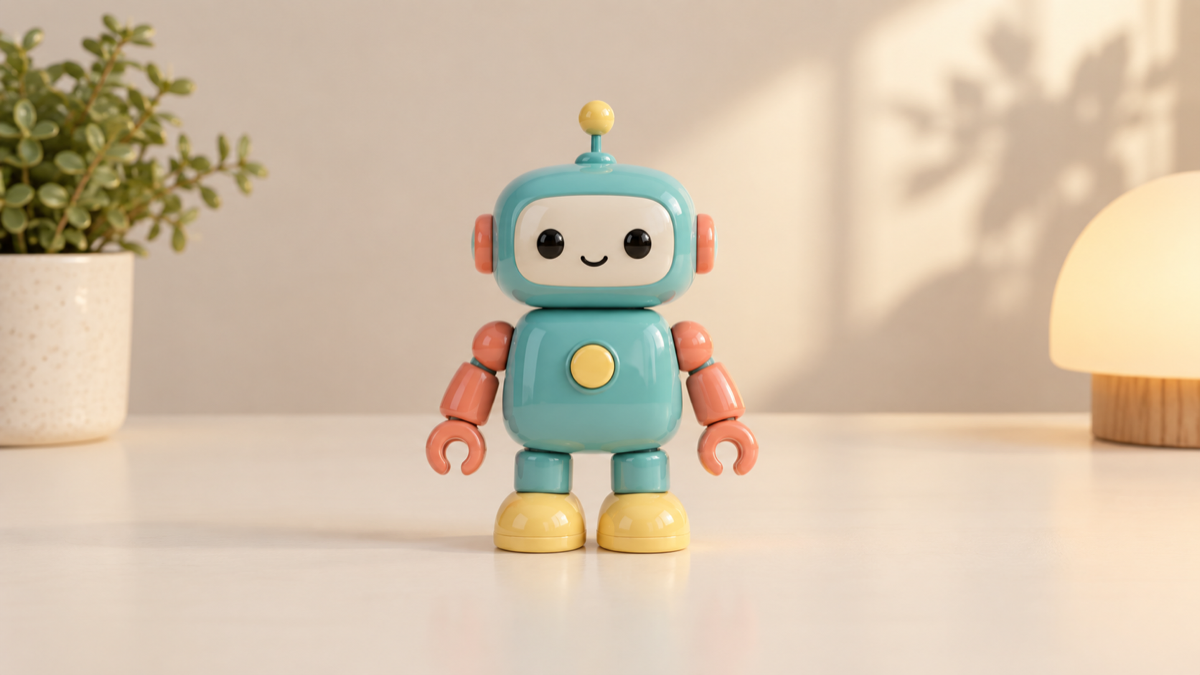
A rigid toy becoming liquid makes a simple visual punchline. This cheerful robot starts fully intact, so the change is easy to follow. Its turquoise, coral, and yellow details also provide a recognizable palette as its shape disappears.
Video prompt:
The toy robot gradually softens like warm wax. Its antenna droops, its body folds downward, and its arms settle into a glossy puddle of turquoise, coral, and yellow. Slow, smooth melting. The tabletop and camera remain still.
Keep the setting uncomplicated so attention stays on the transformation. Pika’s effects showcase includes melting effects; a dedicated preset may be useful if a general motion prompt struggles with the material change.
7. Reveal that an everyday object is cake
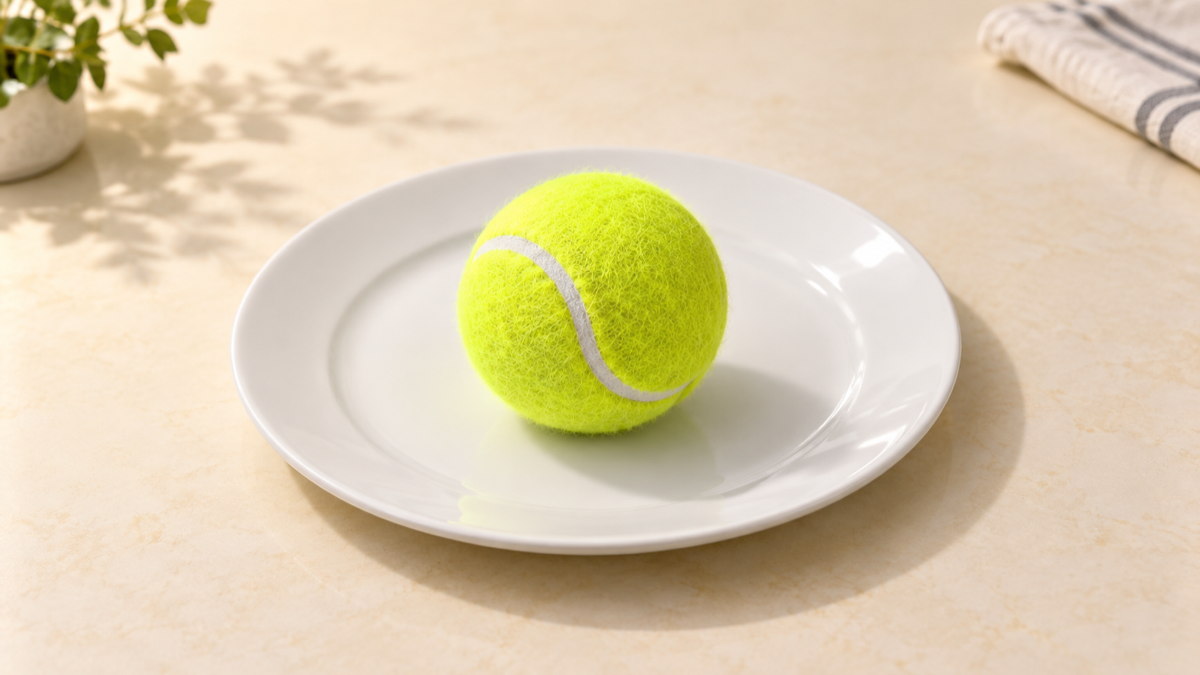
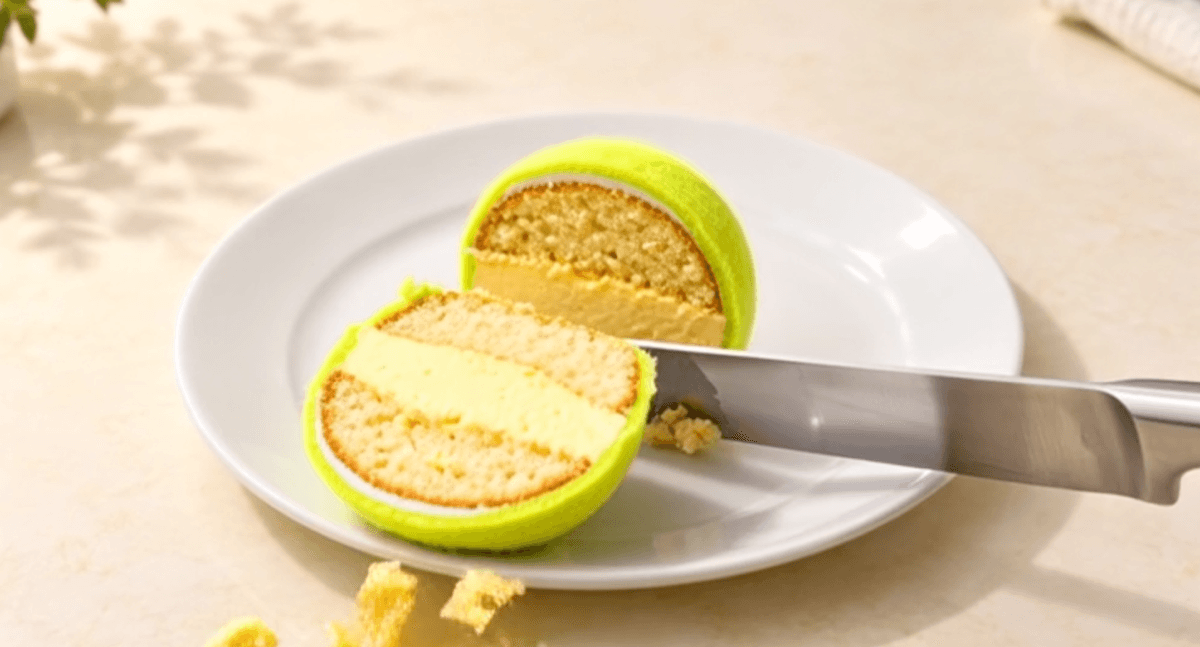
The joke begins with a believable object. Our tennis ball looks ordinary, but the plate quietly prepares the viewer for a food reveal. Showing the cake interior only after the cut gives the clip its payoff.
Video prompt:
A cake knife enters from the right and cuts a wedge from the tennis ball. The wedge separates slightly, revealing vanilla sponge and yellow buttercream beneath the realistic exterior. A few crumbs fall onto the plate. Fixed close-up camera.
This is a more demanding interaction because the tool must coordinate the blade, object, and exposed interior. Try a cake-transformation preset where available, or simplify the action to one clean cut.
Keep the story going with AI Video Extender
When a clip ends before the story does, use LogoAI AI Video Extender to generate what happens next. Upload your video or paste its URL, choose the section to continue from, and describe the next action. You can extend the result again to build a longer sequence.
For the coffee-cup adventure, continue with: “The explorer reaches the rim, pulls up onto the edge, and looks down at the steaming coffee.” After the cake reveal, try: “A fork lifts a bite from the exposed sponge while a few crumbs fall onto the plate.” Match the instruction to where your clip actually ends, and review each continuation before extending again.
Make your first experiment count
Choose one image and one action in LogoAI AI Video Generator. Start with a short clip, inspect the result, and change one instruction at a time. Add music, captions, and exact brand lettering afterward. The strongest idea is often a clear, surprising moment that viewers understand immediately.
Ready to create your own logo?
Turn your brand name into professional logo concepts in seconds with LogoAI.
Generate my logo