Generate Logo Variations from Your Base Logo (No design skills required)
Learn how to generate logo variations from your base logo, including color and layout versions, with LogoAI Brand Kit and LogoAI Redesign.
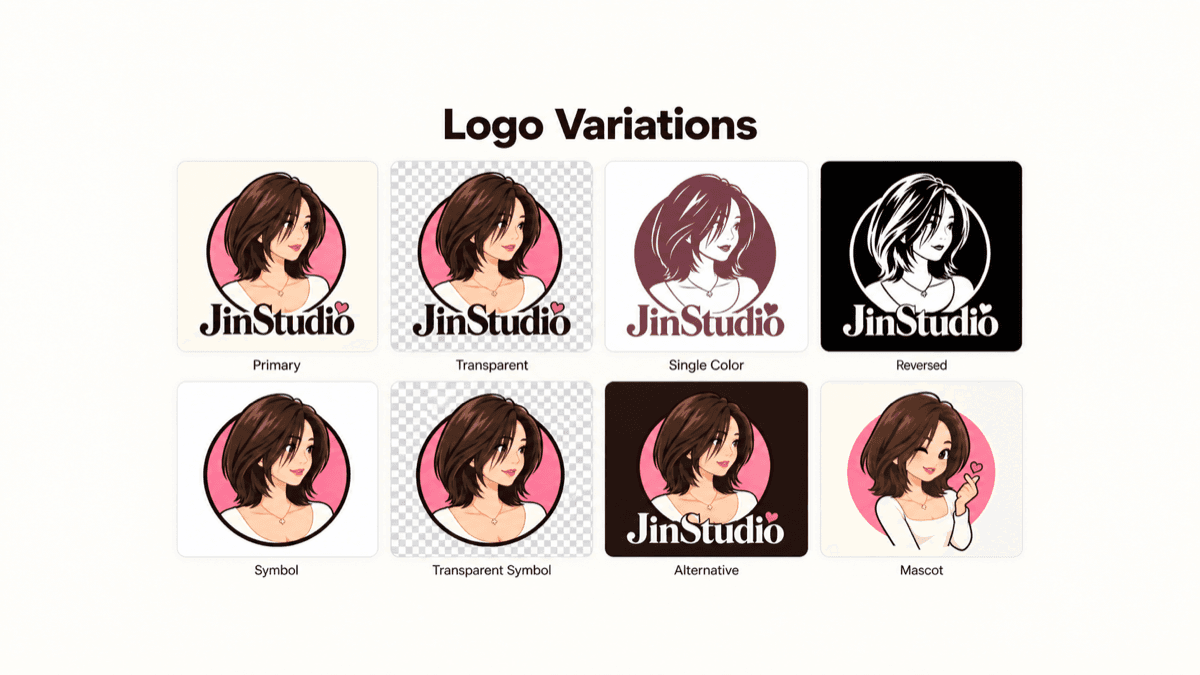
Your logo looks great on your website. Then you squeeze it into a social profile picture, place it on a dark background, or send it to a printer for a small product label. Suddenly, the same design feels cramped, disappears, or loses its details.
Logo variations solve these everyday problems. Starting with your base logo, you can build a coordinated collection of versions for different colors, spaces, and applications. Here’s how to decide which variations you need, create them with LogoAI, and keep every version recognizable.
What are logo variations?
Logo variations are adapted versions of the same brand logo. They preserve recognizable features while changing elements such as color, arrangement, or detail to suit a particular placement. Think of them as a family: each version has its own job, but customers should immediately see the connection.
Common examples include a horizontal logo, a stacked arrangement, a standalone symbol, and a white version for dark backgrounds. Shopify’s guide to logo variations groups the core versions into primary, secondary, submark, and favicon logos. Those categories offer a useful starting point, though your actual needs depend on where your brand appears.
Changing a PNG into an SVG changes the file format, not the design. Likewise, a transparent background makes a file easier to place without necessarily creating a new logo variation. Focus on the visual problem each version solves.
Color variations: keep your logo visible
Color variations adapt your base logo to different backgrounds and production requirements. Keep the shapes and lettering consistent while deciding which approved color treatment provides the clearest result.
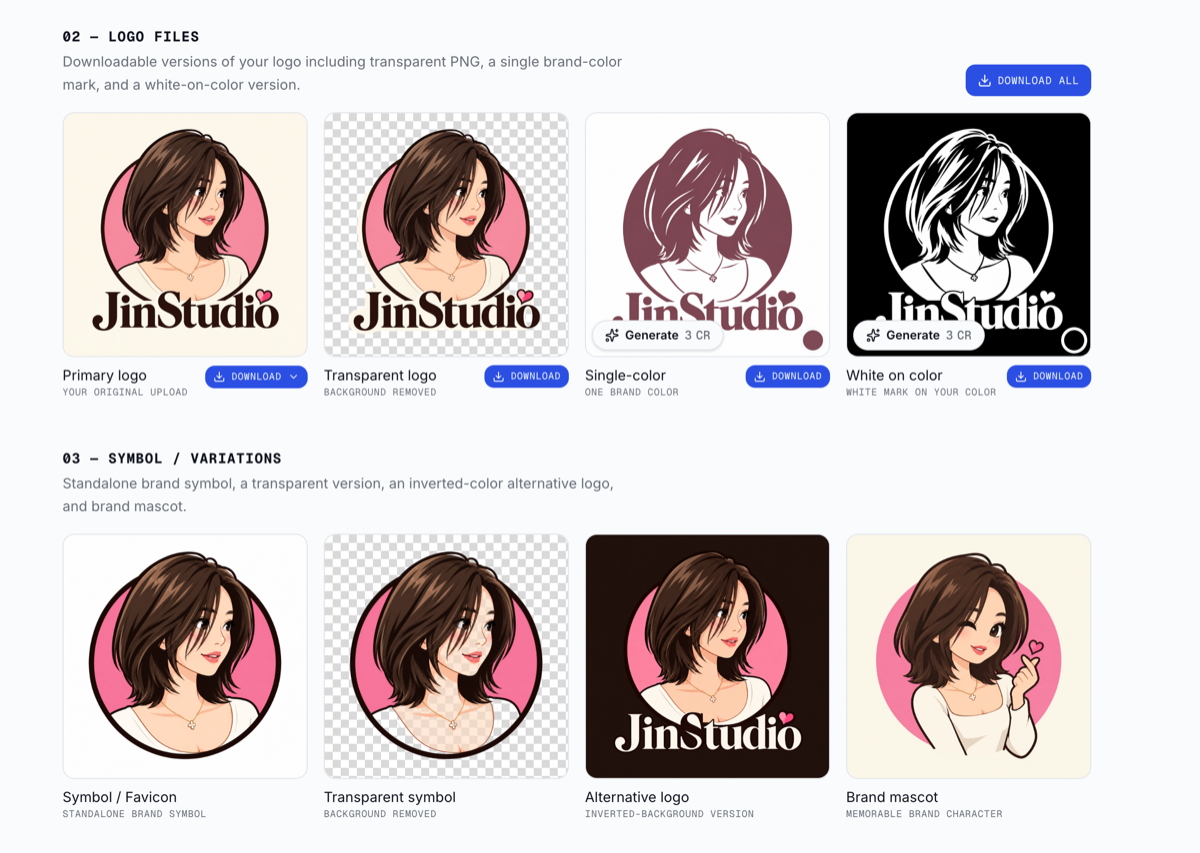
Full-color logo
Use your main brand palette when the background supports it. This is usually your starting point for website graphics, presentations, and marketing materials. Check that every part remains visible, especially pale lettering or fine details.
Single-color logo
A version using one solid color can simplify stamps, merchandise, and other applications with limited reproduction options. Prepare a black version and, when useful, a version in your primary brand color. Ask your supplier which artwork specifications their process requires.
White or reversed logo
A white logo can work on dark backgrounds, photographs, and colored packaging. Inspect the spaces inside letters and symbols: an automatic color change may need refinement to preserve definition. On busy photography, a plain background panel can improve clarity.
Approved alternative colors
Choose a small number of combinations from your brand palette for different settings. For example, a coffee brand might use a dark green logo on cream packaging and a cream logo on green takeaway cups. Define these pairings so each campaign does not introduce another unrelated color scheme.
Layout variations: fit the space naturally
Layout variations rearrange existing elements to fit different shapes. Adobe’s logo variation demonstration explores horizontal and vertical arrangements alongside typography and spacing. The practical lesson is to rebalance the composition instead of squeezing the original into every available space.
Horizontal logo: Place the symbol beside the brand name for wide, shallow areas such as navigation bars or email signatures. Keep enough separation that the two elements remain distinct at smaller sizes.
Stacked logo: Arrange the symbol above the name for square or taller placements, including packaging fronts and promotional cards. Adjust scale and spacing until the composition feels balanced.
Symbol or submark: Use an existing recognizable symbol, monogram, or compact arrangement where the full name becomes unreadable. Profile images and small labels are useful test cases. A newer brand may still need its name nearby for context.
Simplified small-size version: Remove optional details, such as a tagline, when they become illegible. Test the result at its actual display size. Never stretch the logo or crop meaningful parts simply to fill a box.
How to create logo variations from your base logo
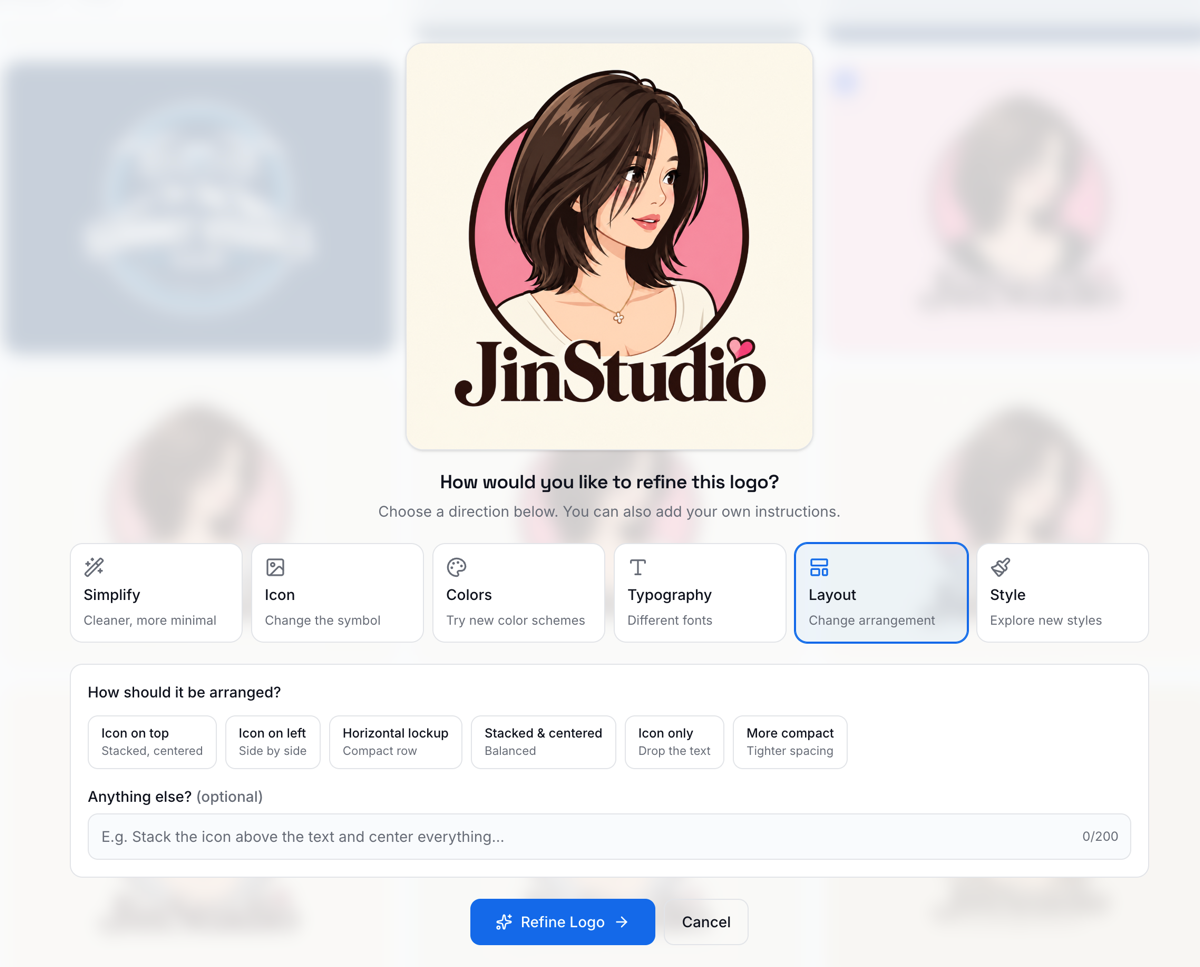
Start with your base logo in LogoAI Redesign and choose what you want to change. As shown above, selecting Layout reveals options such as Icon on top, Icon on left, Horizontal lockup, Stacked & centered, Icon only, and More compact. Choose an arrangement that suits your intended placement, add any instructions about what to preserve, and click Refine Logo to generate variations for review.
1. Choose your master design
Start with the approved logo and the cleanest source file available. Identify what makes it distinctive: the symbol’s silhouette, custom lettering, proportions, or a particular color relationship. Write down which features must remain consistent before generating alternatives.
2. List your real placements
Collect the spaces your logo needs to occupy: a website header, mobile screen, profile circle, shipping label, presentation cover, and product packaging. Note their shapes, backgrounds, and approximate display sizes. This gives every requested variation a purpose.
3. Generate color variations with LogoAI Brand Kit
Open LogoAI Brand Kit and upload your base logo. The tool accepts PNG, JPG, and WebP files. It extracts a background color and up to three brand colors, then generates logo assets including a transparent version, a single brand-color mark, and a white-on-color version.
Use these automatically generated color variations as a starting collection. Review the extracted palette against your intended brand colors, then check the generated logos on the backgrounds where you plan to use them. Download the versions that fit your brand and name them clearly, such as “brand-single-color” or “brand-white-on-green.”
4. Explore design variations with LogoAI Redesign
For changes beyond color, upload or paste your approved logo into LogoAI Redesign. Use Layout to rearrange the existing elements, Simplify to reduce detail, or Typography, Icon, and Style to explore broader design changes. In the optional instructions field, specify the brand features that should remain unchanged.
Make your instruction specific. For example:
Create a horizontal variation with the existing symbol on the left and the brand name on the right. Preserve the spelling, symbol shape, and brand colors. Remove the tagline and use balanced spacing.
The tool generates interpretations across multiple AI models so you can compare options. Review each candidate carefully for altered letters, distorted symbols, or changes that move too far from the base design. Choose a promising result and refine it further if needed.
5. Test and approve the collection
Place your candidates into the actual applications from your list. Compare light and dark backgrounds, wide and square spaces, and small and large sizes. Check brand-name spelling, alignment, clear space, and whether fine details survive. Keep only versions that solve a real placement problem.
How many logo variations do you need?
Start with enough versions to cover your current placements. A horizontal arrangement, a stacked version, and a compact symbol may cover your layout needs; full-color, single-color, and reversed treatments can address your backgrounds. You do not need every possible combination immediately. This keeps your logo library manageable and makes choosing the right file much easier.
Imagine a bakery with a storefront sign, round stickers, and dark delivery bags. It could use the full horizontal logo on the sign, a compact mark on stickers, and a white version on bags. Add another variation when a specific application exposes a gap in that collection.
Keep every variation part of one brand
Separate approved production logos from creative experiments. A new icon or typeface can be useful during exploration, but adopting it across the brand is a bigger decision than creating another layout.
Store your approved collection together and add short usage notes: which background each version needs, when the tagline disappears, and which symbol belongs in small spaces. Keep editable originals where available, and provide the file type each destination requests.
Start with LogoAI Brand Kit for automatic color variations, then use LogoAI Redesign to explore new arrangements and refinements. Build a small, purposeful collection that helps your base logo work wherever your brand appears.
Ready to create your own logo?
Turn your brand name into professional logo concepts in seconds with LogoAI.
Generate my logo