How Long Should a Logo Intro Be? A Practical YouTube Timing Guide
A logo intro should support the video’s promise, not delay it. Use this timing guide to choose between a short sting, a full six-second intro, or no standalone intro—and test the result in YouTube Analytics.
Most creators should keep a standalone logo intro to 1–3 seconds—or skip it until after the hook. A full six-second intro can work for a channel trailer, launch film, or outro where viewers expect a branded opening. For Shorts and search-driven tutorials, start with the content and use a smaller logo moment later.
That is a starting point, not a platform rule. The right duration depends on when the viewer sees the logo, what the video promises, and whether the motion adds mood or simply makes the viewer wait.
What is the right logo intro length?
Use these ranges as a practical first test:
| Video situation | Starting point | Why |
|---|---|---|
| Search-driven tutorial or review | 0–2 seconds, or no standalone intro | The viewer arrived for an answer and needs the first useful frame quickly. |
| Regular YouTube episode | 1–3 seconds after the opening promise | A short brand beat can separate the hook from the main segment without taking over the opening. |
| Podcast, recurring show, or documentary | 2–3 seconds after an opening beat | Returning viewers may accept a repeatable identity cue when it follows a clear start. |
| Channel trailer, launch film, or event video | 3–6 seconds | The opening has more room to establish atmosphere and introduce the brand. |
| YouTube Short | No separate full-screen intro | Put the hook in the first frame and use a small, integrated mark if you need one. |
| Outro or end card | 3–6 seconds | The viewer has already received the main value, so the brand moment can close the experience. |
The important distinction is standalone intro versus branded moment. A logo can appear inside the opening shot, as a quick sting after the promise, or in the outro. You do not need to make the viewer watch a full animation before they know why the video matters.
Why should the hook usually come first?
A logo intro answers “who made this?” The opening hook answers “why should I keep watching?” For a new viewer, the second question usually comes first.
A useful rule is: deliver the reason to stay before asking for time to watch the brand animation. If the video promises a fix, show the problem or the result. If it promises a tutorial, name the outcome. Then use the logo moment when it helps the pacing.
This is also easier to measure. YouTube’s audience-retention report shows where viewers abandon or skip, and its Intro metric reports how many viewers are still watching after the first 30 seconds. Check the official audience-retention guidance after the data has processed, rather than treating a general duration rule as proof that an intro works.
When should you use a shorter sting instead of a full intro?
Choose a short sting when the logo is only there to mark the channel or transition between segments. It is a better fit when:
- the video answers a direct search query;
- the first few seconds already contain a strong visual or spoken hook;
- the same clip will appear in every upload;
- the audience includes many first-time viewers; or
- the logo animation does not add information beyond the brand name.
A sting can be a brief logo reveal, a sound cue with a small mark, or a logo integrated into the first shot. The goal is recognition without making the viewer wait through a second opening.
When can a six-second logo intro make sense?
A longer clip earns its place when it is part of the video’s experience rather than a pause before it. Consider the full version for:
- a channel trailer that introduces the show’s tone;
- a product launch or brand film;
- a podcast or series opener with a consistent visual rhythm;
- an event, presentation, or sponsor sequence; or
- an outro where the main story is already complete.
Even then, watch the ending frame. The logo should become readable before the clip finishes, and the final hold should give the viewer enough time to recognize it. If the reveal only becomes clear at the last instant, shorten the build or use a simpler motion direction.
How can you create a usable intro with LogoAI?
Start with the job the clip needs to do, then choose the workflow that matches it.
For a brand-aware cinematic scene
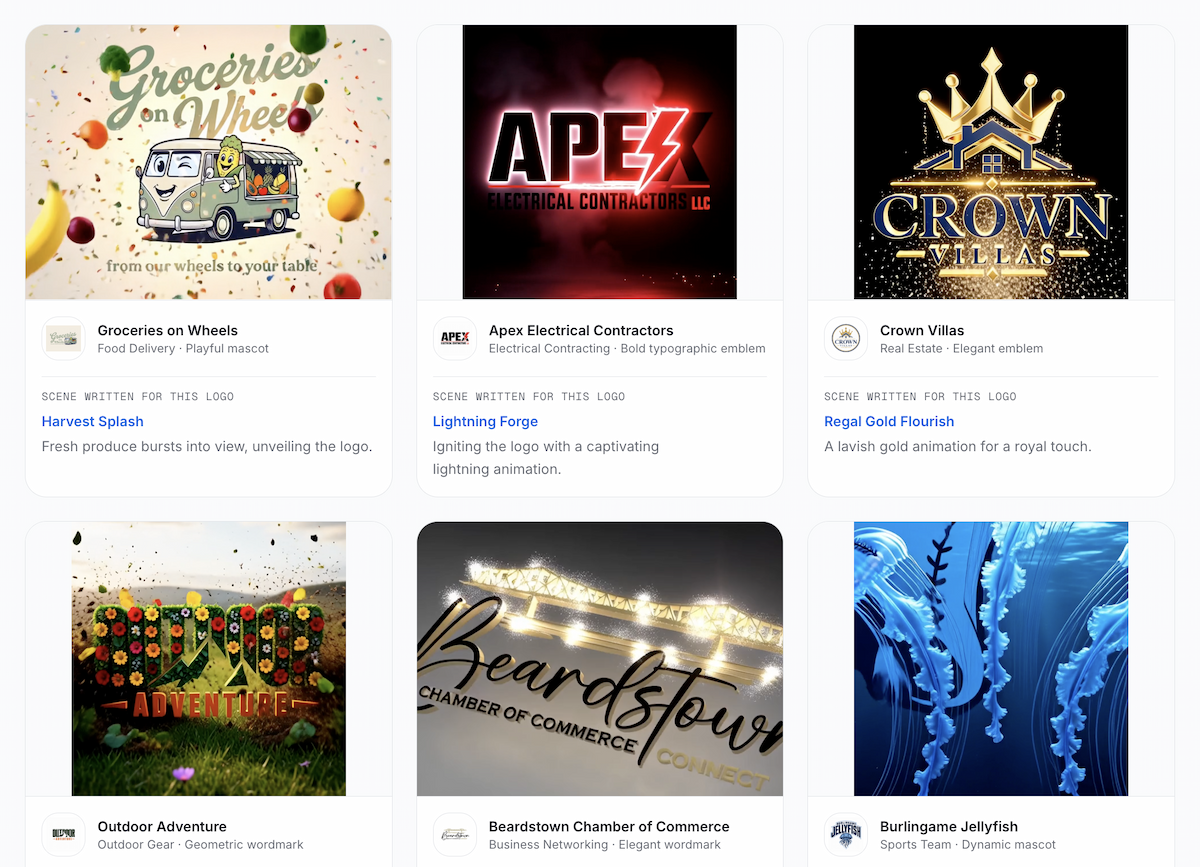
Use the AI Logo Intro Maker when you want the motion to grow out of the logo itself. Upload a PNG, JPG, or WEBP file; the tool analyzes the logo and suggests eight ranked directions. You can choose a direction and render a six-second cinematic logo animation.
Treat the downloaded clip as a source asset. In your video editor, you can use a short section as a sting, place the full clip after the hook, or reserve it for the outro. The editor step is where you match the clip to the actual pacing of your show.
For a controlled preset reveal
Use the AI Logo Animation Maker when you want to compare predictable motion styles such as a light sweep, particle assembly, neon trace, or 3D flip. The current page offers twelve styles and downloads a six-second 480p MP4.
Preset motion is useful when the same identity cue needs to repeat across many videos. Compare the finished frame with the original logo, especially if the mark includes small lettering or a detailed symbol.
How do you test whether the intro helps?
Do not judge the clip by how impressive it looks in isolation. Test the placement.
- Publish a small set of similar videos with a consistent topic and opening structure.
- Compare a no-intro version with a short sting after the hook, or compare two different placements of the same clip.
- Keep the thumbnail, title, topic, and first spoken promise as similar as practical so the intro is not competing with several changes at once.
- After YouTube Analytics has enough data, look for an early dip at the intro and compare the Intro percentage with your typical retention for videos of similar length.
- If viewers leave at the logo moment, move it later, shorten it, or turn it into an outro. If the line stays stable and the clip supports the pacing, keep testing it as a reusable brand cue.
The test is more useful than a universal “best” duration because an audience that returns for a series may respond differently from viewers discovering a search-driven tutorial.
What mistakes make a logo intro feel too long?
- Opening on a logo before showing what the video delivers.
- Using the full six-second clip on every short tutorial or Short.
- Adding a separate title card, slogan, and music swell after the logo has already appeared.
- Choosing an effect that hides the logo until the final frame.
- Changing the animation every upload, so the brand cue never becomes familiar.
- Measuring success by the animation itself instead of the retention graph around its placement.
A logo intro works when it helps the viewer recognize the channel and keeps the video moving. If it delays the answer, it is the wrong opening format—even if the animation is beautiful.
The practical rule to keep
Start with a 1–3 second logo sting after the hook for regular YouTube videos. Skip a separate intro for Shorts and fast, search-led tutorials. Save the full six-second animation for trailers, launch films, recurring shows, or outros, then use YouTube retention data to decide whether the placement earns its time.
That gives you a simple next step: create one brand-aware clip, test a short placement, and let the audience data decide how much of the animation belongs in your final edit.
Ready to create your own logo?
Turn your brand name into professional logo concepts in seconds with LogoAI.
Generate my logo