The Death of Static Templates: Meet LogoAI 2.0, the Next-Gen AI Logo Generator
LogoAI 2.0 is a next-generation AI logo generator that creates unique logo concepts from your brand name and transforms them into a complete brand identity.
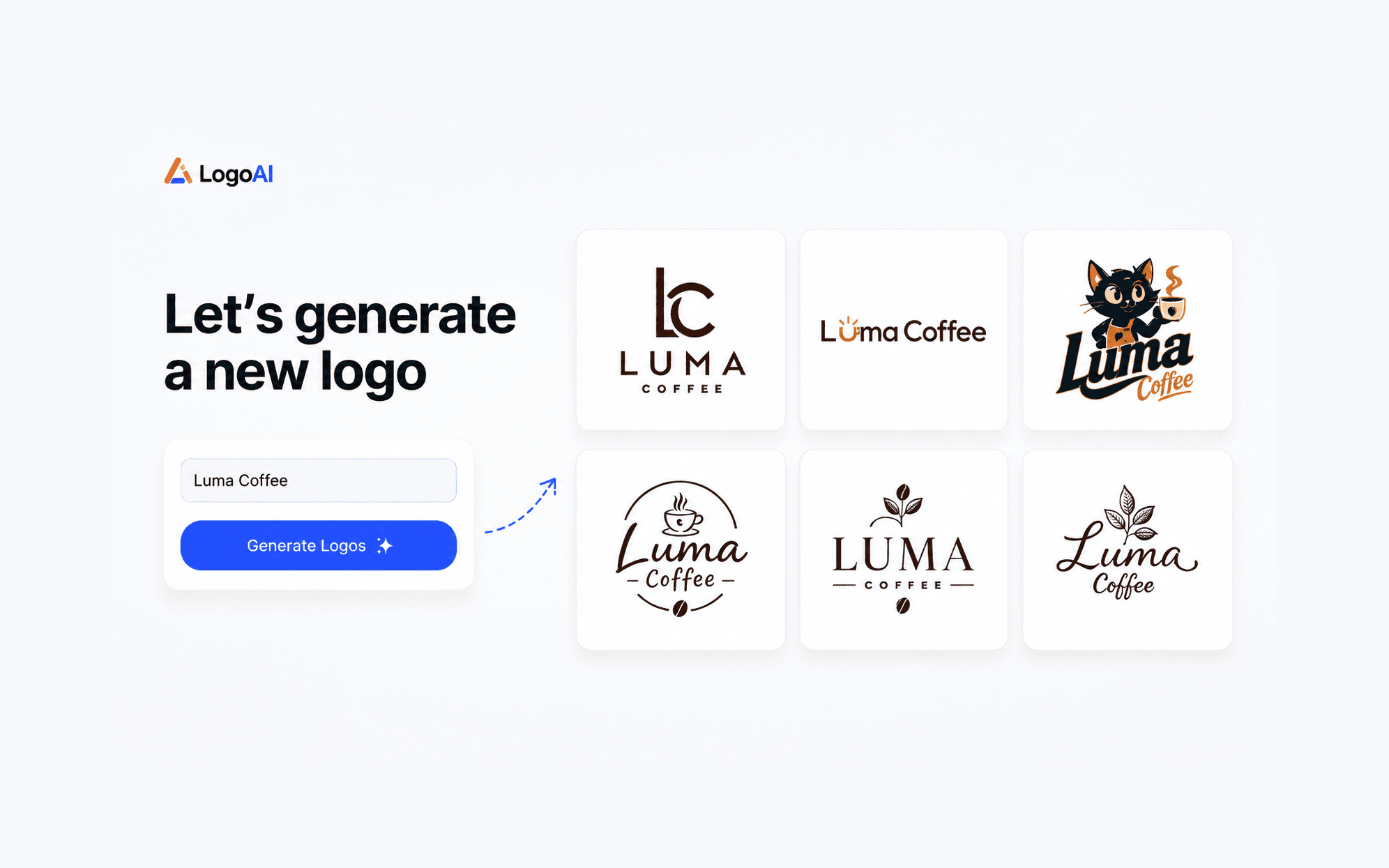
LogoAI 2.0 is a next-generation AI logo generator that creates unique logo concepts from your brand name and transforms them into a complete brand identity.
Traditional logo creation often stops at a single logo file. But businesses need more than an icon — they need a consistent visual system that works across websites, presentations, social media, and marketing materials.
LogoAI 2.0 is built to eliminate this disconnect. We moved past the era of rigid stock-template matchers to build an AI logo generator with built-in brand design capabilities. Instead of stopping at a standalone graphic, LogoAI 2.0 transforms your brand name, description, and visual preferences into a complete, production-ready visual system in minutes.
What Is LogoAI 2.0?
LogoAI 2.0 is a specialized AI logo generator designed to create unique logos and extend them into complete brand identities.
While traditional design tools force you to manually piece together generic clip-art, stock fonts, and hex codes, this generative AI logo maker takes your input to build an interconnected visual identity from the ground up:
- Original AI Logo Concepts: Dynamic visual marks generated from your brand name, description, and creative direction, rather than recycled stock icon libraries.
- Balanced Typography & Color Systems: Curated font pairings and balanced palettes generated to create consistent typography and color directions.
- Automated Living Brand Kits: Instant brand guidelines that dynamically sync your logo, palette, and typography across all marketing collateral.
Why Choose a Dedicated AI Logo Generator Over Generic AI Tools or Templates?
When building a brand identity from scratch, teams usually run into two frustrating bottlenecks:
- Legacy Template Makers: Deliver rigid, overused clip-art that makes your business look like a generic clone.
- Generic AI Image Generators: Create stunning digital illustrations, but completely fail at basic logo design principles — they produce scrambled, non-editable text, lack vector precision, and cannot generate consistent brand systems.
LogoAI 2.0 combines AI creativity with professional logo design principles.
| Key Features | Midjourney / ChatGPT Image | Canva Logo Maker / Template Tools | LogoAI 2.0 |
|---|---|---|---|
| Brand Understanding | Creates impressive visuals from prompts, but does not build a complete brand identity | Starts from existing templates and design elements | Understands your brand name, industry, and creative direction |
| Logo Creation Approach | Generates artistic images, but not always structured as professional logos | Customizes pre-designed logo templates | Generates original logo concepts designed for your brand |
| Typography & Layout | AI-generated text and layouts can be inconsistent | Uses fixed fonts and template-based combinations | Creates balanced typography, spacing, and logo compositions |
| Creative Process | Requires repeated prompt adjustments to explore ideas | Limited by available templates and styles | Refine ideas through natural AI conversations |
| Brand Expansion | Focuses on individual images | Usually stops at logo downloads | Extends logos into brand colors, typography, and complete brand kits |
| Production Assets | Mostly image outputs | Limited export options depending on plan | Provides professional logo files and brand identity assets |
How the AI Logo Generator Workflow Works
Creating a high-end visual identity with our AI logo generator requires zero design background and only takes a few intuitive steps:
1. Start With Your Brand Name
Enter your brand name to begin. LogoAI can automatically understand brand names that contain clear meaning or industry signals. If your brand name is abstract, you can optionally add a short description to provide more context.
2. Choose Your Style Direction (Optional)
Explore different styles such as Modern, Minimal, Abstract, Wordmark, Emblem, or Mascot — or let AI decide the creative direction automatically.
3. Generate AI Logo Concepts
Based on your brand information, optional description, and style preferences, the AI logo maker instantly generates diverse, original logo concepts with customized symbols, typographic relationships, and tailored color palettes.
4. Deploy Your Living Brand Kit
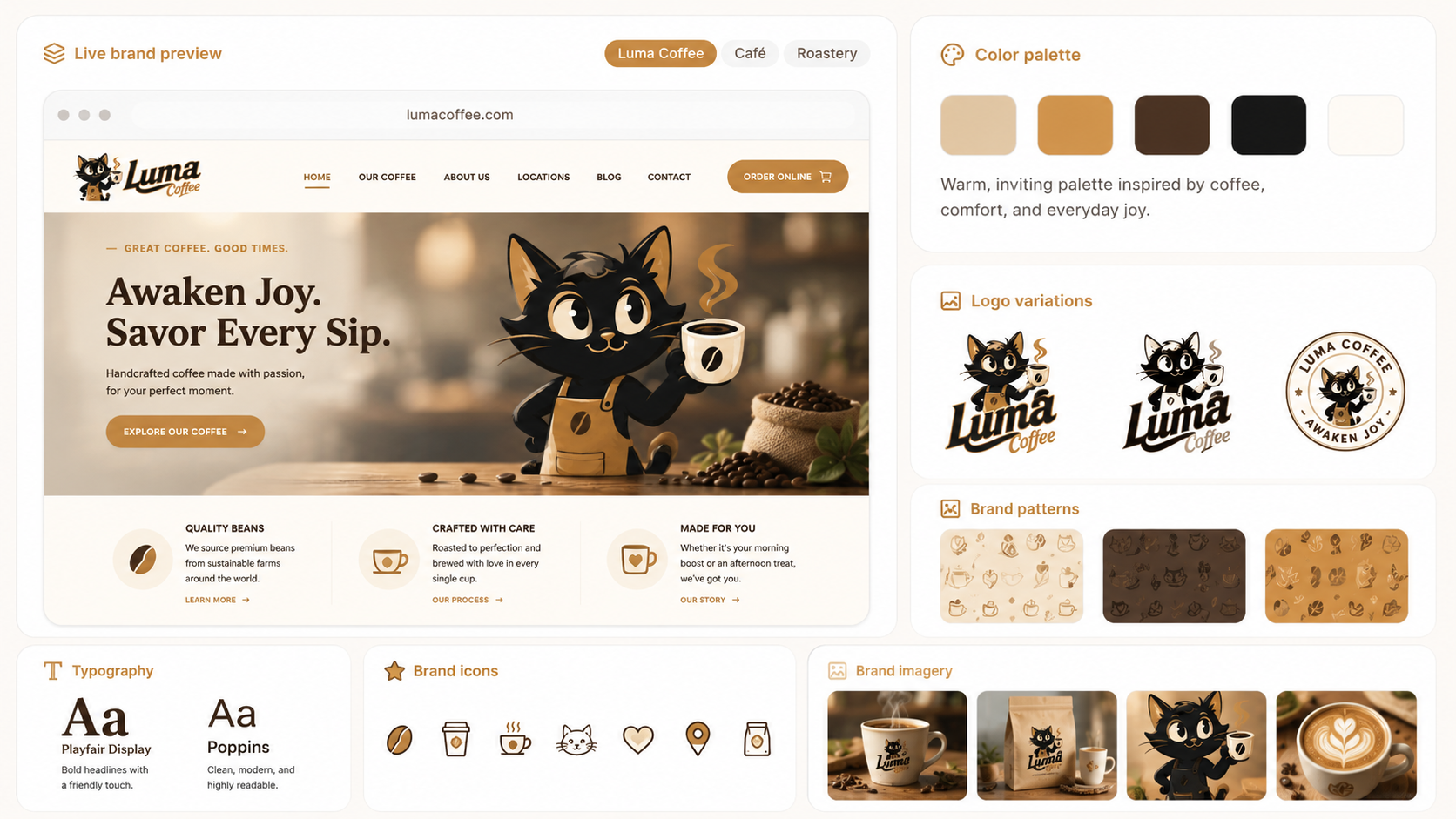
Once you choose your favorite design, LogoAI automatically expands it into a complete Brand Kit across your entire operational toolkit:
- Color Hierarchy: Color palettes designed for consistent use across digital and print materials.
- Typography Standards: Clear pairings of primary display headers and high-legibility body typefaces.
- Marketing Collateral: Business cards, multi-platform social covers, presentation templates, and video intros ready for launch day.
Who Benefits Most from This AI Logo Generator?
- Startups & Tech Founders: Launch with a credible, professional brand identity on day one using an automated AI logo maker.
- Small Business Owners: Get high-end physical and digital marketing materials without paying five-figure agency retainers.
- Creators & Solo Operators: Establish a recognizable visual identity across YouTube, Substack, and social channels.
- Agencies & Marketers: Use an AI logo generator to rapidly build moodboards and prototype brand directions during client discovery phases.
Frequently Asked Questions
What do I need to create a logo with LogoAI?
You only need your brand name to get started. If your brand name is abstract, you can optionally add a short description to help AI understand your vision.
Is LogoAI really AI-generated or based on templates?
LogoAI uses AI to generate logo concepts based on your brand information and creative direction. Unlike traditional template-based tools, it does not simply match a pre-made logo design or clip-art library.
How does an AI logo generator differ from a traditional template maker?
Traditional template makers simply paste a stock icon next to a standard system font. LogoAI 2.0 is a true AI logo generator that uses generative design models to create original compositions, unique icon treatments, and harmonious typographic relationships tailored to your brand name and industry.
Can I customize results from this AI logo generator?
Yes. You can continue refining your logo through AI conversations, adjust creative direction, and explore new variations until you find the right design.
What formats does the AI logo generator export?
LogoAI 2.0 provides production-ready assets tailored for modern web and print workflows, including high-resolution transparent PNG files for digital platforms alongside scalable, editable SVG vector files for high-precision printing, signage, and front-end development.
Why use a specialized AI logo generator instead of Midjourney or ChatGPT?
While general AI image tools are great for creating images, logo design requires additional considerations such as simplicity, scalability, typography, and brand consistency. A dedicated AI logo generator like LogoAI ensures your mark is technically scalable, legible, and production-ready.
The Takeaway
A great logo catches attention, but a cohesive visual identity builds lasting trust. With LogoAI 2.0, you get the speed and creativity of an advanced AI logo generator paired with the precision, structure, and consistency of a professional design studio.
Ready to create your own logo?
Turn your brand name into professional logo concepts in seconds with LogoAI.
Generate my logo