AI Photo Retouch
Clean, natural retouching — no filters, no heavy edits. Upload your portrait and let our AI enhance your natural beauty instantly.
 Clear, blemish-free skin
Your retouched photo will appear here.
What the AI Retouches
Subtle, realistic enhancements that keep you looking like you — no heavy filters, no plastic skin.
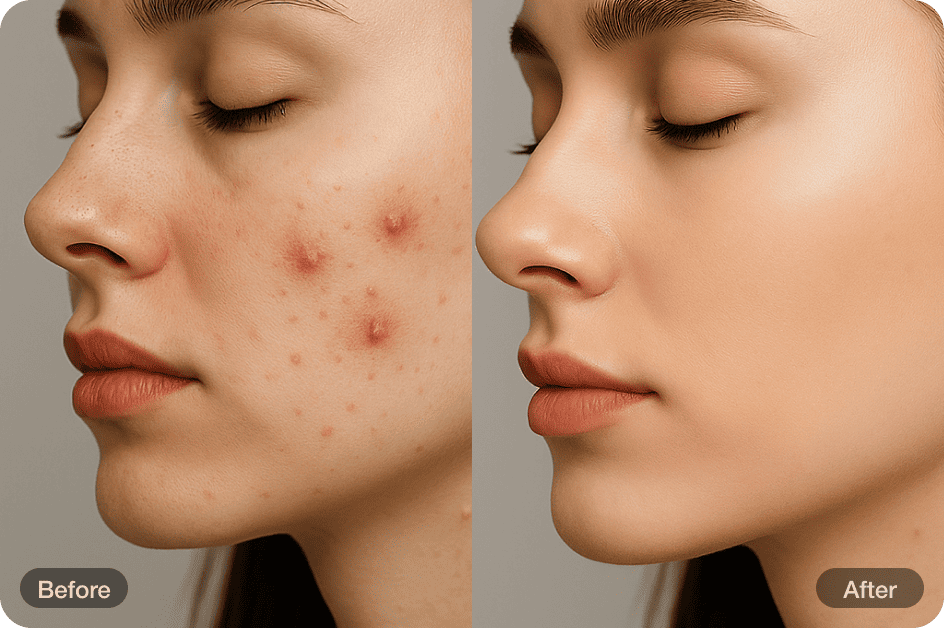
Auto Blemish Removal
Automatically detects and removes common skin imperfections like acne, redness, and dark spots — all while preserving the skin’s natural texture, pores, and fine details. Our AI ensures that retouching looks clean and subtle, never overly smooth or artificial.
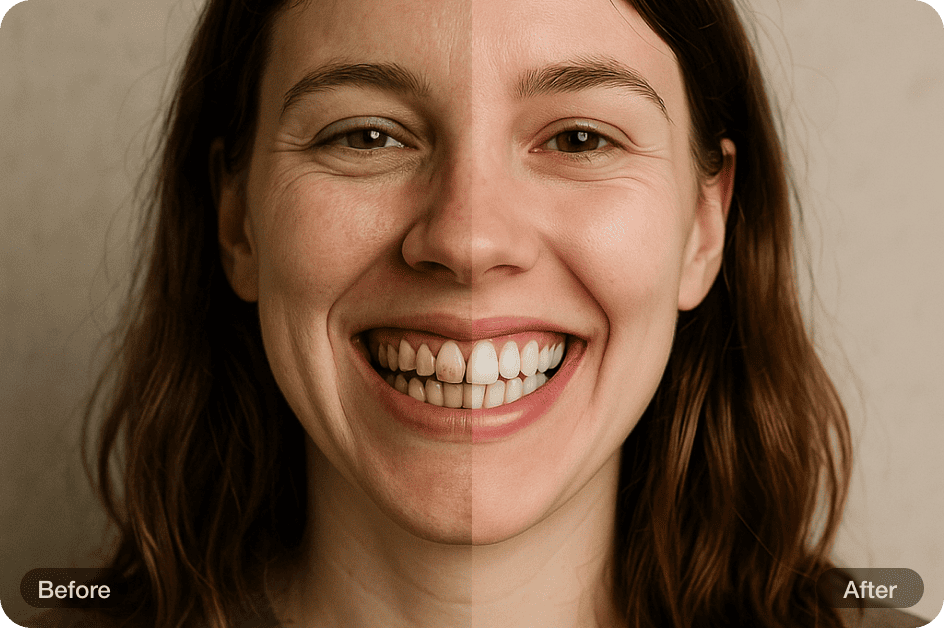
Natural Teeth Whitening
AI gently whitens visible teeth without overdoing it. It carefully brightens your smile to enhance your overall look while keeping everything natural and believable. The result? A clean, confident smile that truly looks like you — fresh and polished, never artificial or overexposed.
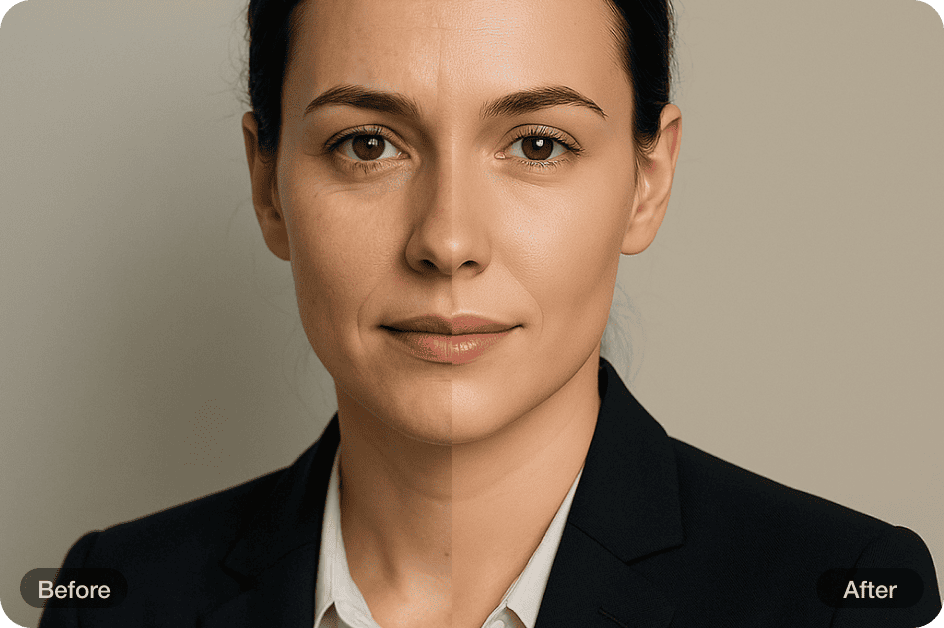
Natural Wrinkle Removal
Our AI gently reduces the visibility of fine lines and wrinkles while preserving the natural contours and character of your face. The result is a smoother, more refreshed look — with all the realism and none of the over-editing.
How to Retouch Photo with AI?
Upload Image
Upload your portrait or selfie in any format—no registration needed. Just select your photo and start instantly.
Automatic Retouch
Our AI automatically enhances your photo in seconds — for a polished, natural look without over-editing.
Download
After processing, download your high-quality retouched photo instantly. Ready to share or use anywhere, hassle-free.