4 Ways to Create a Logo with AI: Start with What You Already Have
The best way to create a logo with AI depends on what you already have. Compare four practical starting points—your brand name, an image, an existing logo, or a signature—and choose the route that fits your brand.
AI logo tools are most useful when they can meet you where your idea already exists. Sometimes you have only a business name. Sometimes you have a photo, an old logo, or a signature that already carries part of the brand.
That is why the best way to create a logo with AI is not the same for every business. Start with the strongest clue you already have, then choose the kind of visual exploration that makes sense for it. LogoAI supports four practical starting points: a brand name, an image, an existing logo, and a signature.
Four ways to create a logo with AI
| Start with | Best when | What the route is good for |
|---|---|---|
| A brand name | You are creating a new identity | Exploring new logo directions from the name and a short description |
| An image | A subject, object, or sketch already represents the idea | Turning a visual reference into a logo direction |
| An existing logo | People already recognize your current mark | Refreshing the design while keeping useful brand equity |
| A signature | The brand is closely tied to a person | Creating a personal mark for a founder, creator, or professional |
The starting point gives the AI an anchor. The rest of the process is about comparing visual directions and deciding which one deserves refinement.
1. Create a logo from a business name
A name-based route is the natural choice when the brand is new and there is no existing visual asset to preserve. It works for a startup, side project, shop, app, or service that needs several credible directions before choosing one.
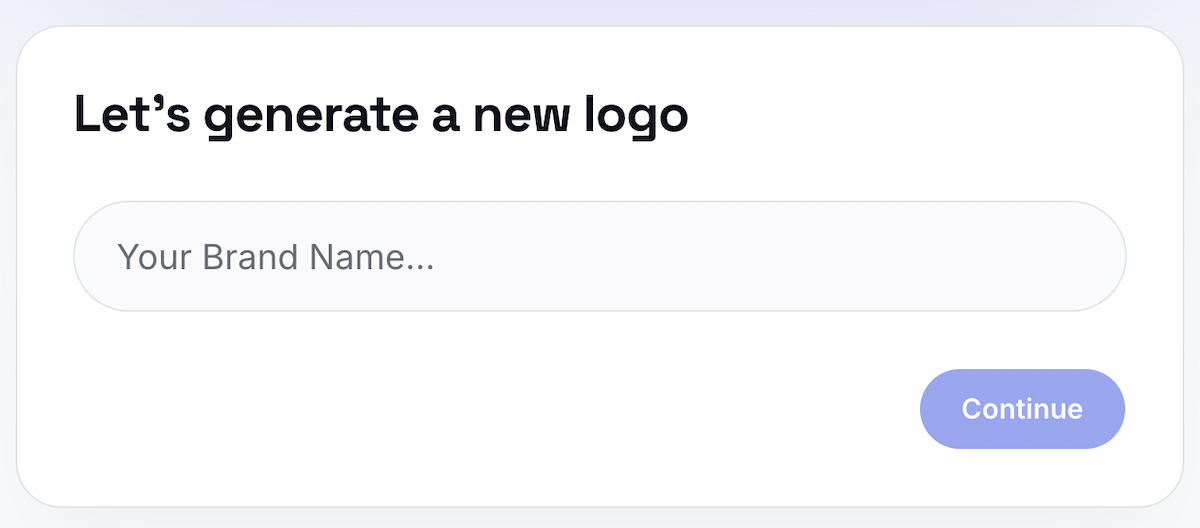
AI logo maker begins with your business name. You can add an optional short description when extra context would help—for example, what the business does, who it serves, the impression you want to make, or a color or symbol you already have in mind.
Style selection is a separate part of the experience. You can choose logo styles to compare, or select “Surprise me” when you want LogoAI to suggest directions. The result is a set of concepts you can review and refine, rather than a single design that you have to accept or reject.
This route is useful when the identity is still open. The name provides the anchor, while the style choices help you explore whether the brand works better as a wordmark, monogram, combination mark, or another direction.
When the name-based route is the right choice
- You have a name but no usable logo yet.
- You want to see several brand directions before committing to one.
- You know the audience or mood, but not the visual language.
- You want to compare familiar logo structures without commissioning each one separately.
You do not need to write a complete design brief before starting. Enter the name, add only the context you already know, and use the style step to explore the visual direction.
2. Create a logo from an image
An image-based route makes sense when the idea already has a visible subject: a product, animal, object, rough sketch, or photograph. The image gives the generator something concrete to interpret, which can be more useful than trying to describe the subject from scratch.
image-to-logo tool lets you upload a photo, sketch, or picture, add a brand name, and choose from six visual directions: Cartoon, Line Art, Negative Space, Vintage, Badge, and Abstract.
The important choice is not how many details you can describe. It is which visual quality should survive the conversion into a logo. A clear outline may work well with Line Art. A strong silhouette may suit Negative Space. A heritage or packaging concept may be easier to test as a Badge or Vintage design.
The image route therefore combines two useful inputs: the reference supplies the subject, and the style choice controls how that subject is simplified.
 If you want a step-by-step look at the upload experience, see How to Turn an Image into a Logo Design with AI. The broader rule is simple: use the image when the visual idea already exists, and use the style options to decide how it should become a mark.
When the image-based route is the right choice
- The logo should be based on a real object, animal, or product.
- You have a sketch or reference image that captures the idea better than words.
- You want to explore different treatments of the same subject.
- The symbol matters more than starting with a purely typographic identity.
A busy photograph may contain too many competing details. A focused subject or simple sketch gives the style direction more room to produce a recognizable logo.
3. Create or refresh a logo from an existing logo
Starting from an existing logo is often the most sensible option when customers already recognize the brand. You may need a cleaner symbol, a different layout, stronger typography, or versions that work at smaller sizes without losing the identity people know.
logo refresh tool is built for this situation. Upload the current logo and explore changes to its icon, colors, typography, and layout. The goal is a useful refresh: improve the parts that create friction while protecting the elements that carry recognition.
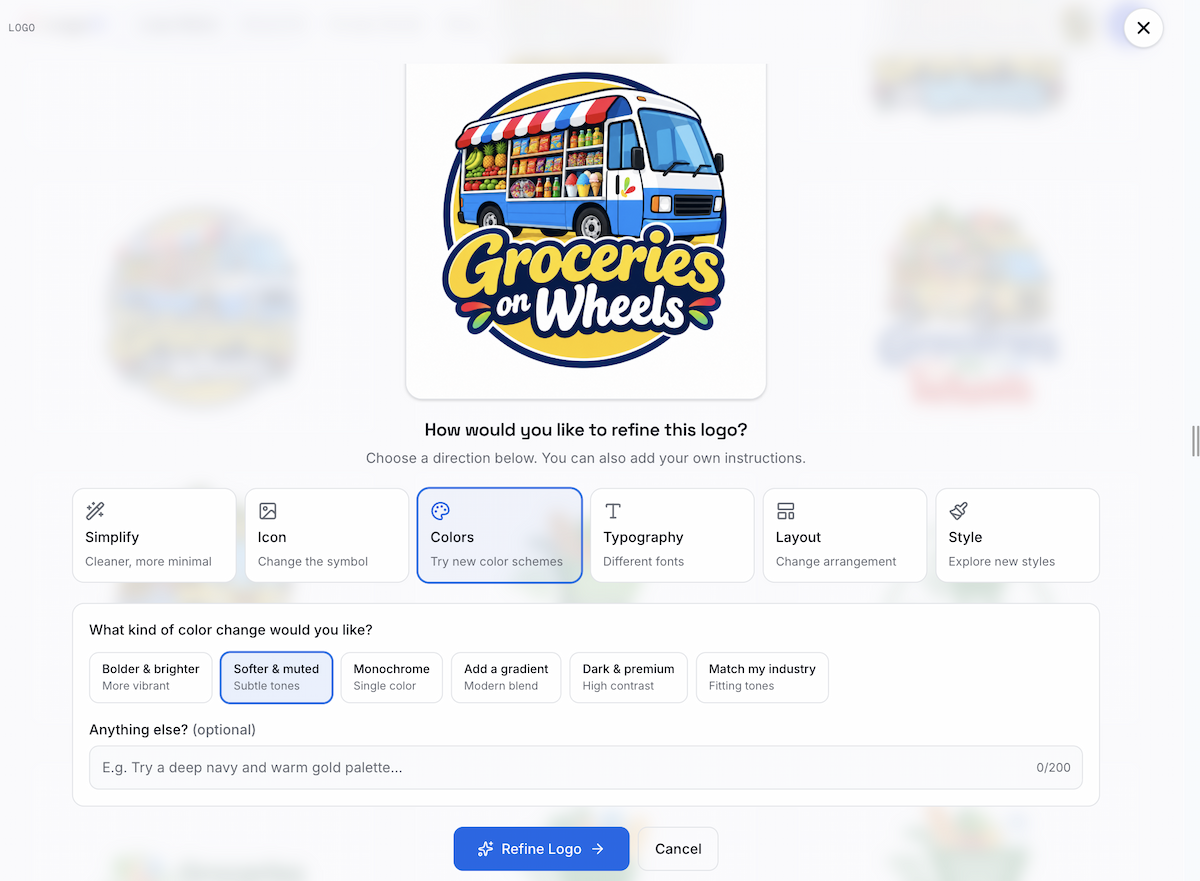
This route is especially valuable when the current logo is not completely wrong. A small business may like its symbol but need a more polished wordmark. A product team may want a simpler app icon. A growing brand may need a more consistent arrangement across its website, social profiles, and packaging.
Review the options at the size and places where the mark will actually appear. A version that looks impressive in a large preview may still be too detailed for a profile image or favicon. Treat the existing logo as context and compare the changes against the original, rather than judging every result in isolation.
When the existing-logo route is the right choice
- The current mark has recognition but feels dated.
- The symbol works in one placement and fails in another.
- You need cleaner typography, spacing, or color versions.
- You are exploring a refresh before finalizing a larger identity system.
4. Create a logo from a signature
A signature route fits a personal brand more naturally than a product brand. Founders, consultants, artists, photographers, coaches, and creators may want their name or handwriting to be the main visual mark.
AI signature generator turns a name into signature directions such as elegant script, calligraphy, underline, and brush styles. The choice is less about finding an abstract symbol and more about deciding how the person behind the brand should be represented.
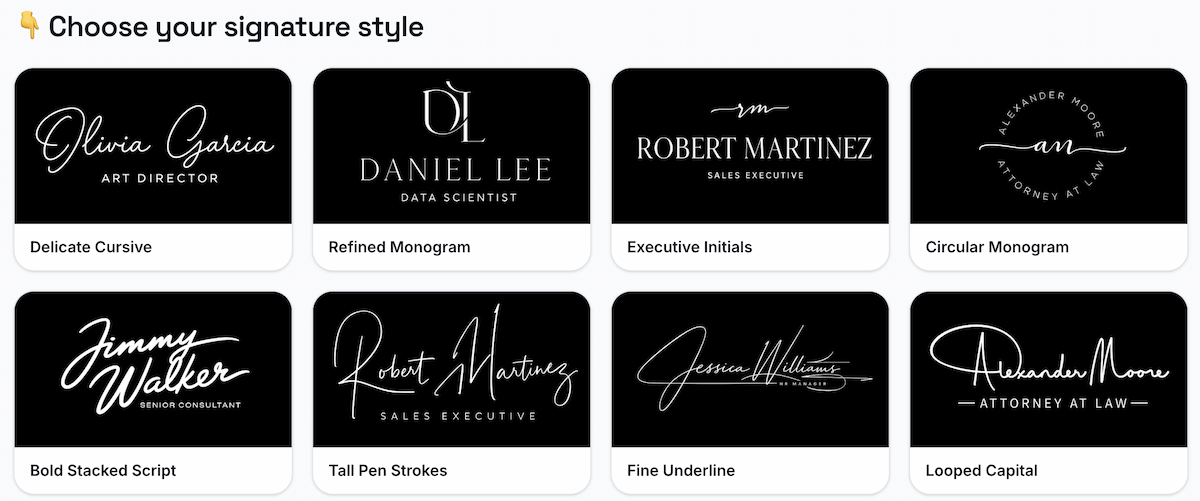
Use a more legible direction for a website header or professional service. An expressive brush or calligraphy style may suit a creator portfolio, packaging, or merchandise. In every case, check the full name at the size where it will be used. A decorative signature that cannot be read is usually a weak identity asset.
When the signature route is the right choice
- The founder or creator is the brand.
- The mark will appear on a portfolio, personal website, or social profile.
- A handwritten feeling is more valuable than a separate icon.
- You want a personal signature to support, rather than replace, a wider brand identity.
Which AI logo route should you choose?
Use this quick rule:
- Only a name: start with the Logo Maker and explore styles.
- A strong visual subject: use Image to Logo.
- A recognizable but dated mark: use Modify Your Logo.
- A personal name or handwriting direction: use the AI Signature Generator.
You can also combine the routes. A business may begin with its name, use an image to explore a symbol, refresh an early concept, and create a signature as a supporting personal mark. The point is to choose the input that carries the most useful information at that stage.
What makes this approach more useful than a blank AI canvas?
The practical advantage is choosing a useful starting point instead of translating the entire idea into a long AI prompt. For many people, entering a name, uploading an image, or adding an existing logo is more direct than explaining every visual detail in a blank text box. The input gives the generator a concrete anchor, while the style choices help narrow the direction.
This is especially approachable for people who are not designers or prompt writers. A short description can add context when you have it, but it does not have to carry the whole design decision. Choosing the right starting material is often easier than learning how to specify every color, composition, reference, and constraint in one long instruction.
Each LogoAI route keeps the input close to the design decision:
- the name route is for open-ended identity exploration;
- the image route keeps a real subject while testing different logo styles;
- the existing-logo route supports a controlled refresh;
- the signature route keeps the person at the center of the mark.
That flexibility also addresses a common concern in AI logo discussions: generated results can look attractive but interchangeable. A specific starting asset gives the design a reason to belong to the brand. In a recent r/branding discussion, people were similarly looking for logo tools that could use business context and support a broader identity, rather than return a random icon.
How should you judge the result?
Whichever route you choose, check the strongest concept against four practical tests:
Is it recognizable at a small size?
Test the icon and wordmark as a profile image, favicon, app icon, or small package label. Remove details that disappear or merge together.
Does it work in one color?
A logo should not depend entirely on gradients, shadows, or a complex background. A one-color check exposes weak shapes and poor contrast quickly.
Is the lettering correct?
Review spelling, capitalization, letter spacing, and the relationship between the name and symbol. Text deserves the same attention as the icon.
Does it fit the brand and the use?
The visual treatment should suit the audience and the places where the mark will appear. A playful mascot may help a children’s brand, while the same treatment could weaken a financial service.
A generated concept is a starting point, not proof that the mark is unique or registrable. Search for similar logos and get professional advice when trademark protection matters. Once a direction is approved, Brand Kit can help extend the mark into coordinated colors, fonts, and other brand assets.
Start with the input that already carries meaning
There is no need to begin every AI logo project from a blank description. Start with a name when the identity is open, an image when the subject already matters, an existing logo when recognition needs to be protected, or a signature when the brand is personal.
The right starting point gives AI something specific to work with and gives you a clearer basis for judging the result. That is what turns logo generation into useful design exploration rather than a stream of unrelated symbols.
Ready to create your own logo?
Turn your brand name into professional logo concepts in seconds with LogoAI.
Generate my logo