Placeit vs. LogoAI: Template vs. AI Mockup Generator — Which Is Better?
Placeit vs. LogoAI: compare template and AI mockup workflows, their pros and cons, and how LogoAI combines visual references with AI generation.
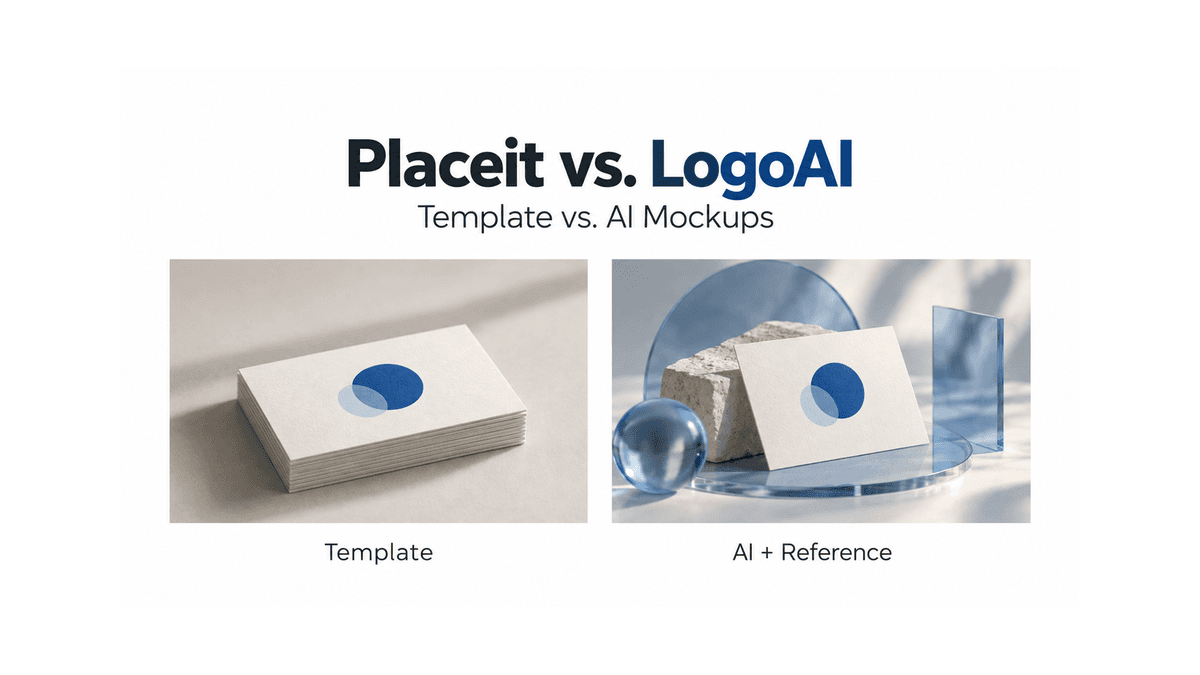
You have a logo and want to see it on a business card, a T-shirt, or a phone screen. Should you choose a ready-made mockup or let AI generate a new scene?
Placeit and LogoAI offer different answers. Placeit’s familiar template workflow lets you browse finished scenes and apply your artwork. LogoAI generates mockups with AI, including a new approach that uses a selected template as a visual reference.
The best choice depends on what matters most: repeatable product images, creative flexibility, or an easy way to explore a brand presentation. Here is how the approaches compare, where each has limitations, and how LogoAI combines visual examples with generation.
The key difference: placing artwork vs. generating a scene
A template-driven mockup starts with an established image. The camera angle, product, lighting, and surroundings have already been selected. Your artwork is placed into a designated area, with adjustments available through the editor.
For example, a shirt photographed in a studio remains the same shirt in the same setting as you try different graphics. That predictable foundation is useful when you want viewers to compare designs.
An AI mockup generator creates a new image from inputs such as your logo, instructions, and a visual reference. The surroundings and presentation can be generated along with the design’s appearance in the scene.
LogoAI’s combined approach gives that generation a starting point. You choose an example you like, and the AI uses its composition and visual qualities as guidance. The result is newly generated, rather than simply replacing artwork inside the original image.
Placeit: the strengths of a template workflow
Placeit’s mockup library is a natural starting point if you prefer choosing a finished scene before applying your design. Its browser-based tools cover mockups alongside other design and video templates.
The main appeal of this workflow is predictability. You can judge the setting before committing to it, and a suitable template removes many creative decisions. For someone preparing a straightforward product presentation, that is often exactly what is needed.
Pro: repeatable images
A fixed scene can be reused for different designs. When the background and composition stay consistent, viewers can focus on the artwork. This makes the template approach useful for a coordinated collection or a series of promotional images.
Pro: fewer decisions to make
You do not have to describe the lighting, invent a composition, or direct a camera. Those decisions are built into the template. Once you find an appropriate scene, the remaining work can be relatively straightforward.
Pro: more predictable artwork treatment
Traditional compositing places source artwork into an established area instead of asking a model to regenerate every detail. For text-heavy graphics or precise logos, that can make the result easier to evaluate. You should still check cropping, placement, and how shadows affect readability.
Con: customization has boundaries
The controls depend on the selected template. You may be able to change colors or reposition artwork without being able to change the pose, surroundings, or camera angle. A new creative direction may mean searching for another scene.
Con: the same scene can appear elsewhere
Other businesses can select the same template. That does not make it unsuitable, but it may matter when you want a distinctive campaign image. A consistent product preview and an attention-grabbing brand concept serve different purposes.
Con: browsing is part of the work
The challenge is finding a scene that fits the product and the brand. A large library provides choices, but searching through them can become time-consuming when your brief is unusually specific.
These are tradeoffs of template-based creation, rather than a claim that every Placeit template has identical features. Check the individual scene’s controls before choosing it.
LogoAI: the strengths of generated mockups
The LogoAI AI Mockup Generator lets you upload your logo and choose a visual example to guide generation. The model uses the reference’s composition, camera angle, lighting, and materials to create a new scene featuring your branding.
This is useful when you want an accessible starting point for exploration. You can recognize the kind of presentation you like without having to explain every visual detail in writing.
Pro: room for creative interpretation
Generation makes it possible to explore how a brand could appear in different visual contexts. A restrained stationery presentation and a dramatic campaign image might both use the same logo while communicating very different moods.
Pro: visual examples make direction easier
Choosing an image is often easier than describing one. You can point toward a hand-held card, a floating phone arrangement, or a streetwear composition and use that choice to guide the result.
Pro: useful for evaluating a brand idea
A mockup helps founders move beyond judging a logo in isolation. Seeing it in different settings can reveal whether the identity feels appropriate for its intended audience. Generated alternatives provide material for that discussion.
Con: exact details need review
AI can change letters, fine lines, proportions, and colors. LogoAI supplies the uploaded logo as source artwork and instructs the model to preserve it, but that is not a guarantee of perfect reproduction. Compare the result against your original file.
Con: consistency is less automatic
A reference guides generation without fixing every pixel. Separate results may differ in layout, objects, lighting, or product details. If you need the exact same scene across many designs, traditional templates may be more convenient.
Con: iteration can affect value
Sometimes a result works immediately; sometimes it needs another attempt. Evaluate the effort and cost per usable image, rather than assuming that any generated result will be ready for your campaign.
How LogoAI combines templates and AI
Our approach keeps the helpful part of browsing templates: choosing a composition you can already see. It then uses that composition as a reference for AI generation.
Consider business cards. A hand-held card suggests a personal, everyday interaction. A floating pair feels more like a studio presentation. Rounded cards arranged on a colored surface emphasize shape and palette. Selecting an example communicates those differences before generation begins.
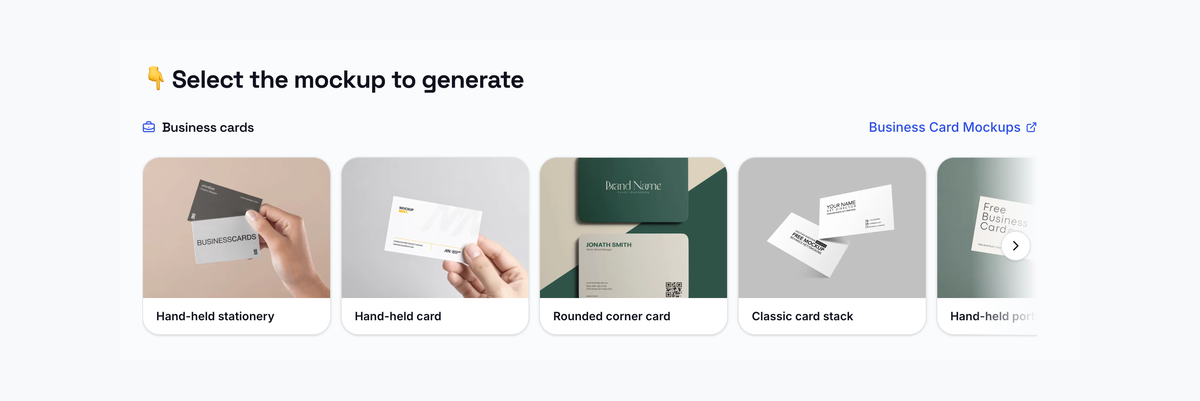
LogoAI’s business card reference library. Click the image to explore business card mockups.
In our business card mockup generator, you can choose a curated style, upload your own example, or select Surprise me for a composition without a reference. The example guides the arrangement; its existing branding is not the intended artwork for your result.
This combination offers structure without requiring a fixed final scene. It is especially helpful when you know the look you want but would rather choose a visual direction than begin with a blank prompt.
It also has an important boundary: a reference is guidance, not a locked layout. If your task requires exact typography, a precise print specification, or identical positioning across multiple outputs, inspect the generated image carefully and use a controlled editing workflow where necessary.
A practical example: choosing a phone mockup
The same principle applies to device presentations. A phone held upright puts the screen at the center of attention. A floating pair creates a more stylized composition. A phone photographed outdoors introduces lifestyle context.
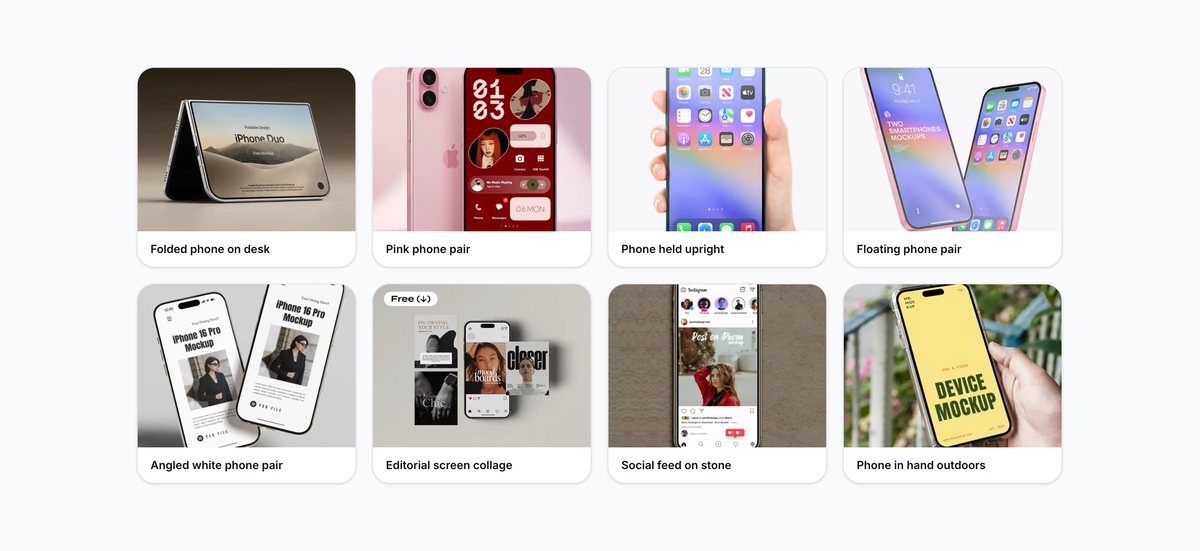
LogoAI’s phone reference examples show different visual directions, rather than generated results for one uploaded logo.
Browse the iPhone mockup category and choose the scene that supports your presentation. For an early brand concept, mood and composition may be the priority. For a demonstration of an actual app, accurate interface content and device details matter more.
That distinction helps you choose the process. A generated scene can communicate a concept effectively, while a fixed screen-placement template may be more suitable when every interface label must match the original screenshot.
Placeit vs. LogoAI at a glance
| Priority | Template approach associated with Placeit | LogoAI’s reference-guided AI approach |
|---|---|---|
| Starting point | Select an existing scene | Select a visual example, supply your own, or generate without one |
| Repeatability | Strong fit for reusing a fixed composition | Results can vary between generations |
| Creative direction | Limited by available scenes and controls | Reference provides direction for a new interpretation |
| Artwork precision | More predictable source-artwork placement | Fine details need checking against the original |
| Best use | Consistent previews and repeatable presentations | Brand exploration and creative presentations |
Which mockup generator is better for you?
Choose Placeit’s template workflow when you find a suitable scene and want to reuse it consistently. It is a practical choice when the composition is already right and your main task is applying different artwork.
Choose LogoAI when you want to explore your brand through newly generated scenes, with visual references making the starting point easier. Its combined approach is particularly useful for founders preparing brand presentations and considering several creative directions.
You can also match the tool to the individual task. Use consistent templates for a product series, then explore AI-generated imagery for a campaign concept. Neither approach removes the need to review the final image.
Beyond cards and phones, try LogoAI’s T-shirt mockups, website mockups, and billboard mockups. For more options, read our Top AI Mockup Generators Review. The right choice is the workflow that gives your particular project the control and creative freedom it needs.
Ready to create your own logo?
Turn your brand name into professional logo concepts in seconds with LogoAI.
Generate my logo