How to Check a New Logo for Similar Trademarks Before Launch
Before a U.S. launch, screen a new logo with both a visual search and a trademark search. Learn what each check can reveal, how to review similar marks, and when to ask an attorney for clearance.
A good pre-launch logo check uses two different searches: a visual search for lookalikes and a trademark search for similar marks in related markets. A clean reverse-image search is not proof that a logo is legally safe to use or register.
This guide covers a practical first-pass review for a U.S. launch. It is not a substitute for a full trademark clearance search or legal advice.
What does “too similar” mean for a logo?
A logo can resemble another mark in more than one way. Look at the overall impression: the words, the main symbol, the silhouette, the arrangement, and the idea those elements communicate. A different color alone may not change the impression people get from two otherwise similar designs.
Trademark risk also depends on what the marks identify. The U.S. Patent and Trademark Office (USPTO) says marks can be confusingly similar when they look alike, sound alike, have similar meanings, or create similar commercial impressions. The goods or services matter too: related offerings can create a conflict even when they fall in different international classes.
The useful first question is not “Are these images identical?” It is “Could customers connect these marks with the same or a related source?”
Prepare the versions people will actually see
Before searching, save the exact version you plan to use. Then make a short list of its parts:
- The business or product name, including unusual spelling and abbreviations
- The main icon or symbol, separated from the wordmark if possible
- The most distinctive shapes, lettering, and layout
- The goods or services the logo will identify, and the customers who will see it
Search the complete logo and the icon on its own. If you plan to use a symbol without the business name, that standalone version deserves its own check. Keep the original artwork handy so you can compare close results side by side. Check each version in the context where customers will see it. If yours appears on a website and social profiles, this guide explains why logos look different across platforms.
Run a visual search for close designs
Start with a reverse-image search using the full logo. Repeat it with a crop of the icon or other distinctive graphic. A search engine may surface exact copies, stock artwork, or visually similar images that a text search would miss.
Next, search the business name with a few relevant terms for your industry. Look at actual companies, product listings, app stores, and social profiles—not just image libraries. A logo that feels generic in a gallery may be distinctive in one context, while a similar mark already used by a nearby competitor deserves a closer look.
Compare the results at the size customers will see them. Ask:
- Is the central symbol built from the same unusual shape or combination of shapes?
- Do the wordmark and icon use a similar arrangement or silhouette?
- Would someone skimming a profile image or package confuse one business with the other?
- Are the businesses in the same or a related category?
Treat visual-search results as leads to investigate. Image matching tools compare against the collections they can access; they do not search every mark or decide whether two trademarks are legally confusing.
Search U.S. trademark records by wording and design
For a U.S. launch, search the USPTO database for the name in your logo and close variations. Try alternate spellings, likely pronunciations, and shortened forms. Search the main design elements too: the USPTO’s federal trademark search guide explains how to use design search codes for logos and other image-based marks.
For each close result, review the mark as a whole, its status, and the goods or services listed. Do not stop at your exact international class. The USPTO notes that related goods and services can be considered related even when they are in different classes, and that a federal database search is only one part of a comprehensive clearance search.
A practical first pass should also look for real-world use beyond federal records, such as state records and businesses operating in your market. A search result is a reason to investigate; it is not a final legal conclusion.
What should you do when you find a similar mark?
Pause before printing packaging, buying ads, or filing an application if a close mark appears in the same or a related market. Save the result and note which parts seem similar: the name, the icon, the layout, or the overall impression. If the match is unclear or the launch matters financially, ask a trademark attorney to review it.
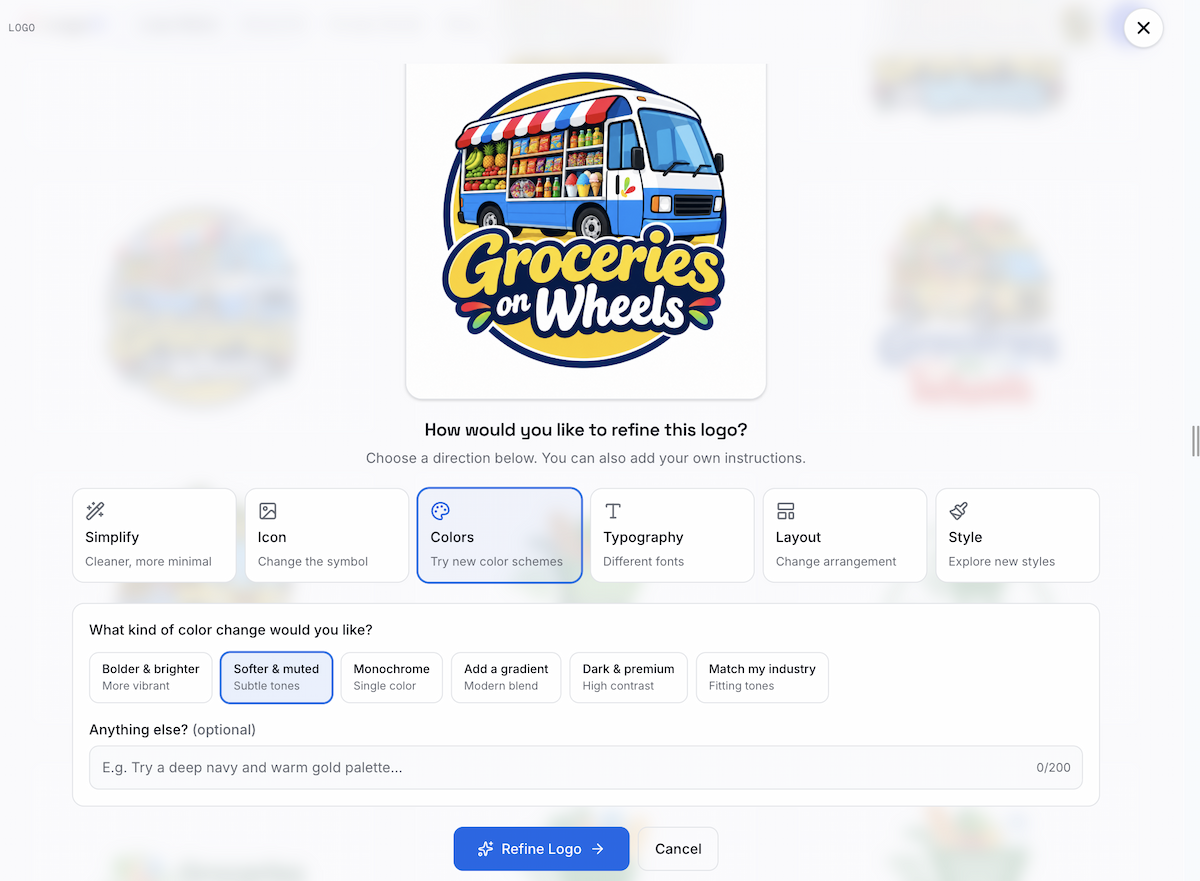
If the concern is mainly visual, revise a defining element rather than making only a cosmetic tweak. Change the symbol’s silhouette or concept, the way the name and icon work together, or the lettering direction. Then repeat the visual and trademark searches on the revised version.
If you want to keep the current concept but change its design, you can revise your logo with LogoAI. LogoAI’s redesign workflow lets you upload an existing logo and try guided changes to its icon, colors, typography, layout, or style. You can compare several model outputs side by side. It helps you explore revisions; it does not check trademark records or certify that a design is clear.
When is a first-pass search not enough?
Get professional advice before filing a trademark application, entering a major launch, or investing heavily in a logo that has a close match. A broader review is also sensible when you will operate in multiple countries, because trademark rights and search databases are territorial.
No quick search can promise that a logo is available everywhere. The goal of a first pass is to spot obvious lookalikes early, understand what needs a closer review, and avoid treating a design tool’s similarity score as legal clearance.
A short pre-launch checklist
- Search the complete logo and the standalone icon visually.
- Search the business name and likely spelling or pronunciation variants.
- Search important design elements in the USPTO database.
- Review similar marks in related goods and services, including outside your exact class.
- Check for real-world use beyond the federal database.
- Revise a defining feature if a close match appears, then search again.
- Ask a trademark attorney when the result is close or the launch stakes are high.
The safest practical rule is simple: use visual search to find possible lookalikes, trademark search to understand market conflicts, and professional clearance when the consequences justify it.
Ready to create your own logo?
Turn your brand name into professional logo concepts in seconds with LogoAI.
Generate my logo