How to Create a Cohesive Brand Identity from Your Logo
Learn how to build a cohesive brand identity from your logo with LogoAI Brand DNA, Brand Kit, and the editable Brand Guideline Generator.
Your logo is the visible starting point of your brand identity, but a recognizable business needs more than one file. Customers experience your colors, typography, voice, imagery, layouts, and branded touchpoints together. When those choices support one another, your company feels intentional wherever people encounter it.
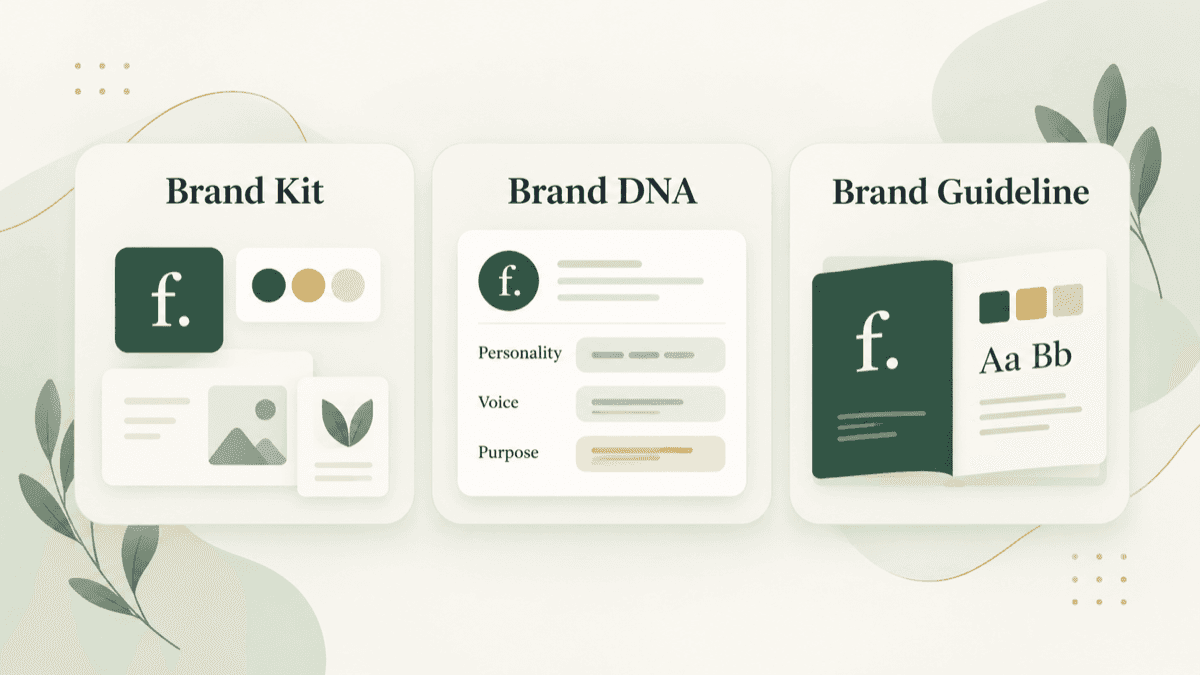
LogoAI’s updated brand workspace brings three useful steps together: Brand Kit organizes the visual assets, Brand DNA defines the personality and purpose behind them, and Brand Guideline turns the decisions into an editable reference your team can download and use. This workflow helps founders move from a logo to a cohesive identity without assembling disconnected tools.
Start with the meaning behind the logo
Before choosing matching colors or mockups, describe what the business should communicate. Pick three or four personality traits, identify the audience, and write a short promise. A neighborhood bakery might be warm, thoughtful, and handmade; a software consultancy might be clear, capable, and dependable.
Your logo can suggest a mood, but it cannot establish your strategy by itself. Give the tools enough context to work with, then review every recommendation against your actual customers and offer.
1. Use Brand DNA to define the foundation
Brand DNA describes the ideas that should guide the visual system: audience, positioning, personality, voice, mission, vision, and slogan. Start with your logo or website and add a short business description when the name alone does not explain what you do.
The result is a working profile rather than a final verdict. Read the suggested traits and rewrite anything that sounds generic or inaccurate. For example, “friendly” could mean conversational and encouraging for one company, but warm and community-led for another. Specific language produces better design decisions.
Brand DNA is especially useful when more than one person creates content. A designer, founder, and marketing freelancer can use the same strategic vocabulary when choosing an image or writing a headline.
2. Use Brand Kit to organize the visual system
Once the direction is clear, Brand Kit turns the logo into a coordinated set of assets. It can generate a background color and up to three brand colors, plus transparent, single-color, and white-on-color logo versions. It also provides a standalone symbol, transparent symbol, alternative logo, and brand mascot concepts.
Treat these as approved candidates to review, not automatic replacements for judgment. Check small lettering, symbol proportions, and contrast before publishing. Give each version a job: a full wordmark for a website header, a compact mark for a square profile image, a white version for dark backgrounds, and a symbol when the name would be too small to read.
The kit also helps you see the identity in context. Matching stationery, merchandise, signage, digital screens, and social graphics make it easier to spot a palette that feels inconsistent or a logo that disappears at small sizes. Keep the final production files and exact color values with the guide so collaborators know which assets are current.
3. Turn the decisions into a brand guideline
A folder of logos does not explain how to use them. The new Brand Guideline Generator creates an editable 10-page style guide from your logo and saved brand profile.
Upload or paste a PNG, JPG, or WebP logo, then add an optional sentence about your business and audience. Preview the guide before downloading it. It includes a cover, brand foundation, personality and voice, primary logo, spacing and scale guidance, color palette, typography, logo usage examples, illustrative applications, and a quick reference.
The generator recommends supporting headline and body fonts and provides HEX and RGB values for digital work. Review those recommendations carefully: a logo image may suggest a visual style, but it cannot reliably identify the exact typeface or confirm business facts.
Click Edit beside Download PDF to adjust the guide before sharing it. You can refine the voice statement, mission, vision, slogan, and usage notes. Changes save automatically and remain separate from the shared brand profile. When the profile changes later, Update from Profile lets you apply the new foundation deliberately rather than overwriting custom edits without warning.
Make logo variations purposeful
A cohesive identity can adapt without becoming inconsistent. Define a primary logo, compact arrangement, standalone symbol, single-color option, and reversed option where needed. Preserve the same recognizable shapes, spacing, and lettering across all versions.
Write a one-line rule for each: “Use the horizontal logo in wide headers,” “Use the symbol in square avatars,” or “Use the white mark on dark photography.” A guideline becomes valuable when it answers a real production question quickly.
Extend the identity into everyday touchpoints
Test the system where customers will actually see it. Use LogoAI’s mockup tools to explore business cards, packaging, apparel, signage, and digital screens. Mockups reveal whether colors, spacing, and contrast hold together across different surfaces, but they remain previews; verify the underlying artwork and print specifications separately.
For existing photos and campaign graphics, the AI Image Editor can help explore background, lighting, or composition changes with written instructions. Keep the logo and product details fixed in your instructions, then inspect every generated result for altered text or shapes.
Motion should follow the same personality. The Logo Intro Maker can help you explore a short animated reveal from the approved mark. Choose movement that fits the Brand DNA: smooth and restrained for a professional service, or energetic and playful for a youth brand. Always check the final frame for accurate logo artwork.
A simple operating routine for founders
- Define audience, promise, personality, and voice in Brand DNA.
- Build and review colors, logo variants, and supporting assets in Brand Kit.
- Generate the editable guideline and correct its recommendations.
- Download the PDF and store it beside approved logo files.
- Test the identity on three important touchpoints.
- Update the guide when your profile, channels, or approved assets change.
Give the document an owner, version date, and contact for questions. Retire old files so a freelancer does not accidentally reuse a previous color or logo arrangement.
The goal is recognition with flexibility
Cohesion does not mean every asset looks identical. It means the same visual and verbal decisions remain recognizable as the format changes. Brand DNA explains why the identity feels the way it does. Brand Kit gives people the assets to apply it. Brand Guideline documents the rules and examples that keep the system consistent.
Start with your logo, review the three tools as one workflow, and keep the final guide practical. When a teammate can create a credible social post, proposal, or sign without asking you to explain every choice, your identity is doing its job.
Ready to create your own logo?
Turn your brand name into professional logo concepts in seconds with LogoAI.
Generate my logo