10 Free Logo Animation Templates:Preview Your Logo Online
Compare ten free logo animation templates by movement, logo shape, and use case, with practical tips for choosing an entrance or loop and previewing your own logo online.
The same logo can feel calm with a fade, playful with a bounce, or energetic as it rolls into view. A useful animation makes that personality clear while giving people enough time to recognize the mark.
You can try all ten free logo animation templates with your own logo in LogoAI, switching between styles in a live preview.
For a wordmark that needs to stay readable, start with Fade In, Slide Up, or Wipe. For a compact symbol and a livelier entrance, compare Zoom / Pop, Bounce, or Swing In. Choose Pulse when you want continuous movement that keeps the logo visible throughout.
10 free logo animation templates to try
Use this comparison to build a short list based on your logo and where you plan to use it.
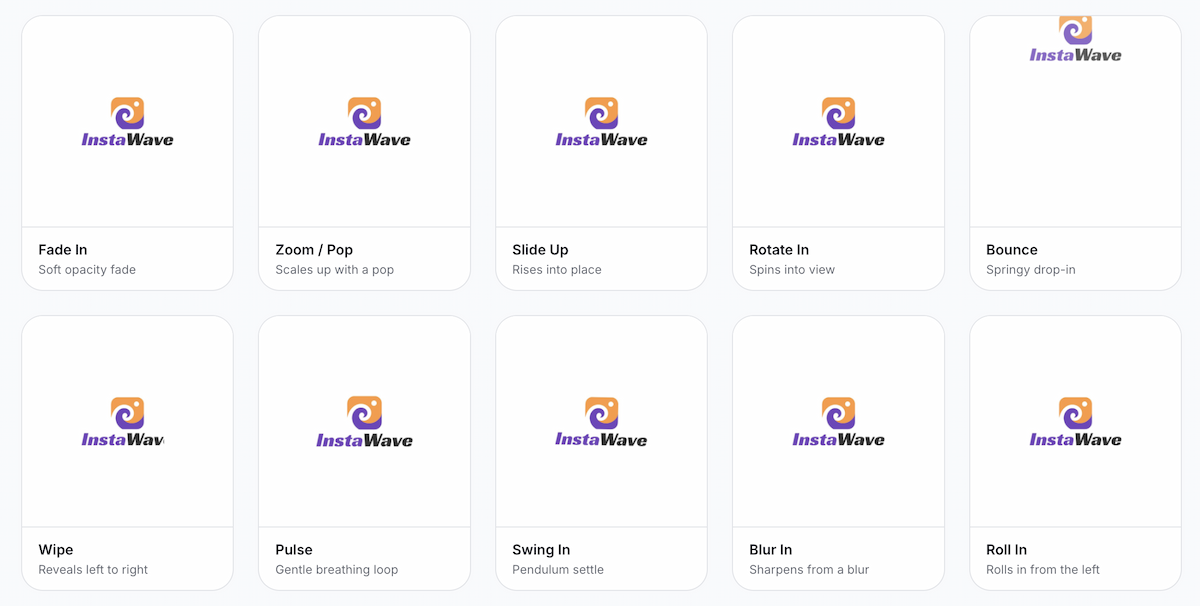
For a long wordmark, shortlist Fade In, Slide Up, and Wipe. For a compact icon, compare Zoom / Pop, Bounce, and Rotate In. These are starting points: preview the same artwork in two or three styles and choose the one that fits the brand’s tone without making it harder to recognize.
| Template | A good starting point for | What to check in the preview |
|---|---|---|
| Fade In | Detailed logos, long wordmarks, and understated end cards | Small text should be readable once the logo is fully visible. |
| Zoom / Pop | Bold icons, app symbols, and lively product clips | Leave room around the logo as it reaches its largest size. |
| Slide Up | Horizontal wordmarks, presentation titles, and product demos | Keep its path clear of captions and nearby text. |
| Rotate In | Circular symbols, compact emblems, and monograms | The mark should remain recognizable while tilted. |
| Bounce | Mascots, rounded symbols, and playful promotions | Give the logo time to settle before the next scene. |
| Wipe | Wordmarks and logos with a symbol to the left of the name | Keep the complete business name visible long enough to read. |
| Pulse | Holding screens, digital displays, and subtle website accents | Watch several cycles to judge whether it distracts from surrounding content. |
| Swing In | Illustrated symbols, badges, and expressive brand identities | Wide logos need room at the corners as they tilt. |
| Blur In | Simple title cards and soft, restrained reveals | Check that fine lettering becomes clear before the scene changes. |
| Roll In | Circular badges and energetic video openings | Allow space for the arrival and a readable final position. |
Should your logo animation play once or loop?
Choose the playback behavior for the place you will use it. In a logo intro or end card, Fade In, Slide Up, or Wipe can play once, settle on the complete logo, and give viewers a readable pause before the next scene. For a repeating website accent or holding screen, Pulse keeps the mark visible as the motion continues. Our guide to logo reveals, animations, and intros explains how an entrance, a repeating animated mark, and a complete branded opening serve different purposes.
A preview that repeats is not automatically a seamless loop. An entrance effect restarts its arrival: a repeating fade, for example, makes the logo disappear and appear again. A continuous pulse returns to the same scale as it completes each cycle. Watch the join between the last frame and the first, and decide whether that restart suits the placement.
For a video, you can use an entrance once and control the final hold in your editor. For an animation that will repeat beside other content, judge several cycles in the actual layout before choosing it. For effects such as liquid reveals or neon tracing, explore AI logo animation, which generates a video from your logo and the chosen style.
Preview Your Logo Animation with LogoAI
Upload a clean PNG or SVG to LogoAI, then compare a short list of styles. Keep the same artwork and background while comparing effects; adjust the speed after choosing the movement. That makes it easier to tell whether you prefer the motion itself or simply a different pace.
Before downloading, check three things:
- Recognition: Can you read the business name and recognize the symbol at the size people will actually see?
- Framing: Do the logo’s corners, shadows, and lettering stay comfortably inside the frame throughout the movement?
- Playback: Does the logo settle long enough to read, and does the restart feel appropriate if the file repeats?
If a small tagline becomes unreadable, try a simpler logo version without it.
LogoAI offers GIF and WebM downloads. Choose GIF when the destination accepts an animated image; choose WebM for video playback where that format is supported. Check your website, presentation software, or video editor’s accepted formats before exporting. WebM exports from this tool use a background color; transparent output is available through the GIF option.
Ready to create your own logo?
Turn your brand name into professional logo concepts in seconds with LogoAI.
Generate my logo