Logo Reveal vs. Logo Animation vs. Logo Intro: What’s the Difference?
Learn the difference between logo reveals, logo animations, and logo intros, and compare CSS, After Effects templates, online presets, and AI creation tools.
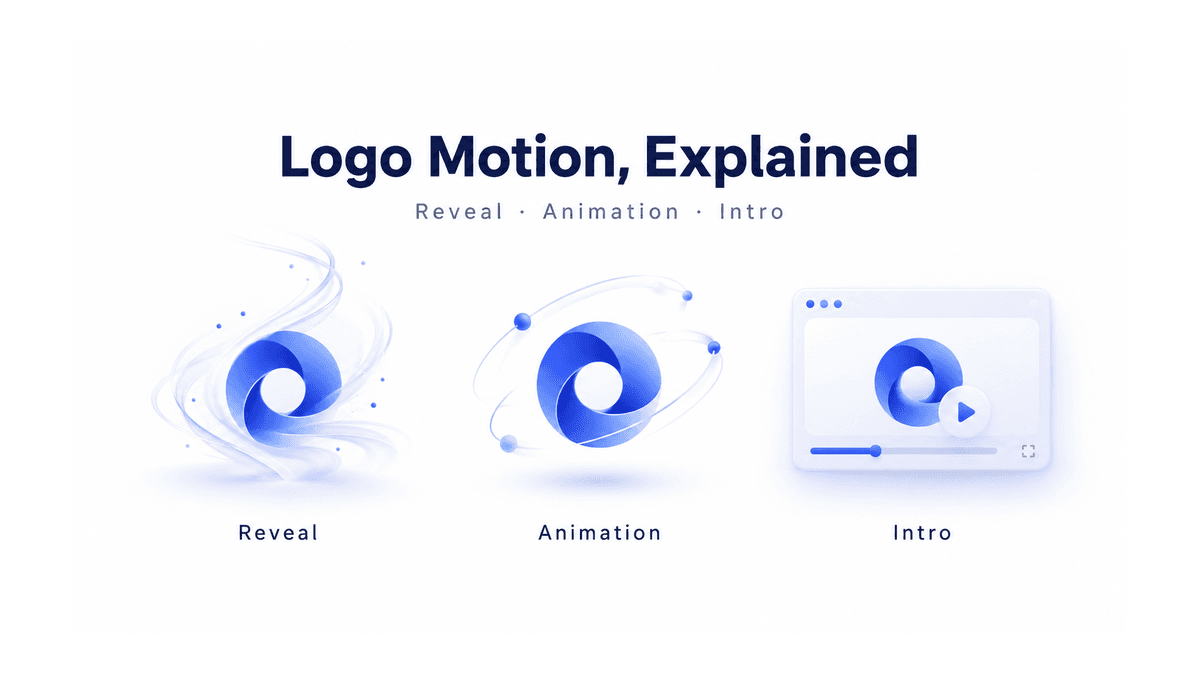
A logo appears through a sweep of light. A symbol gently pulses on a website. A short branded sequence opens a YouTube video. All three involve motion, but they serve different purposes.
The terms logo reveal, logo animation, and logo intro often overlap. Understanding the distinction helps you choose an appropriate style, creation method, and file format. It also prevents a common mistake: making an impressive animation that does not suit the place you want to use it.
Here is what each term means, how CSS, After Effects templates, and AI differ, and how to create moving logos online with LogoAI.
Logo animation is the broadest term
A logo animation is any intentional movement applied to a logo or its components. The mark might fade in, rotate, bounce, draw itself, or move through a repeating sequence.
It does not need to introduce a video or begin with a hidden logo. A fully visible symbol that gently pulses is still animated. So is a wordmark whose letters slide into position once and then stop.
Think of animation as the overall category. Its job could be to attract attention, communicate personality, provide feedback, or make a digital experience feel more responsive.
For example, a playful brand might use a small bounce, while a professional service might choose a restrained fade. Neither requires a cinematic scene. Often, one deliberate movement communicates more clearly than several competing effects.
A logo reveal is the moment the logo appears
A logo reveal focuses on the transition from an obscured, incomplete, or absent logo to a recognizable mark. Lines might trace its outline, particles might assemble its shape, or a moving mask might uncover it.
The defining feature is the arrival. The viewer sees a process resolve into the brand identity.
A reveal is therefore a type of logo animation, but not every animation is a reveal. A continuously rotating logo has motion without necessarily having an unveiling moment.
Reveals can be simple or elaborate. A left-to-right wipe is a reveal, just as a dramatic cloud of smoke clearing around a logo is. Choose the amount of spectacle based on the context. A short product demonstration may need only a clean appearance; a launch film may have room for a more expressive sequence.
A logo intro is an opening sequence
A logo intro is defined by its position and purpose: it introduces a brand at the beginning of a video, presentation, or program.
It can include a logo reveal, music, a tagline, and a transition into the main content. It can also be mostly static. Animation is a creative choice; introducing the content is the function.
For instance, a logo forming from light could be a reveal, an animation, and an intro when placed at the start of a video. Used at the end, that same clip becomes an outro or closing brand sequence.
There is no universal duration separating these terms. As a practical starting point, keep an intro brief enough that it does not delay the content people came to see. Give the finished logo a readable moment before moving on.
The differences at a glance
| Term | What it describes | Example | Typical use |
|---|---|---|---|
| Logo animation | Movement of the logo | A symbol pulses or letters slide into place | Websites, presentations, videos |
| Logo reveal | How the logo becomes visible | An outline draws in and resolves into the mark | Brand launches, opening or closing sequences |
| Logo intro | A branded opening | A reveal followed by a tagline and transition | Tutorials, company videos, channel content |
These are practical distinctions, rather than rigid industry rules. When commissioning or generating a clip, describe the intended result instead of relying on the label alone.
Approach 1: CSS and SVG animation for websites
CSS animation runs in the browser. It can change properties such as opacity and transforms over time, using keyframes and timing controls. A developer can animate a whole logo image or individual elements of an appropriately prepared SVG. MDN’s CSS animation guide explains the underlying method.
This approach suits a logo that fades into a homepage, responds to interaction, or performs a subtle repeating movement. The motion can be integrated with the page instead of embedded as a standalone film.
The advantage is control. You define the movement while retaining the original artwork. Simple effects can be compact and easy to adjust alongside the website’s design.
The limitation is the output. CSS is not itself a downloadable video file. Turning the browser animation into footage requires a separate capture or rendering process. Elaborate cinematic scenes are also a different kind of task from animating interface elements.
For website use, provide a static or reduced-motion alternative. The browser’s prefers-reduced-motion setting lets developers respect visitors who prefer less nonessential animation.
Approach 2: After Effects templates for controlled video
Adobe After Effects is a desktop motion-design application. A typical logo template contains a prepared composition with a place for your artwork and controls for parts of the design. You replace the placeholder, make the available adjustments, and render a video.
Templates are useful when you like an established motion sequence and need to adapt it. They can provide a starting point for carefully timed reveals, layered effects, and repeatable brand sequences.
The advantage is structured control. Depending on the project, you can adjust layers, timing, colors, and effects. That makes this route attractive when precise revisions matter.
The limitation is setup. Project requirements can include a compatible application version, fonts, or plugins. Check the template documentation before choosing it.
An After Effects project template and a Motion Graphics template are also different deliverables. Adobe’s Motion Graphics template workflow allows designers to expose selected controls for editors working in Premiere. Neither should automatically be described as a browser-based generator.
Approach 3: online animation presets for quick results
Browser-based presets are a useful middle ground when you want straightforward motion without writing CSS or opening a desktop project.
LogoAI’s Online Logo Animation Maker lets you upload a logo, preview movements such as fade, zoom, slide, bounce, wipe, and pulse, then download a GIF or WebM video.
The workflow is simple: prepare a clean logo, upload it, compare a few presets, and download the option that fits the intended placement. A wipe can serve as a reveal; a pulse can provide ongoing movement.
This route is useful for familiar effects and quick previews. Its creative boundaries are the available presets. It is a different choice from asking AI to invent a scene around the brand.
Approach 4: AI for generated scenes and creative exploration
AI logo video tools use your artwork and creative direction to generate moving imagery. Instead of adjusting every layer manually, you describe or select the kind of result you want.
LogoAI’s AI Logo Intro Maker analyzes the uploaded logo and suggests motion directions based on its visual identity. You choose a direction to generate a short branded video.
The advantage is creative range. AI can help explore materials, environments, and effects without building each element yourself. That makes it useful for trying different interpretations of a brand.
The limitation is exactness. Generated motion can change lettering, distort shapes, or introduce unwanted details. Review the complete clip, especially the final logo. If exact artwork must be guaranteed, compositing the original logo over generated footage in an editor is an option.
How to generate a logo reveal or intro online
1. Decide where it will appear
Start with the destination. A website loop, vertical social clip, and landscape presentation need different compositions. Choose the supported dimensions that fit your placement, and leave space around the logo so interface overlays or later crops do not crowd it.
2. Prepare the source logo
Use a clear file with sufficient resolution and readable lettering. Avoid uploading a screenshot containing toolbars or unrelated content. Small taglines can be difficult to read in motion; consider a simpler logo version when appropriate.
3. Choose the movement’s purpose
Decide whether you need a subtle animation, a clear reveal, or a complete introduction. For a restrained direction, explore the line-art logo reveal. For something more expressive, consider a liquid-paint reveal or neon logo animation.
4. Give AI a focused brief
Where custom instructions are available, describe the starting scene, main action, and ending. For example:
Begin on a clean dark background. A soft light traces the uploaded logo, gradually revealing its original colors and lettering. Keep the camera still. End with the complete logo centered and motionless. Do not add text or extra symbols.
This is a creative brief, not a guarantee. Compare the generated result with the original artwork and refine any problem areas.
5. Review the file in its destination
Watch the opening, middle, and final frames. Check readability, pacing, background, and any audio. GIF does not carry sound; video compatibility and transparency depend on the export. Test the downloaded file in the actual website, presentation, or video editor before treating it as finished.
Choose motion that supports the brand
Use CSS for movement integrated into a website, After Effects for detailed motion control, online presets for quick familiar effects, and AI for exploring generated scenes.
The best choice begins with the job the motion needs to do. A reveal should make the logo’s arrival clear. An intro should lead naturally into the content. Any animation should leave the identity recognizable. For more guidance on creative direction, read How to Make a Logo Intro Feel Like Your Brand.
Ready to create your own logo?
Turn your brand name into professional logo concepts in seconds with LogoAI.
Generate my logo