10 Copy-and-Paste Logo Design Prompts for ChatGPT Images 2.6
Use these 10 copy-and-paste logo design prompts with ChatGPT Images 2.6, or skip prompt writing and create multiple logo concepts with LogoAI Logo Maker.
Creating a logo with AI starts with a simple question: how do you turn an idea into a visual identity? A few words can produce an interesting image, but getting a logo that matches your brand requires a clearer design direction.
Whether you're looking for a minimalist wordmark, an abstract symbol, a playful mascot, or a vintage badge, the right prompt helps guide the visual style and gives you a more focused starting point.
Here are 10 logo design prompts you can customize and use with ChatGPT Images 2.6. Each one explores a different design direction, making it easier to experiment with styles and discover what works for your brand.
You can also use these prompts with LogoAI's ChatGPT Image Generator to explore different image-generation options and compare results.
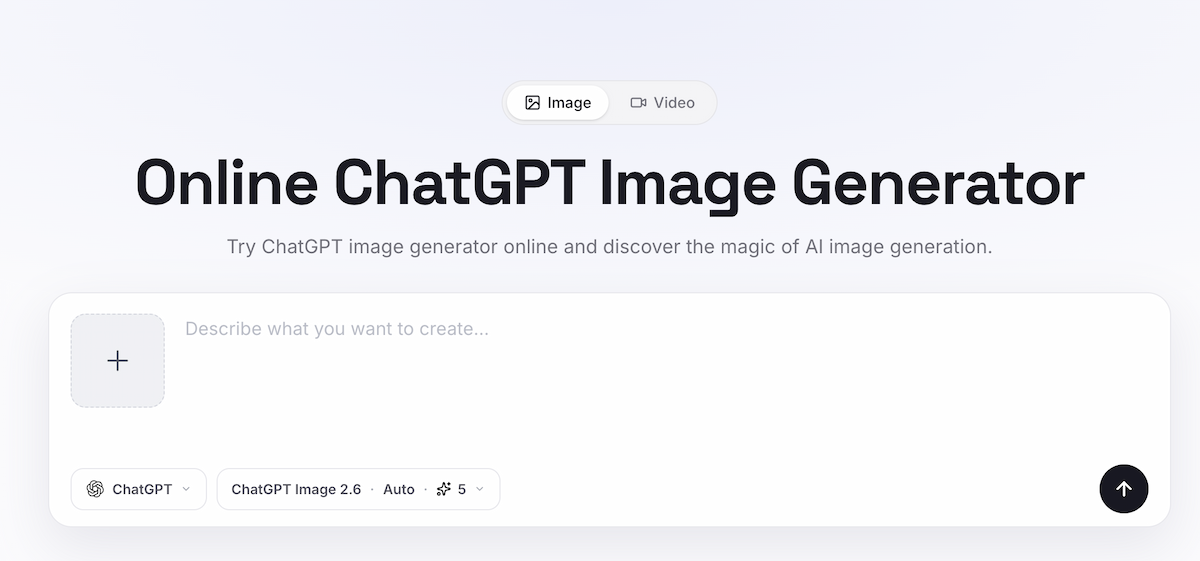
LogoAI's ChatGPT Image Generator with ChatGPT Image 2.6 selected.
For a broader overview of the model and its editing workflow, read what changed in ChatGPT Images 2.6.
What to include in a logo prompt
Before using the prompts, it helps to have a few basic details about your brand. You don't need a complicated design brief, but some direction will make the results more relevant.
Consider these details:
- Brand name: The exact name that should appear in the logo.
- Industry: What your business does.
- Brand personality: The feeling you want the logo to communicate, such as friendly, modern, elegant, or adventurous.
- Visual direction: The type of logo you want, such as minimalist, geometric, vintage, or hand-drawn.
- Color palette: One or two main colors that fit your brand.
- Symbol or concept: An object, shape, or idea that could inspire the design.
You don't need to include every detail in every prompt. Focus on the elements that matter most to the style you're exploring. For more general guidance, OpenAI's image prompting guide explains how to describe the subject, style, composition, and important details directly.
10 logo design prompts you can copy and use
1. Minimalist wordmark logo
A wordmark puts the brand name at the center of the design. Rather than relying on a separate symbol, it uses distinctive lettering to make the name recognizable. This style works particularly well for brands that want a clean, straightforward identity.
Create a minimalist wordmark logo for "[Brand Name]", a [Industry] brand. Use distinctive [Typography Style] lettering with carefully balanced proportions and spacing. Introduce one subtle custom detail in a letter to give the name a recognizable character. Use [Color Palette] and keep the overall design clean, simple, and easy to read. Present the complete wordmark on a plain background without a tagline or additional text.
2. Modern monogram logo
A monogram combines initials into a compact visual mark. It's a good direction for brands with longer names or those looking for a recognizable symbol for social profiles, applications, and other small spaces.
Design a modern monogram logo for "[Brand Name]" using the initials "[Initials]". Combine the letters into one distinctive geometric symbol, using thoughtful overlaps and negative space. Keep the letterforms visually balanced while maintaining a recognizable connection to the original initials. Use [Color Palette] with clean, simple shapes. Present the monogram as a standalone mark on a plain background.
3. Abstract symbol logo
An abstract logo communicates a brand idea through shapes rather than literal illustrations. Instead of drawing what a business sells, it translates its personality or values into a distinctive visual symbol.
Create an abstract symbol logo for "[Brand Name]", a [Industry] brand that wants to communicate [Brand Quality]. Translate this idea into a memorable symbol using two or three simple geometric shapes. Explore [Shape Language] to create a sense of [Movement or Concept]. Use [Color Palette] with balanced proportions and a distinctive silhouette. Show the symbol alone without lettering or decorative elements.
4. Negative-space logo
Negative-space logos use the empty areas between shapes to reveal another image or idea. When done well, the result has an interesting second meaning without becoming overly complicated.
Design a clever negative-space logo for "[Brand Name]", a [Industry] brand. Create a simple outer shape inspired by [Primary Symbol], with [Hidden Symbol] revealed through the empty space inside it. Make both visual elements easy to recognize and naturally connected. Use clean geometry, strong contrast, and [Color Palette]. Keep the design simple enough to work as a standalone logo mark.
5. Mascot logo
Mascot logos give a brand a recognizable character and personality. They are particularly suitable for food businesses, sports clubs, gaming brands, and companies that want a more approachable visual identity.
Create a distinctive mascot logo for "[Brand Name]", a [Industry] brand serving [Target Audience]. Design a memorable [Animal, Object, or Character] with a [Personality] expression and a [Pose] pose. Use bold outlines, expressive features, and a compact character silhouette. Apply [Color Palette] and pair the mascot with the exact brand name in complementary lettering. Keep the design focused on the character rather than a detailed scene.
6. Vintage badge logo
Vintage badges often combine traditional lettering, simple illustrations, and a recognizable emblem shape. This direction works well for coffee shops, bakeries, breweries, outdoor brands, and businesses that want a handcrafted or heritage-inspired appearance.
Design a vintage badge logo for "[Brand Name]", a [Industry] business. Build the design around a [Circle, Shield, or Emblem] shape with a central illustration of [Symbol or Object]. Incorporate the brand name into the badge using [Vintage Typography Style]. Use [Color Palette] with a classic two-color print aesthetic. Keep the composition balanced, with clear lettering and a recognizable central symbol.
7. Geometric technology logo
Technology brands often benefit from logos that feel structured, precise, and forward-looking. Geometric shapes provide a way to communicate ideas such as connectivity, innovation, security, or speed without relying on predictable technology icons.
Create a modern geometric logo for "[Brand Name]", a [Industry] technology company. Develop a distinctive symbol using [Two or Three Geometric Shapes] to represent [Concept]. Combine precise lines, balanced proportions, and a clean visual structure. Pair the symbol with a contemporary sans-serif wordmark using the exact brand name. Use [Color Palette] and avoid generic circuit-board imagery or overly complex details.
8. Hand-drawn logo
Hand-drawn logos bring a more personal and approachable feeling to a brand. They are especially suitable for independent shops, creative studios, restaurants, handmade products, and businesses that want to communicate individuality.
Create a hand-drawn logo for "[Brand Name]", a [Industry] brand with a [Brand Personality] personality. Illustrate [Symbol or Object] using a distinctive, natural line style with slightly organic shapes. Pair the illustration with warm, readable lettering featuring the exact brand name. Use [Color Palette] and keep the composition compact and visually balanced, with a crafted but polished appearance.
9. Luxury logo
Luxury logos rely on careful typography, proportion, and restraint. Instead of adding too many decorative elements, the design should feel distinctive through its lettering and overall composition.
Design an elegant luxury logo for "[Brand Name]", a [Industry] brand. Create a refined wordmark using [Typography Style] with carefully considered letter spacing and proportions. Incorporate a subtle symbol inspired by [Concept] only if it complements the typography. Use [Color Palette] with a sophisticated contrast and generous negative space. Keep the design understated, balanced, and suitable for premium branding.
10. Icon and wordmark combination
Some brands need more than a standalone symbol or a wordmark. Combining both creates a primary logo that communicates the full brand name while providing an icon that can be used independently in smaller spaces.
Create a professional logo for "[Brand Name]", a [Industry] brand serving [Target Audience]. Design a distinctive icon inspired by [Symbol or Concept] and combine it with a clean, readable wordmark using the exact brand name. Make the icon visually meaningful on its own and ensure it complements the typography. Use [Color Palette] with consistent proportions and spacing. Present a primary horizontal logo arrangement alongside a compact icon-only variation.
Beyond AI Image Generation: Build Your Brand with LogoAI
ChatGPT Images 2.6 is great for exploring creative ideas and experimenting with different logo styles. But when you're creating a logo for an actual business, generating an image is only the beginning. You also need a design that reflects your brand, works across different applications, and gives you a consistent visual identity.
That's what makes a free logo maker like LogoAI different. Rather than starting with a blank prompt, LogoAI is built specifically for logo creation. It understands your brand name, industry, and personality, matches them with suitable design styles, and uses multiple AI models to generate original logo concepts in parallel. You can compare different directions, choose your favorite, and refine it through AI.
And unlike a standalone generated image, your selected logo can become the foundation of a complete Brand Kit, with coordinated colors, typography, logo variations, realistic mockups, and social media assets.
Don't just generate a logo. Build a brand around it.
Ready to create your own logo?
Turn your brand name into professional logo concepts in seconds with LogoAI.
Generate my logo