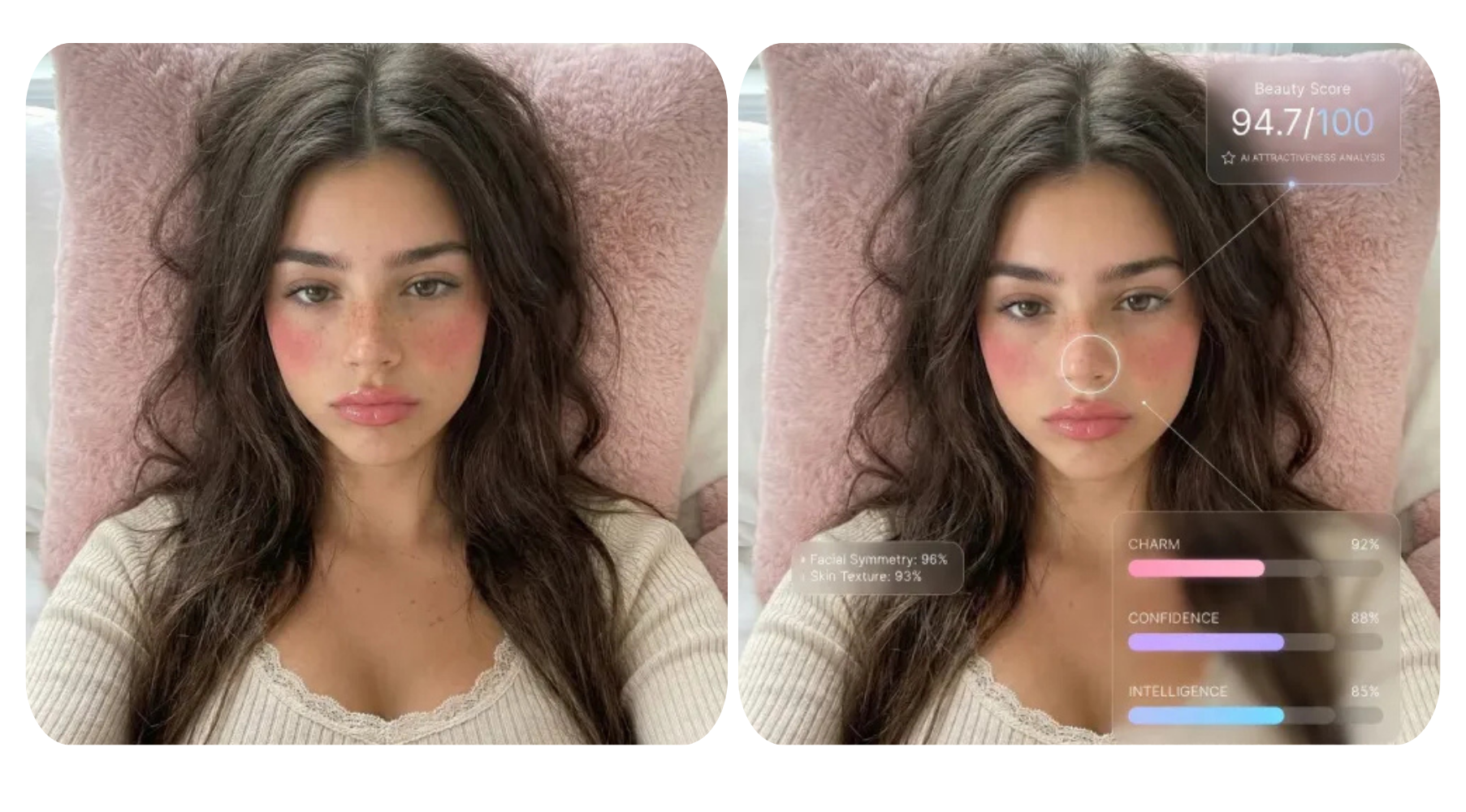


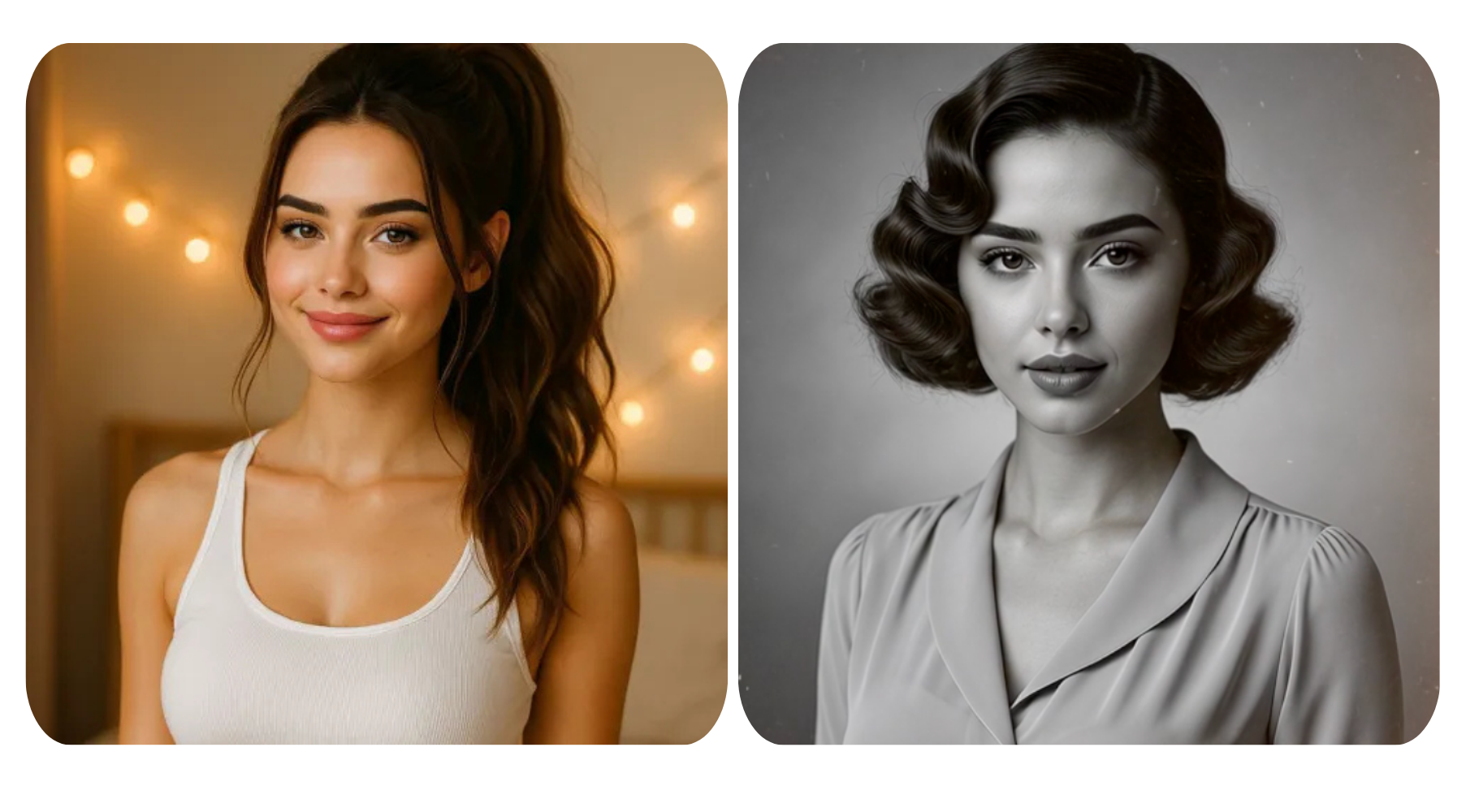
There's something irresistibly nostalgic about an AI vintage photo that looks like it was pulled from a dusty shoebox or an old family album. Thanks to AI image generation tools you no longer need a darkroom, a vintage camera, or decades of patience to achieve that timeless aesthetic — you just need the right AI art prompt.
In this guide, we'll walk you through 10 AI vintage photo styles you can generate right now, complete with prompt tips and retro photography aesthetics that make your results look authentically old — not just filtered. Whether you're a content creator, graphic designer, or just a nostalgia lover, these AI image styles will instantly elevate your creative projects.
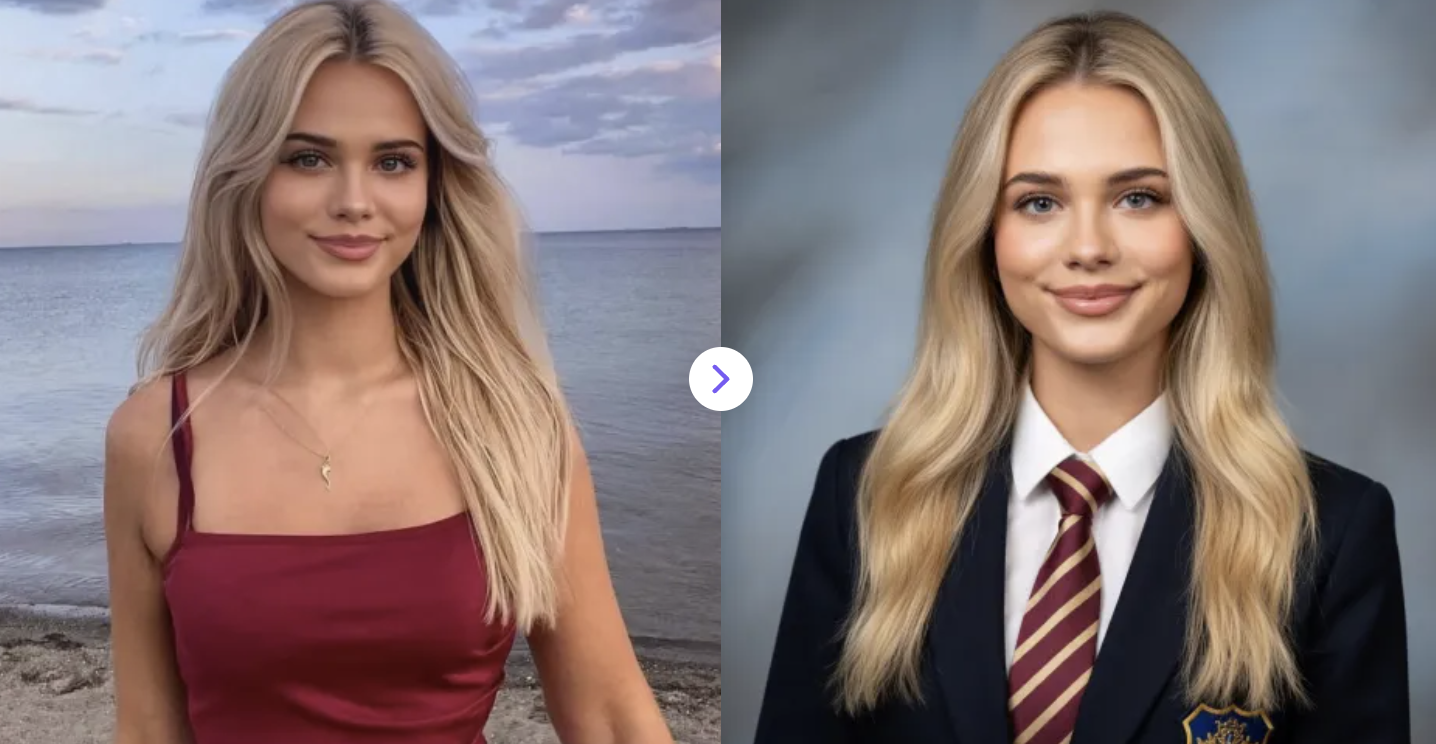
1. AI Yearbook Filter
Turn your photos into classic yearbook portraits instantly with AI—realistic, polished, and completely free!
✅ Prompt:
Transform the photo I upload into a professional yearbook portrait. Keep the original face and identity, head-and-shoulders composition, neutral or slight smile, wearing a formal school uniform (blazer, white shirt, tie). Soft, even studio lighting, natural skin tones, high detail on facial features. Background: classic school portrait backdrop, soft blue/gray gradient, slightly out of focus. DSLR-style, 85mm lens look, shallow depth of field, sharp focus on eyes, clean and polished appearance. Slightly warm color grading, minimal imperfections.
2. AI ASCII Art Generator
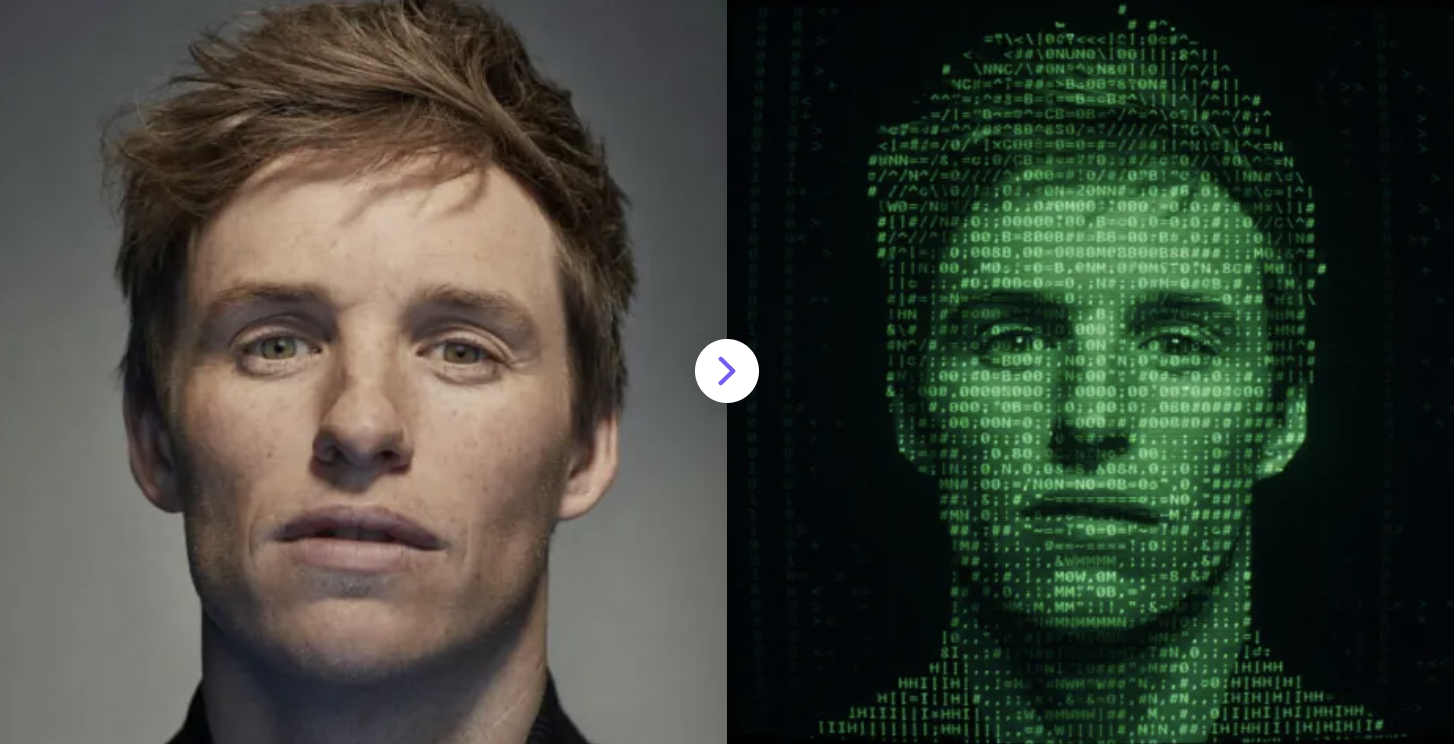
Transforms your images into retro text-based artwork using characters and symbols, recreating the nostalgic charm of early computer and terminal screen visuals from the 1970s and 80s.
✅ Prompt:
Convert the input image into true ASCII art, where every facial feature and shadow is built entirely from alphanumeric characters and symbols, forming a typography-style subject. centered, green text on a dark CRT screen with subtle glow. Include minimal low-contrast background elements like faint binary streams or abstract tech patterns, emphasizing retro-futuristic pixelated style.
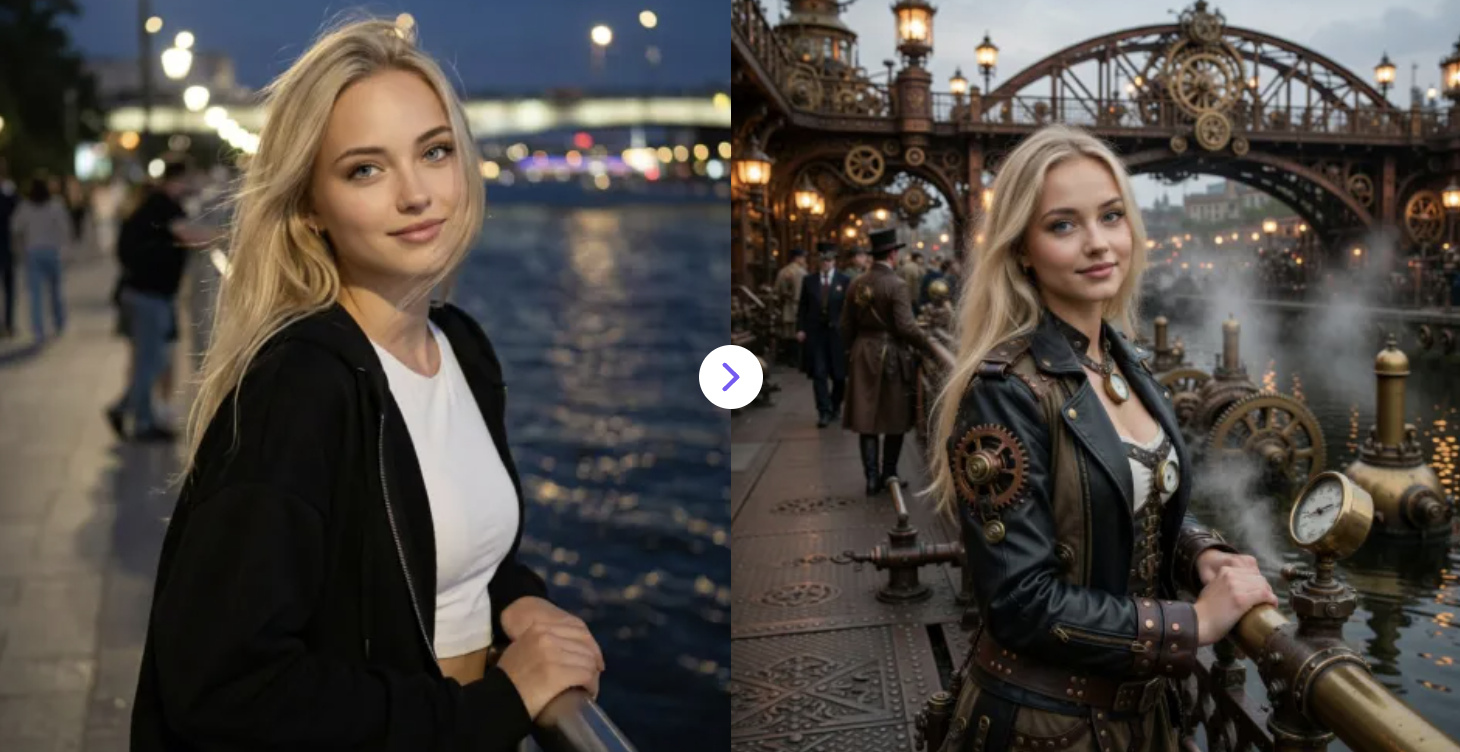
3. Steampunk AI Generator
Generate intricate steampunk art with AI instantly—gears, cogs, and Victorian-style machinery brought to life in seconds.
✅ Prompt:
Take the uploaded image as the reference. Transform it into a detailed steampunk-style scene, preserving the main subject while adding intricate retro-futuristic elements such as gears, cogs, brass machinery, pipes, steam, and Victorian-era textures. Use rich metallic textures, warm bronze and copper tones, ambient lighting, and realistic shadows to create depth and atmosphere.
Include mechanical details, moving parts, and subtle steam effects, blending seamlessly with the original image’s composition. Maintain high visual fidelity, realism, and immersive steampunk aesthetics, resulting in a striking, imaginative, and detailed artwork that fully conveys the steampunk theme.
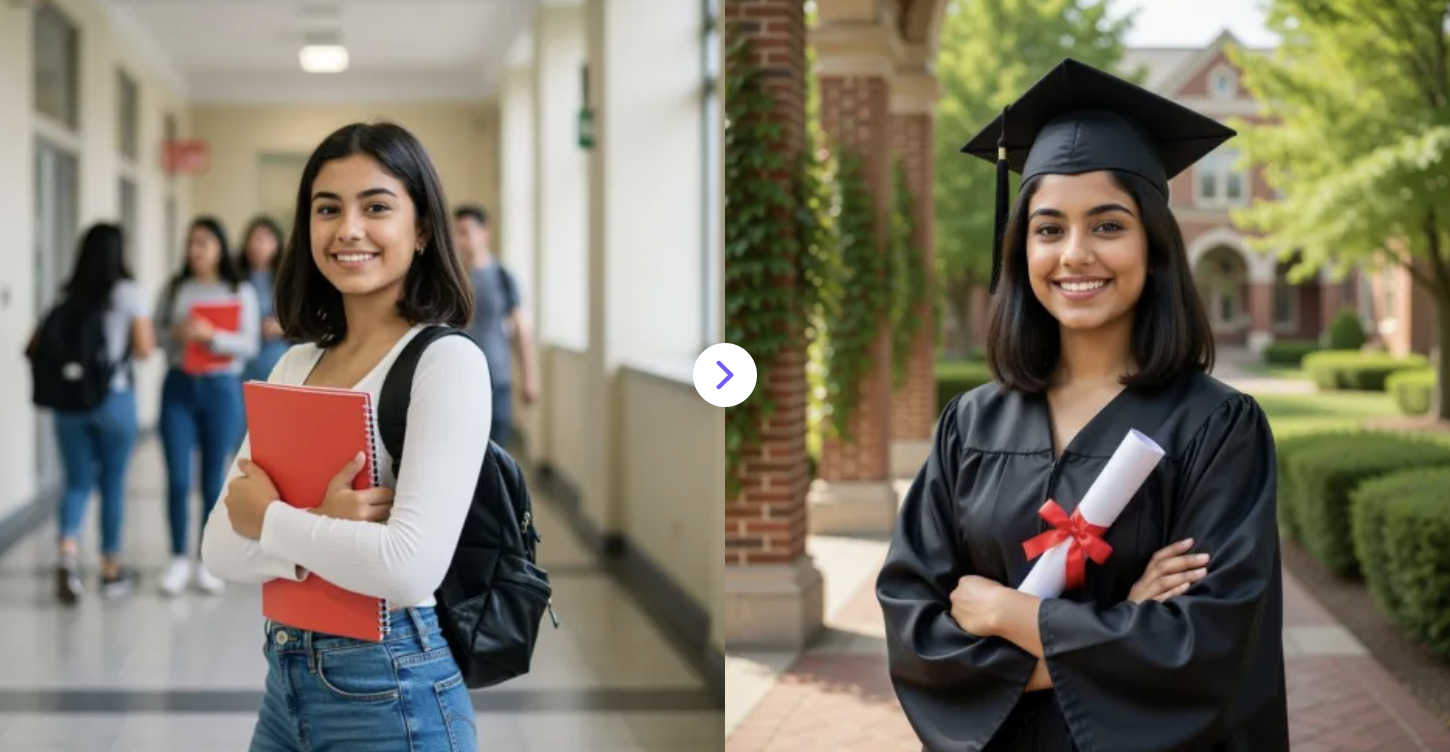
4. AI Graduation Photo Generator
Upload your photo and instantly create a professional graduation portrait with cap, gown, and classic graduation style
✅ Prompt:
Turn the uploaded photo into a professional graduation portrait. The person is wearing a cap and gown, shown in an upper-body shot. Keep the face recognizable. Real campus background, soft natural light, formal and polished graduation photo style. No text, no watermark.
5. Vintage Video Filter
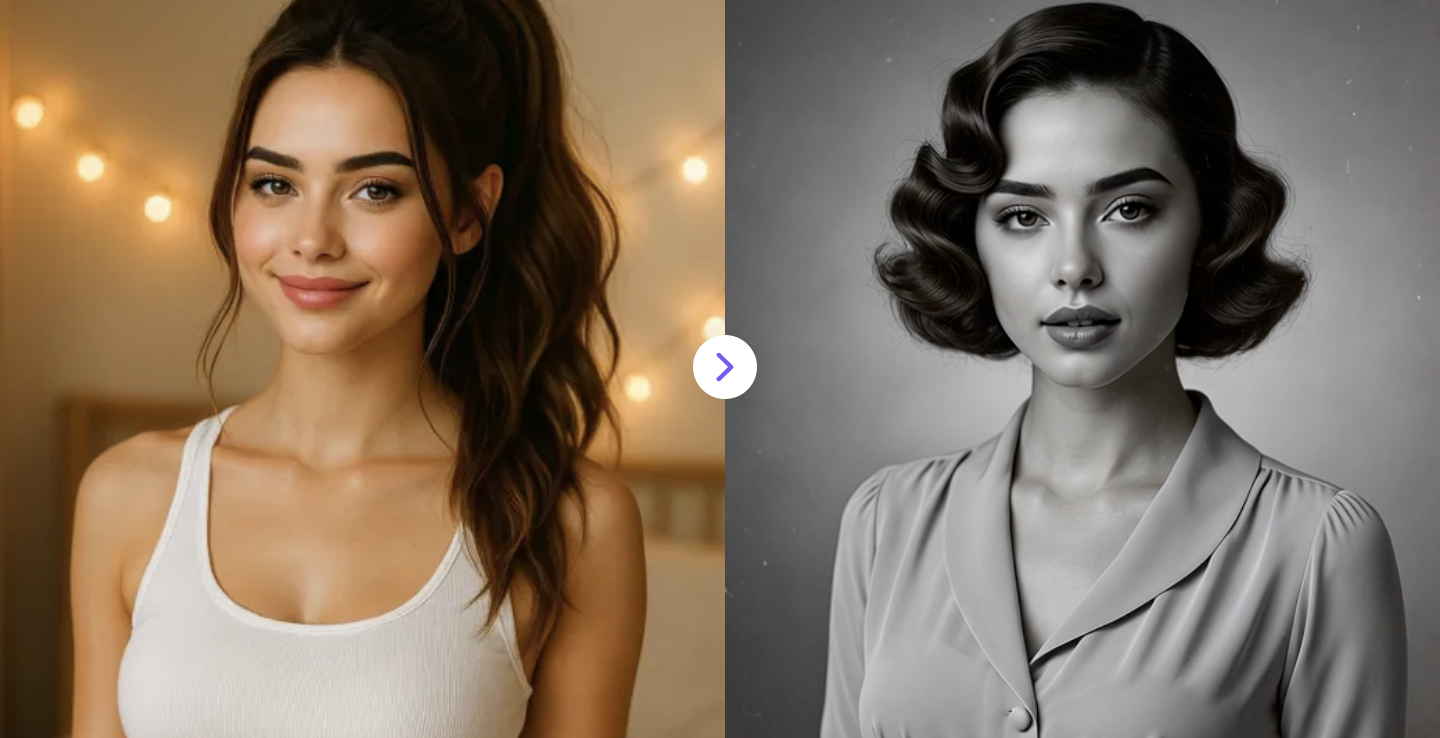
Convert any photo into a 1930s–1940s black-and-white Hollywood-style video with vintage look and cinematic effects.
✅ Prompt:
Transform the uploaded photo into a 1930s–1940s old Hollywood black-and-white cinematic video with a smooth, natural transition morph. The subject’s appearance gradually adapts to the era with vintage hairstyles, classic makeup or facial styling, and period-accurate clothing and neckline. The background transforms into a 1930s–1940s studio portrait backdrop. Strict monochrome grayscale. Aged film texture with subtle grain, dust, tiny scratches, and light film flicker.
6. AI-Generated VHS Effect Videos
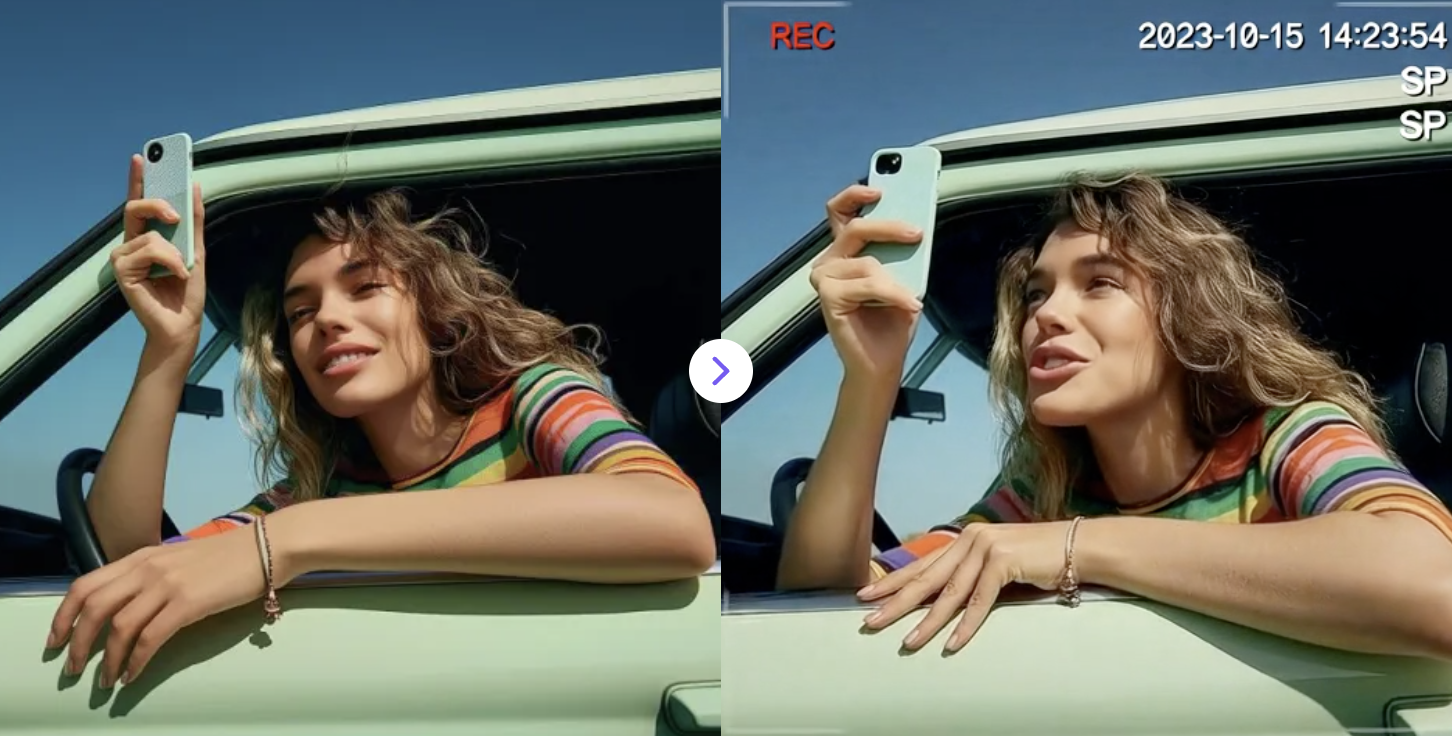
Upload an image and instantly add retro VHS and glitch effects for a dynamic, vintage look.
✅ Prompt:
The video should start immediately with a strong retro VHS camcorder effect from the first frame, not gradually transitioning. Apply visible horizontal VHS scanlines, analog tape noise, tracking distortion, and retro color bleeding throughout the entire clip. Include frame jitter, magnetic tape glitches, chromatic aberration, and occasional signal interference. Apply a full retro VHS color grading that overrides the original colors of the image. The footage should look like it was directly recorded on a worn 1990s VHS tape, with film grain, washed-out colors, low contrast, and a darker, desaturated palette with greyish shadows and a subtle green-blue analog tint. Colors should appear muted, slightly faded, and dim, with darker greys and softened highlights typical of old videotapes.
Add camcorder overlays such as a REC indicator, timestamp, and SP recording mode. The effect should remain consistently strong from beginning to end, with no clean frames at the start.
7. Christmas Polaroid Photo
Turn any photo into a festive Christmas Polaroid with AI. Add holiday frames and decorations while keeping faces natural.
✅ Prompt:
Transform the uploaded photo into a festive Christmas Polaroid or holiday instant photo. Add a themed frame with decorations such as snowflakes, ornaments, lights, or holly. Keep the person’s face and pose unchanged, ensuring a natural, high-quality, and cheerful holiday look.

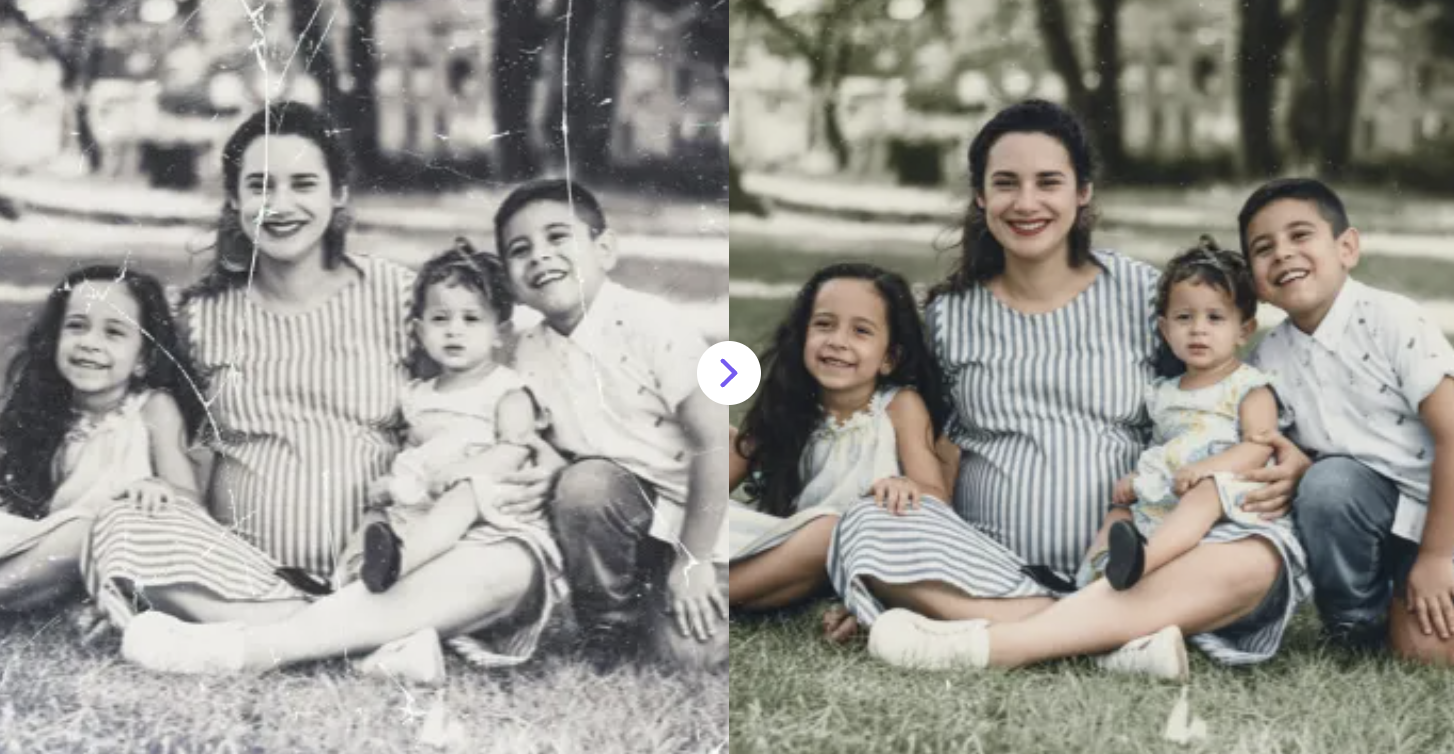
8. Restore Old Photos Instantly
Bring your old, damaged photos back to life for free! AI restores faded colors, removes scratches, and enhances details automatically.
✅ Prompt:
Restore the uploaded old photo using AI. Repair scratches, remove noise and discoloration, enhance facial details, and bring back natural colors while keeping the original look authentic.
9. AI Old Photo Animation
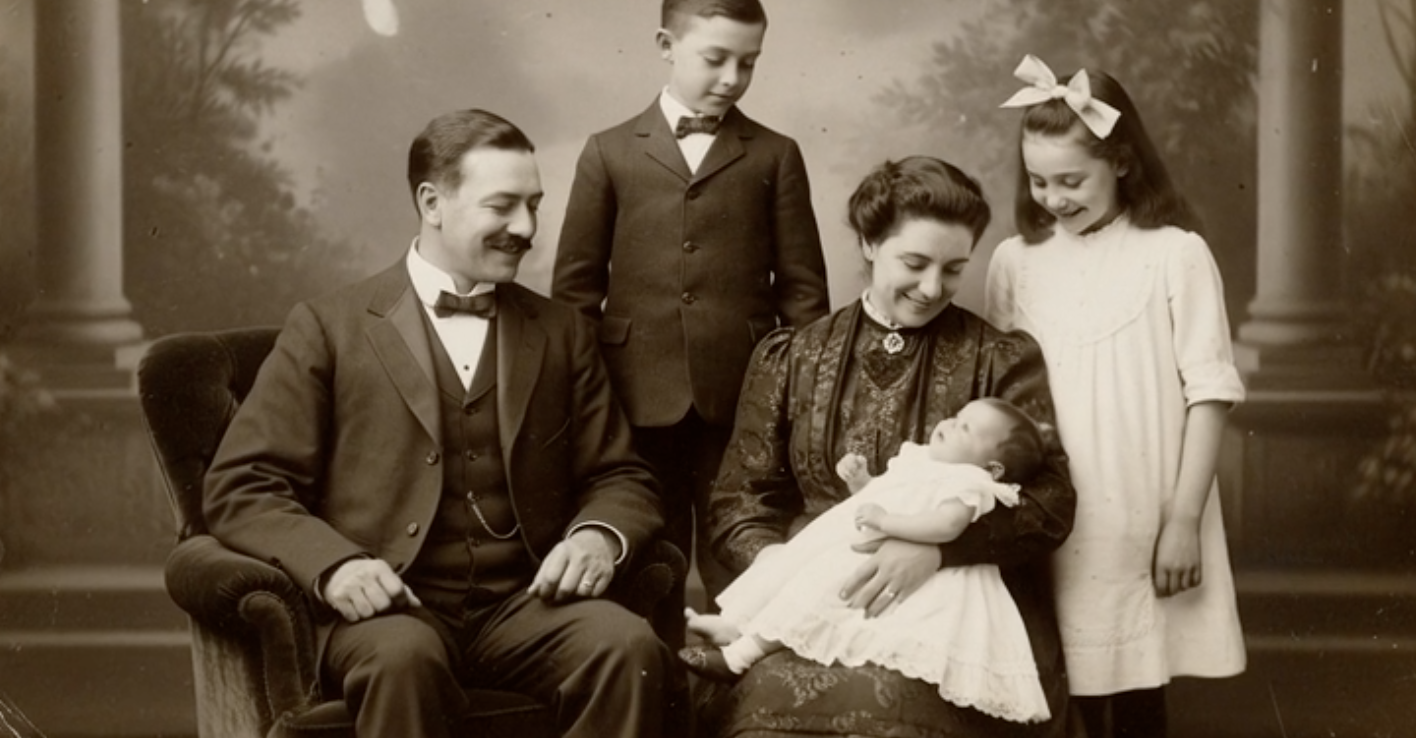
Turn old photos into natural animated videos with subtle facial movement, eye blinking, and smooth camera motion.
✅ Prompt:
Bring the old photo to life with subtle motion: gentle smiling, soft eye blinking, slight head movement, and a slow, natural camera zoom. Keep the movement realistic and emotional.
10. AI Wanted Poster Generator
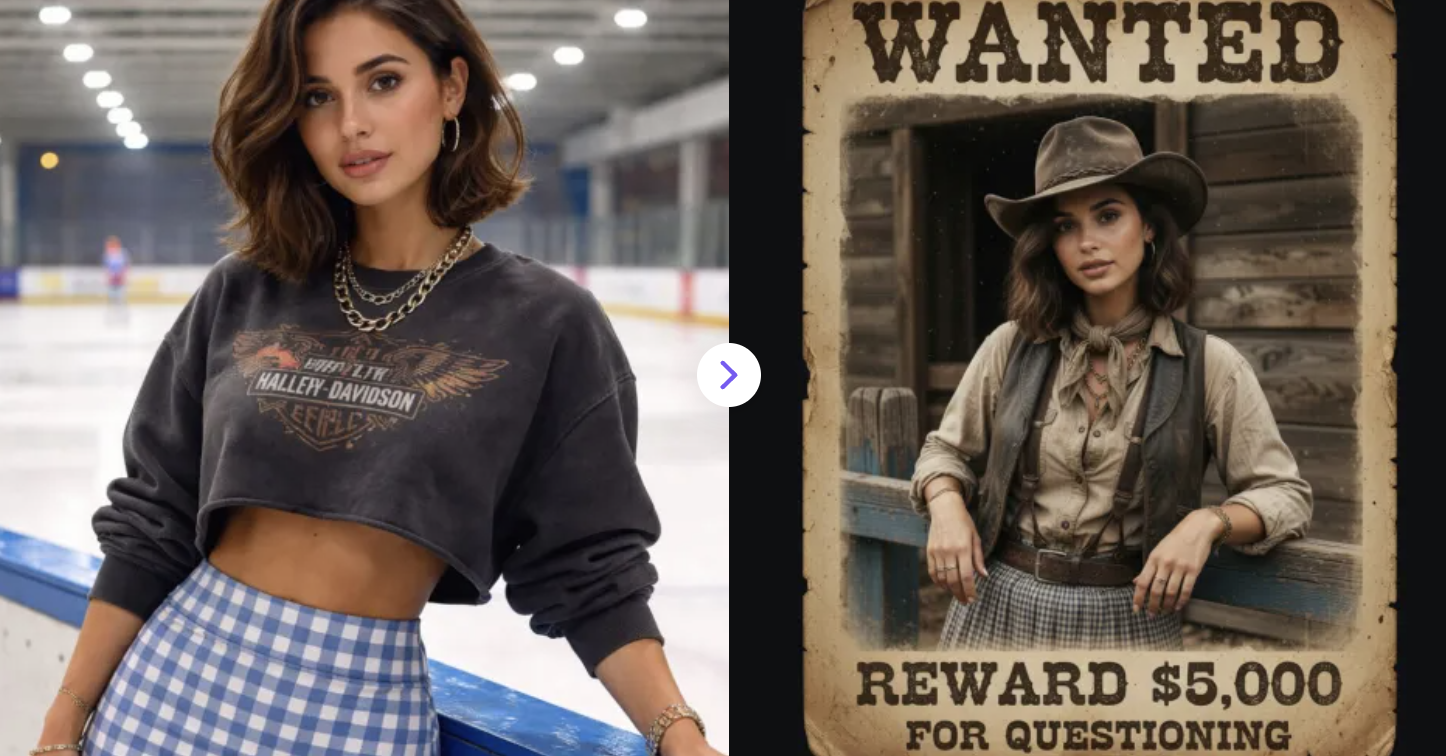
Upload your photo and instantly turn it into a classic “Wanted” poster with authentic text, vintage style, and dramatic western flair. 🤠
✅ Prompt:
Vintage Wild West wanted poster, old American frontier style, sepia toned aged paper texture, weathered poster print, bold “WANTED” headline at the top in classic western serif typography, portrait of a rugged cowboy standing in front of wooden planks, wearing a wide brim cowboy hat, neck scarf, suspenders and old western clothing, dramatic frontier portrait lighting, 19th century outlaw aesthetic, antique print look, faded ink, film grain, slightly worn paper edges, authentic old west poster design, highly detailed vintage texture, cinematic western atmosphere
From recreating the timeless charm of a vintage Polaroid photo to animating old family portraits with lifelike motion, these 10 AI vintage photo styles prove that nostalgia has never been more accessible. Beyond classic retro photography effects, tools like the AI yearbook filter, VHS glitch effect generator, and AI wanted poster maker open up a whole new world of creative possibilities for content creators, designers, and social media enthusiasts alike.
The best part? Most of these AI photo transformations only takes you seconds to produce stunning results. So whether you're restoring a damaged old black-and-white photo or generating a dramatic 1930s Hollywood portrait, AI makes it easier than ever to blend the beauty of the past with the power of modern technology. Start experimenting with these retro AI art styles today and give your photos the vintage story they deserve.