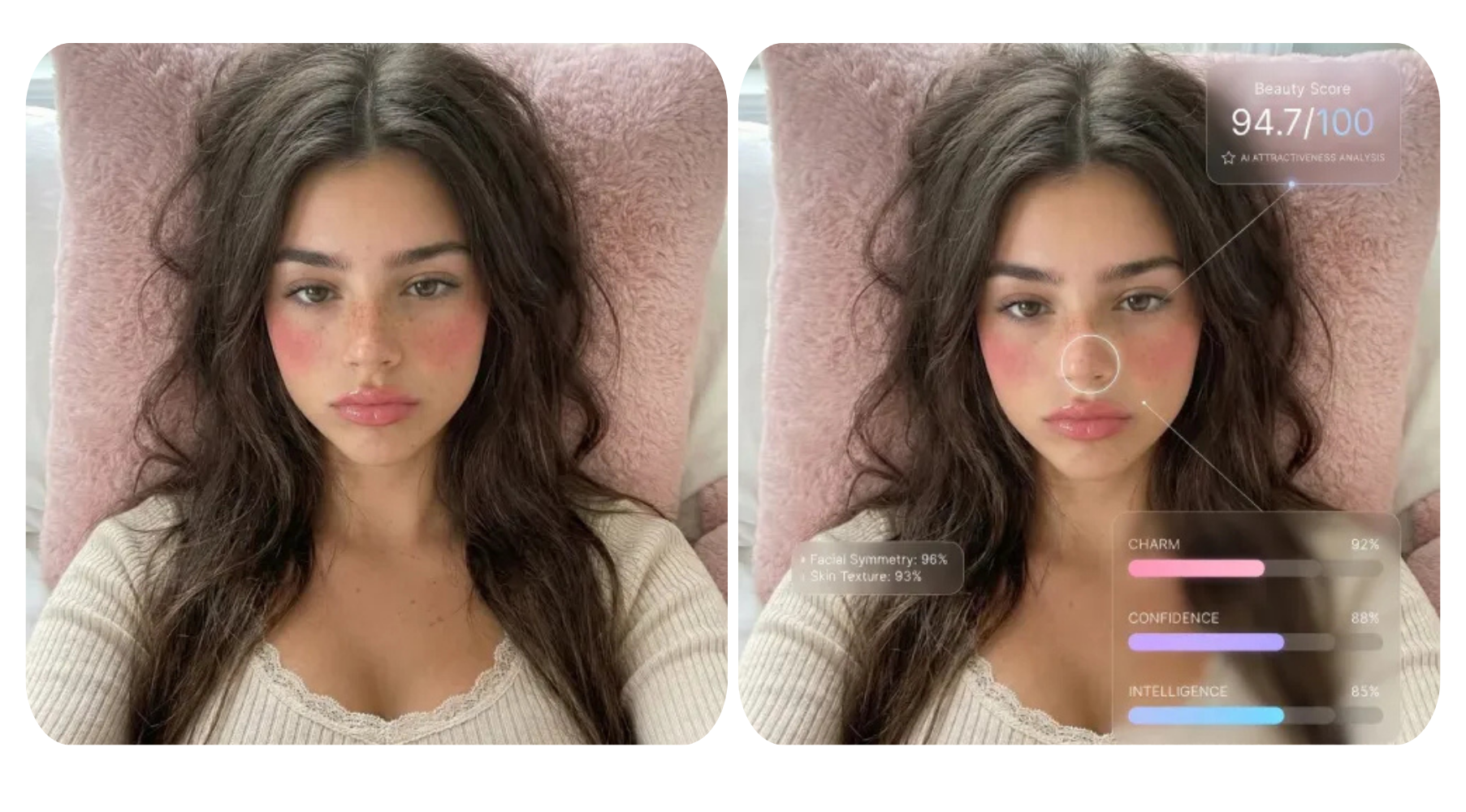


Have you ever watched a movie and thought, "I wish I could look like that character"? Thanks to today's powerful AI design tools, you no longer have to just imagine it. With the help of AI technology, you can transform your photo into a warrior, a superhero, a villain, or even an animated Disney character — no costume or makeup required. Whether you're looking for a fun profile picture or a creative way to express yourself, these 10 AI-powered design ideas will help you step into the world of your favorite movies like never before.
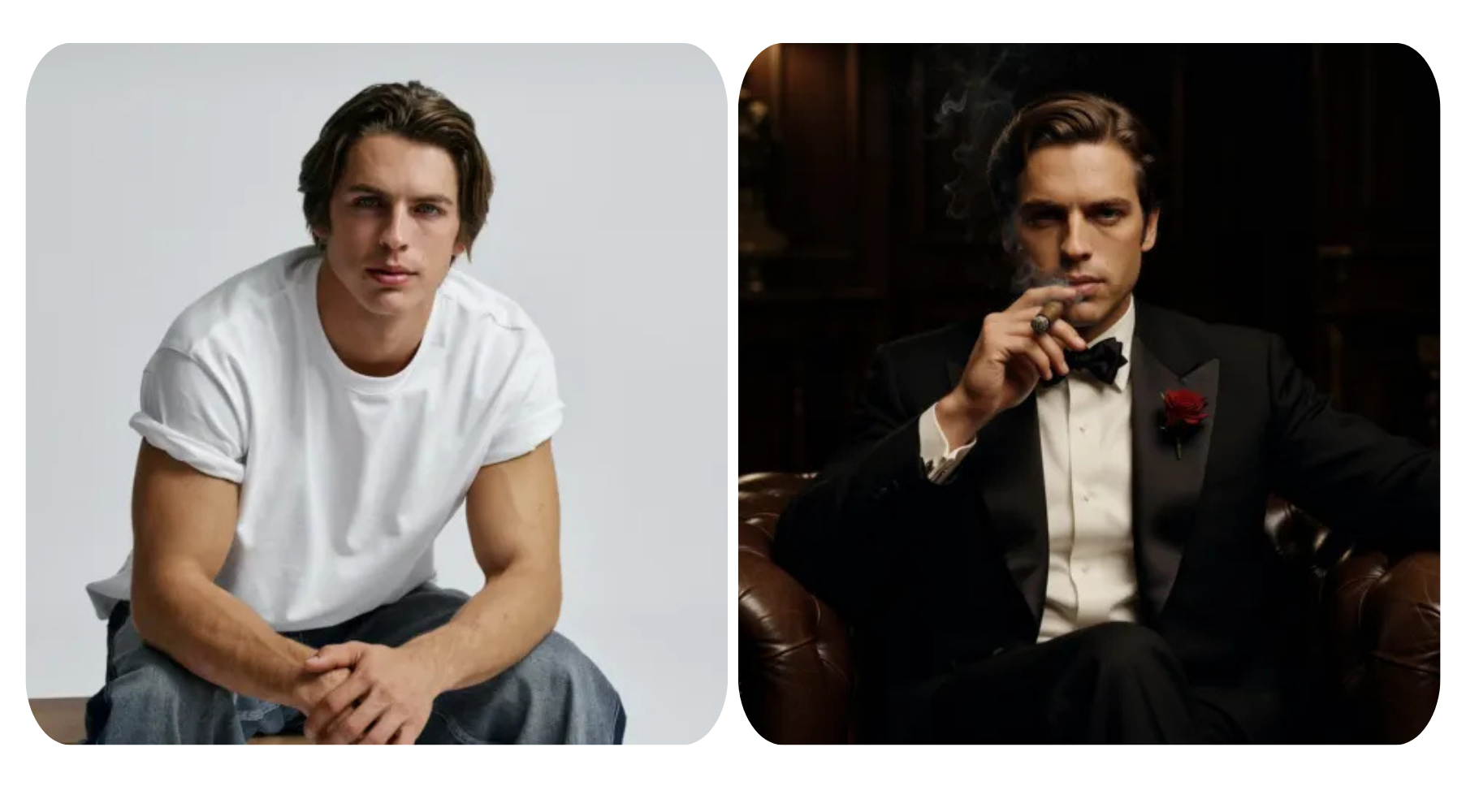
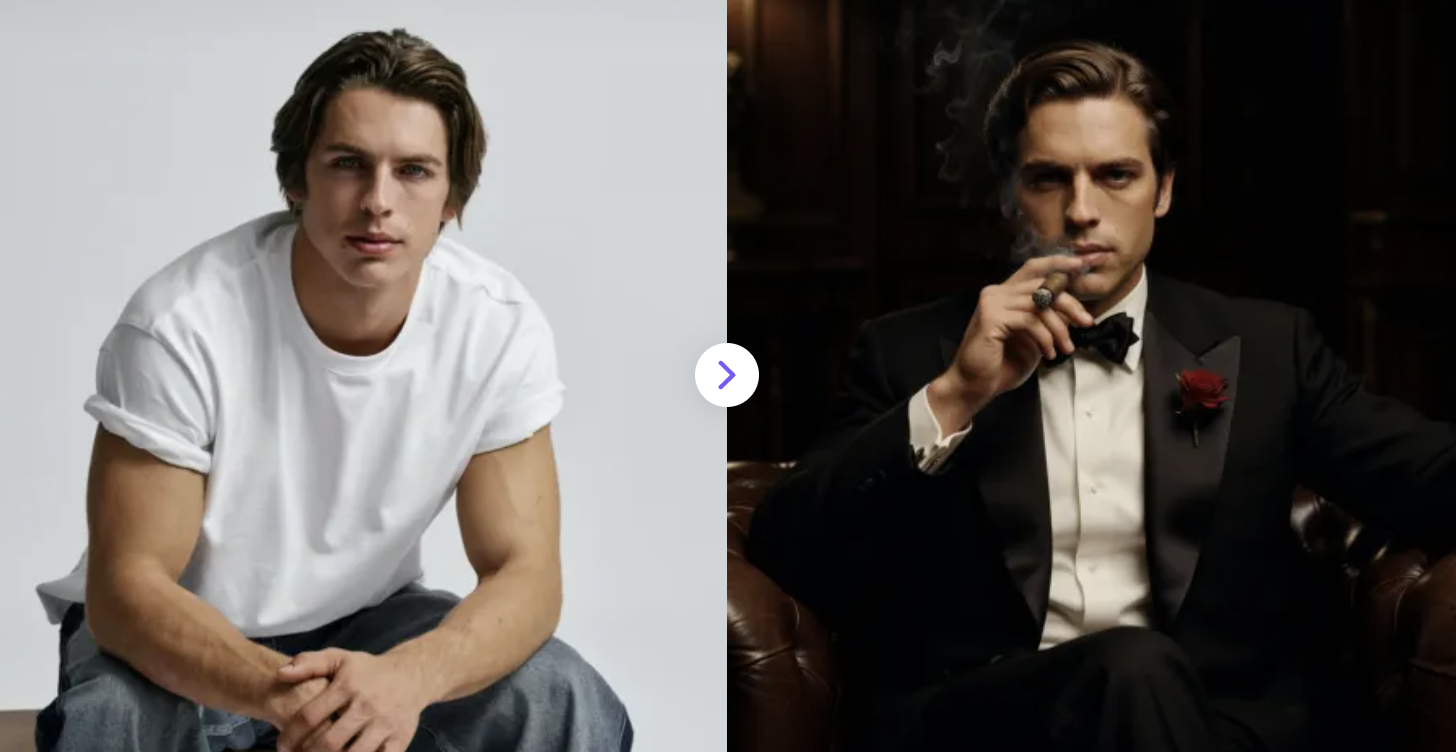
1. AI Godfather image generator
Turn any photo into a mob classic—become the boss of your own Godfather moment!
✅ Prompt:
Same person, keep original face identity, wearing black tuxedo, red rose boutonniere, sitting on a dark leather sofa, leaning back slightly, in a dark room, side lighting, deep shadows, serious expression, one hand holding a cigar raised near his mouth, The Godfather style, warm tones, high contrast, dramatic, photorealistic
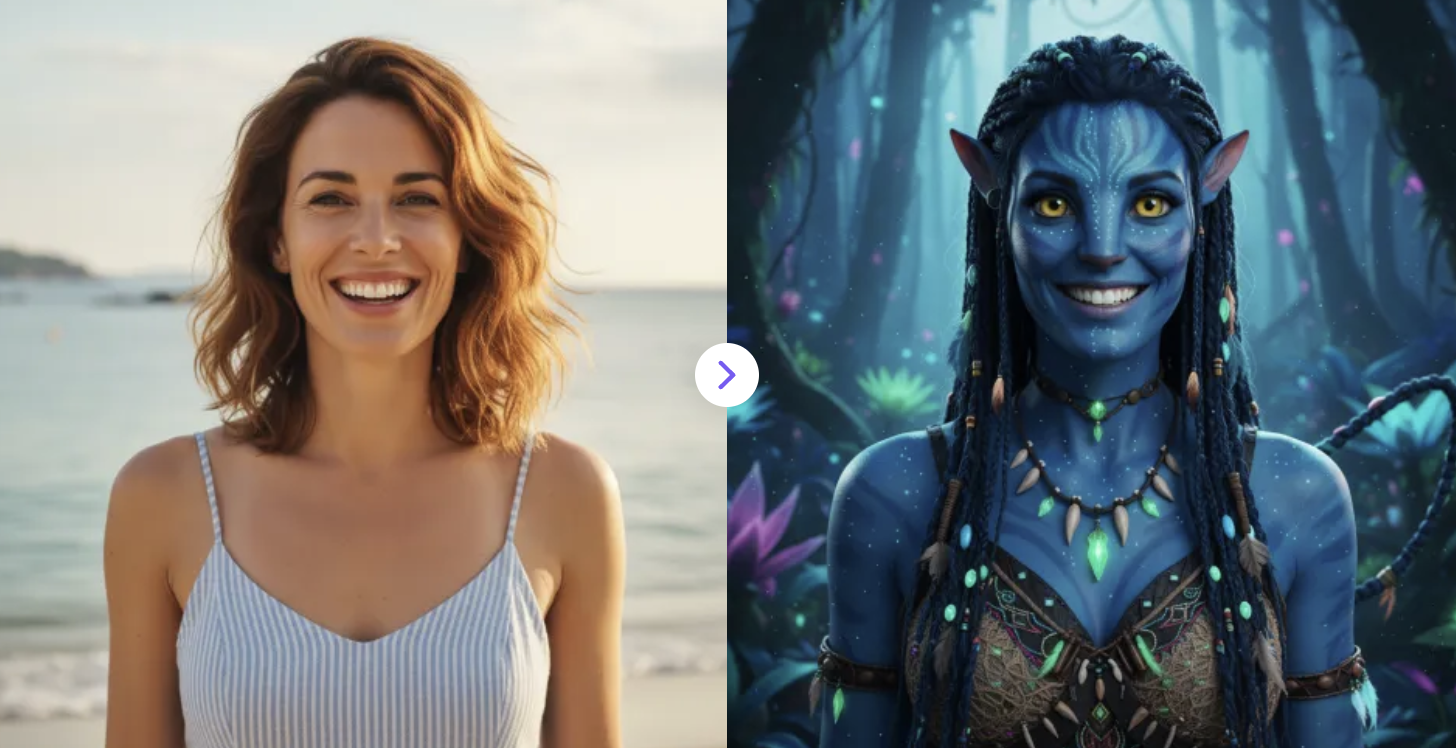
2. AI Avatar 3 Filter
Bring the world of Avatar 3 to your photo: luminous Na’vi skin, cinematic lighting, and epic Pandora vibes preserved.
✅ Prompt:
Generate an Avatar 3 cosplay version from the uploaded portrait, keeping the person’s facial expression and body pose unchanged. Transform them into a Na’vi-inspired style with realistic details, cinematic lighting, and a Pandora-inspired background.
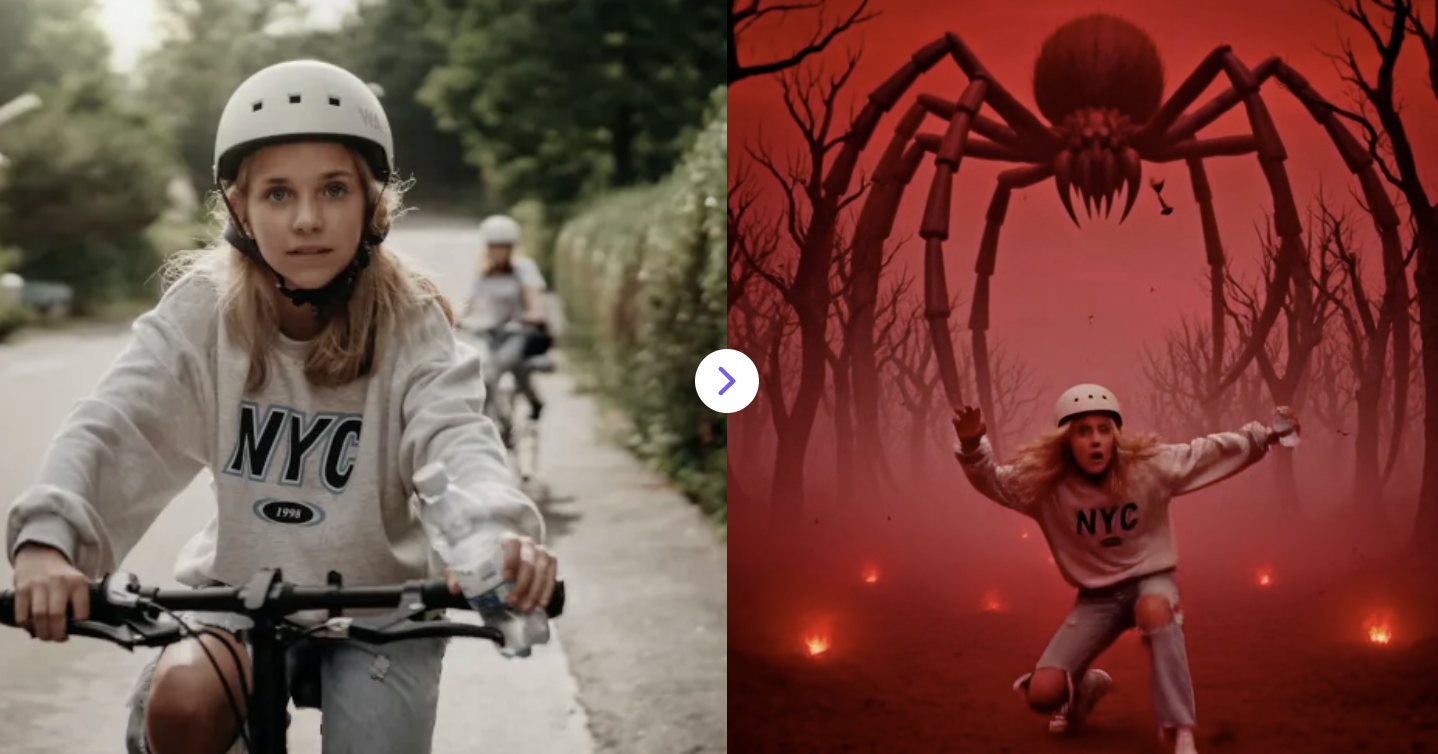
3. AI Stranger Things Video Generator
Turn your photos into Stranger Things–style videos with retro 80s vibes, eerie lighting, and cinematic supernatural scenes.
✅ Prompt:
A glowing, fiery portal suddenly tears open above them in the ceiling, resembling a crack into another dimension. The portal burns with intense red-orange energy, with jagged edges and molten textures. The person is forcefully pulled upward directly into the center of the portal. Their body enters the portal fully, passing through the glowing opening — arms and head go in first, then the entire body disappears inside. The camera follows the motion as they are completely swallowed by the portal.
Seamless transition: the person emerges from above in the Upside Down world, falling down from the sky and landing in a dark, eerie environment. The atmosphere is filled with dense red and pink fog, with floating spores and particles drifting slowly through the air. Above them, a massive spider-like creature looms, its huge body and long limbs forming a terrifying silhouette in the crimson sky. Final cinematic shot: wide frontal view, person centered with a clear fearful expression, massive spider-like creature looming above in the same frame, emphasizing scale and tension.
Background: a dead forest of twisted trees fading into thick red mist, with glowing red ground. Floating spores and particles fill the air. Style: Upside Down aesthetic, monochromatic red grading, heavy fog, cinematic lighting, immersive horror, 4K detail.
4. Peaky Blinders AI Portraits
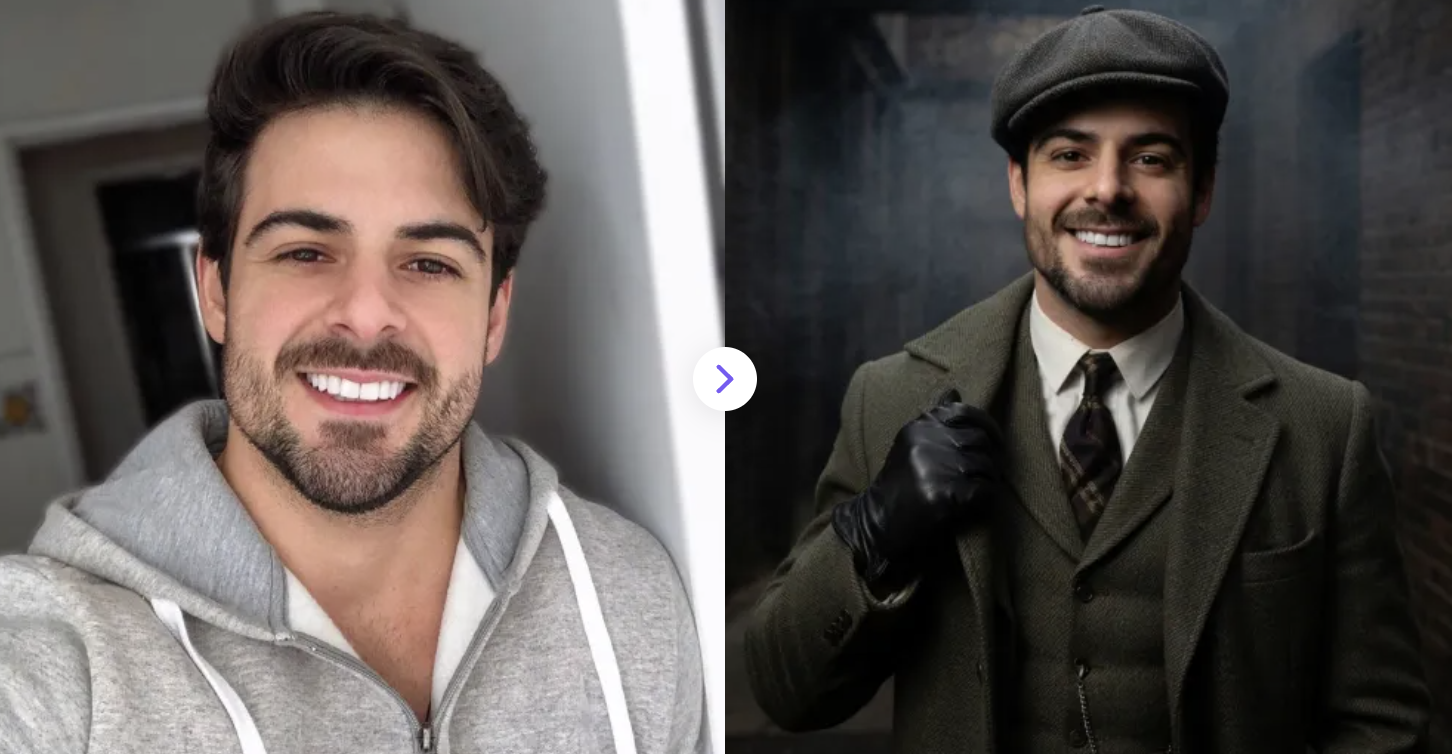
Turn your selfies into stunning Peaky Blinders-style portraits with our AI — free, fast, and instantly shareable!
✅ Prompt:
Use the uploaded image as the base. Preserve the subject’s exact face, identity, and pose. Transform the person into a Peaky Blinders-inspired portrait: 1920s British gangster style, wearing a tailored tweed suit, overcoat, waistcoat, and a flat cap. Add subtle period details like a pocket watch, tie, or leather gloves. Set the scene in a moody, cinematic environment with soft fog or smoke, dark tones, and dramatic lighting (low-key, high contrast). Keep the same camera angle and composition, with a shallow depth of field for a film-like look. Style: ultra-realistic, gritty, cinematic, sharp details, natural skin texture.
5. Harry Potter AI Filter
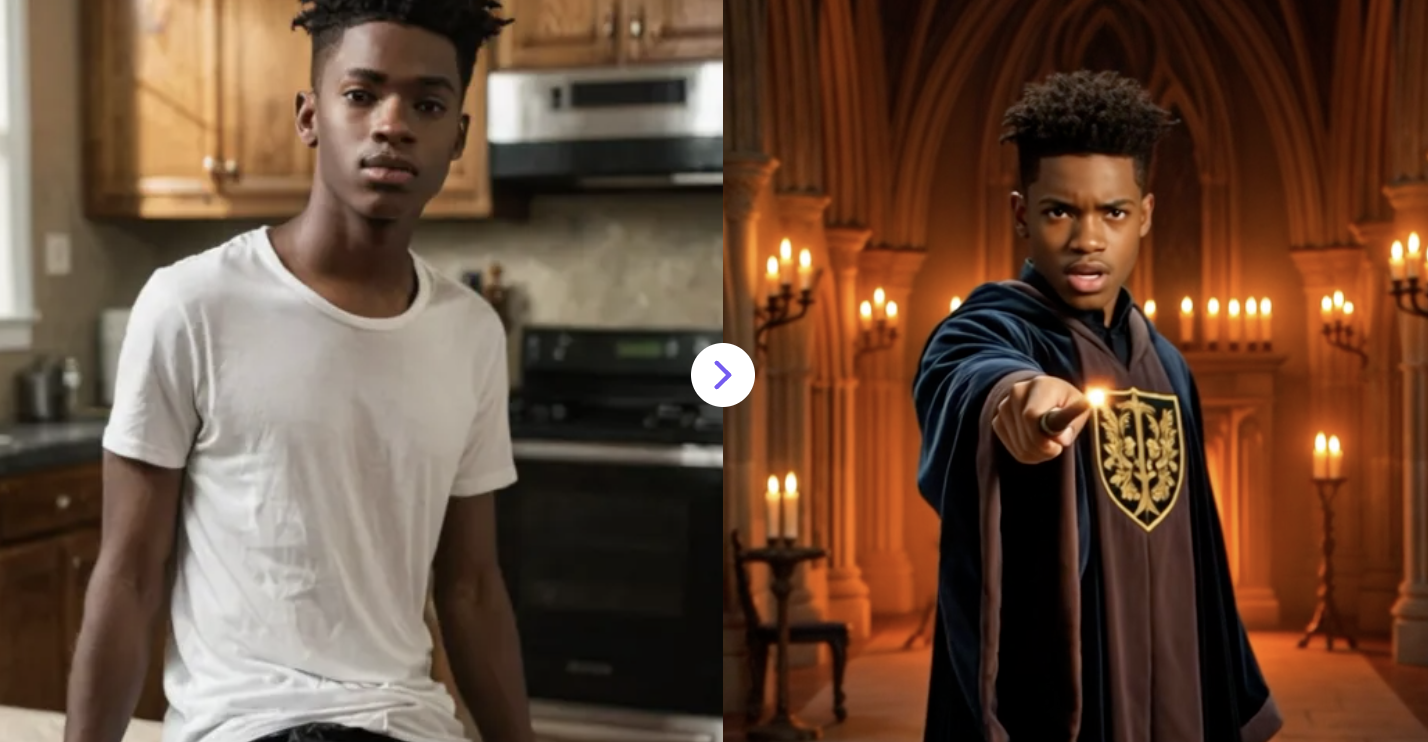
Upload your photo and watch AI turn you into a wizard in a magical video!
✅ Prompt:
glowing golden sparks, warm golden magical energy, and shimmering light trails swirl around the subject, wrapping the body and revealing a wizard in a dark robe with a detailed crest, holding one wand. Set in a grand gothic hall with tall arches, glowing candles, and firelight. Dramatic cinematic lighting with warm orange highlights and deep shadows. After the transformation, the wand tip ignites and releases a burst of glowing particles and streaking light trails that fly outward like a spell being cast. Keep face sharp, one subject only, no zoom or crop. Smooth motion, photorealistic, highly detailed, cinematic fantasy style.
6. AI Snow Queen Transformation
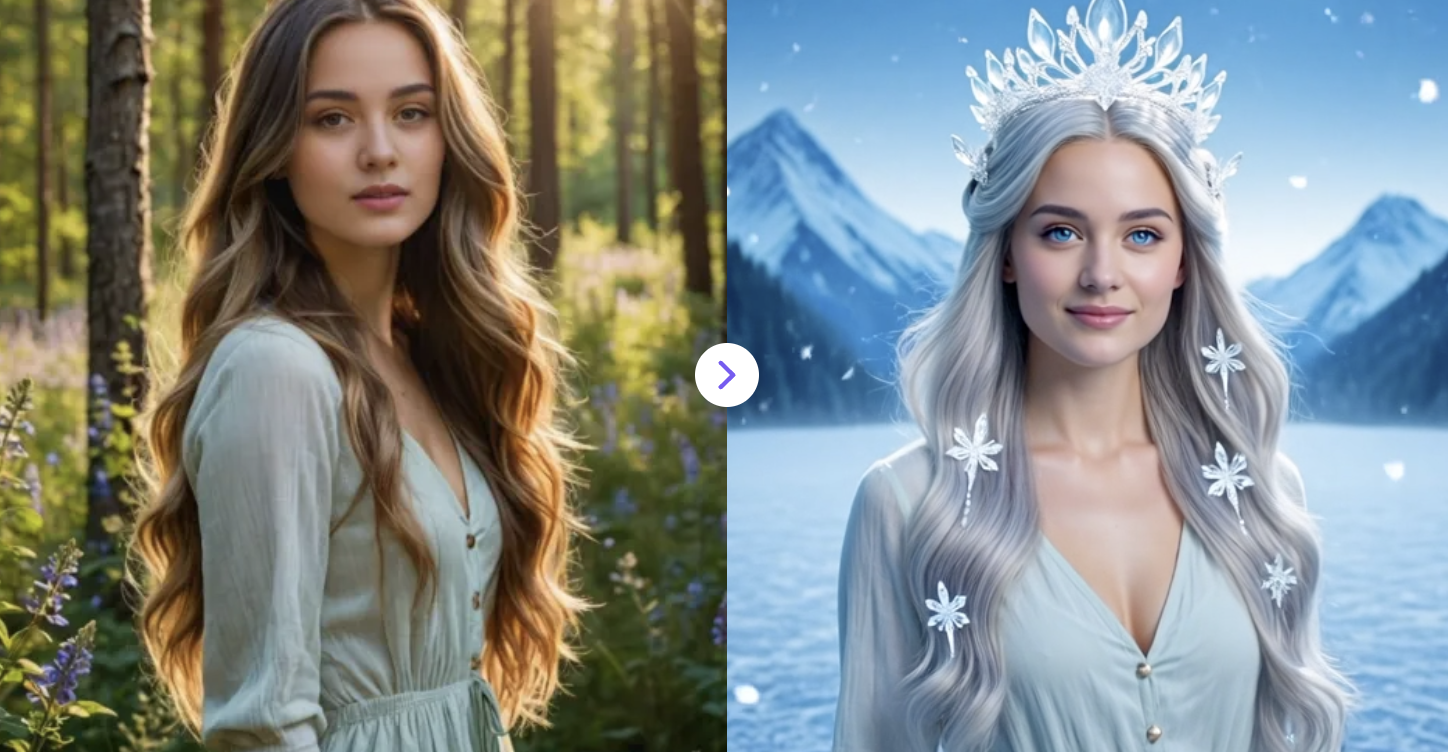
Turn your photo into a magical Snow Queen with frosty makeup, sparkling ice effects, and a royal winter vibe in seconds using this free AI filter. ❄️👑
✅ Prompt:
ice particles appear and spiral softly around the character, creating a gentle halo of glowing frost. then reveal the character transformed into a majestic Snow Queen. The person has icy blue eyes, pale glowing skin, and long silver-white hair decorated with delicate ice crystal ornaments and a shimmering frost crown. A soft icy wind gently moves their hair as tiny snowflakes drift across the scene and sparkling frost particles float in the air. The background gradually transforms into a magical frozen landscape with soft blue light and distant snow-covered mountains. The character blinks naturally and maintains a calm, regal Snow Queen expression while subtle snow and ice magic surrounds them. Keep the original face identity consistent with gentle cinematic motion.
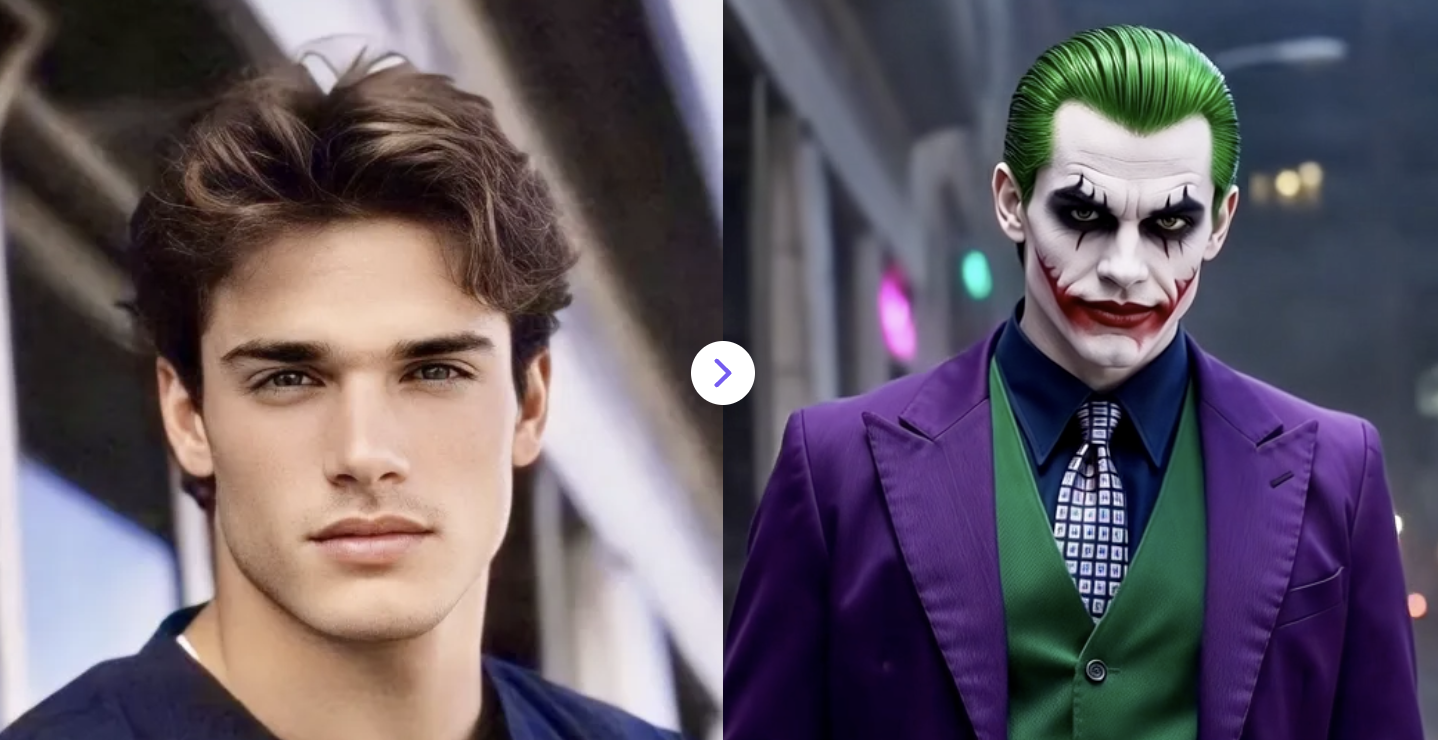
7. AI Joker Transformation
Turn your photo into a chaotic, cinematic Joker transformation video. High-detail, moody neon lighting, and dramatic cinematic realism.
✅ Prompt:
A cinematic video using the uploaded portrait, instantly transformed into the Joker. The subject has pale white makeup, red smeared grin, dark eye makeup, slicked-back green hair, and wears a purple suit jacket, green vest, and patterned tie. They perform a subtle turn, completing the face and clothing transformation. Dramatic moody lighting with neon highlights, blurred urban night background, slow zoom-out, slight handheld motion, dark gritty cinematic style. High detail, smooth motion, suitable for any gender.
8. South Park Character Generator
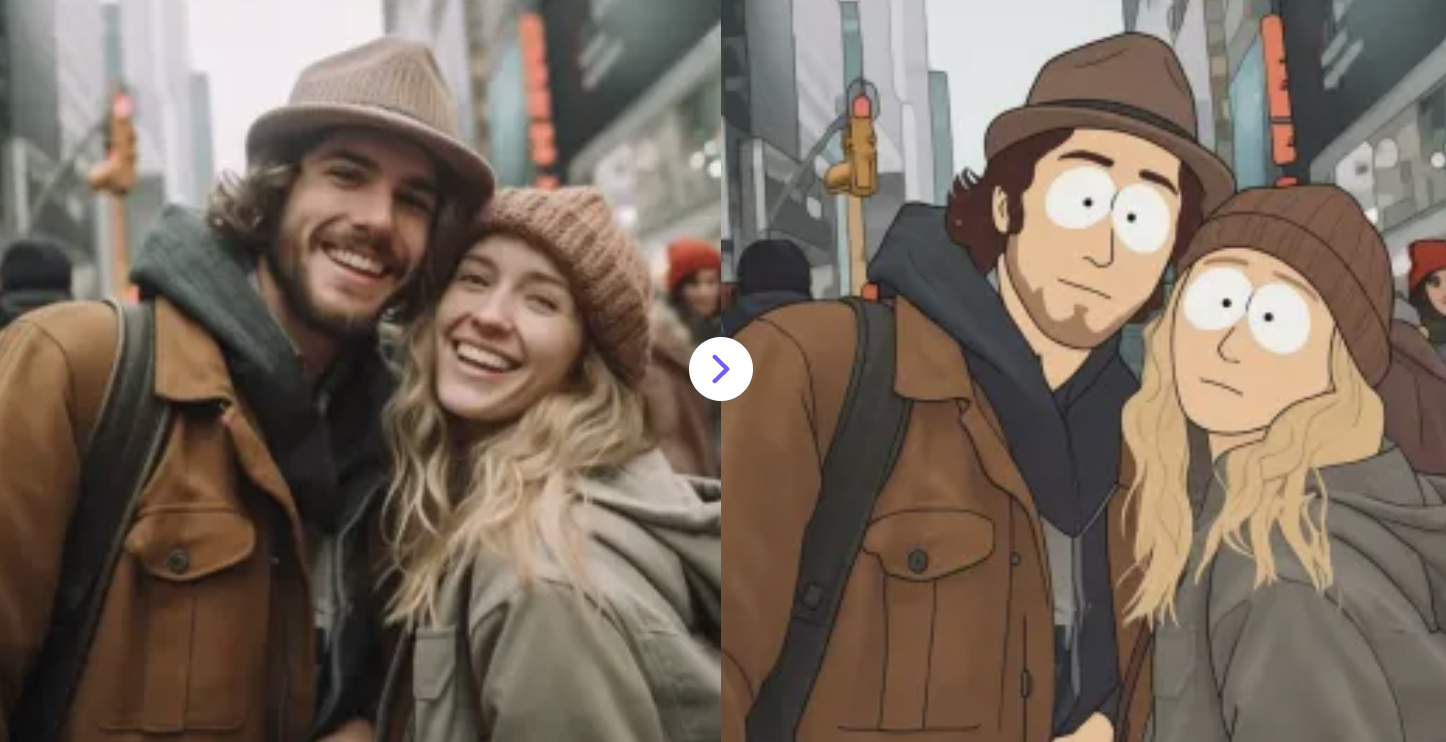
Upload your photo and instantly transform yourself into a funny, colorful South Park-style cartoon.
✅ Prompt:
Generate a South Park–style character from the uploaded photo. Preserve the subject’s main features, hairstyle, and clothing. Use classic South Park traits: a round head, simple hair shapes, bright circular eyes, minimal nose and mouth, bold black outlines, and flat, solid colors with no shading. Cartoonish, exaggerated, colorful, and humorous in the iconic 2D paper-cut style.
9. Photo to Marvel Superhero Video
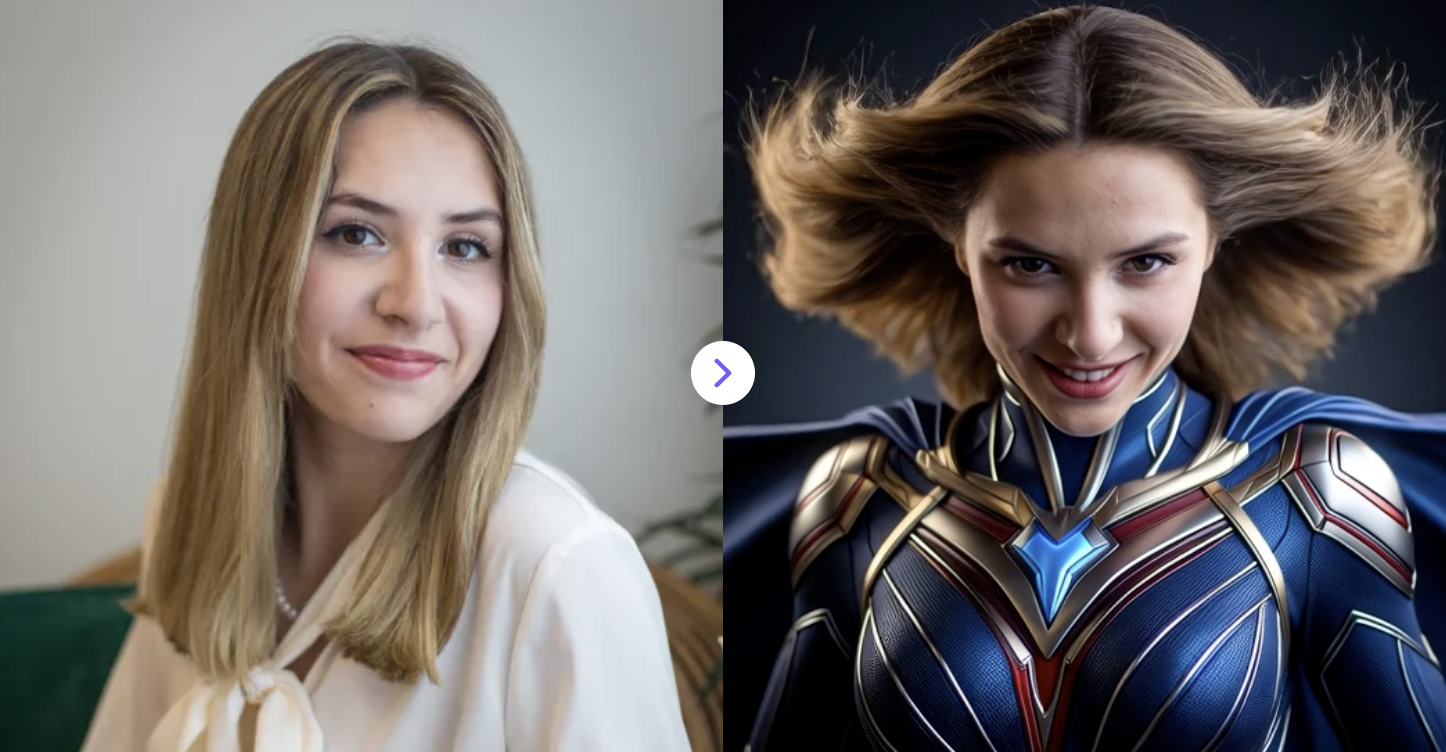
Transform the person in the reference photo into one of Marvel superhero character video.
✅ Prompt:
Transform the person in the reference photo into one of Marvel superhero character video. The character begins in a calm, grounded pose, then subtly transforms into a confident superhero presence with appropriate character outfit. Cinematic lighting with dramatic contrast, rim light outlining the character, wind gently moving fabric or hair. Slow camera push-in with shallow depth of field.
10. AI Pirate Photo
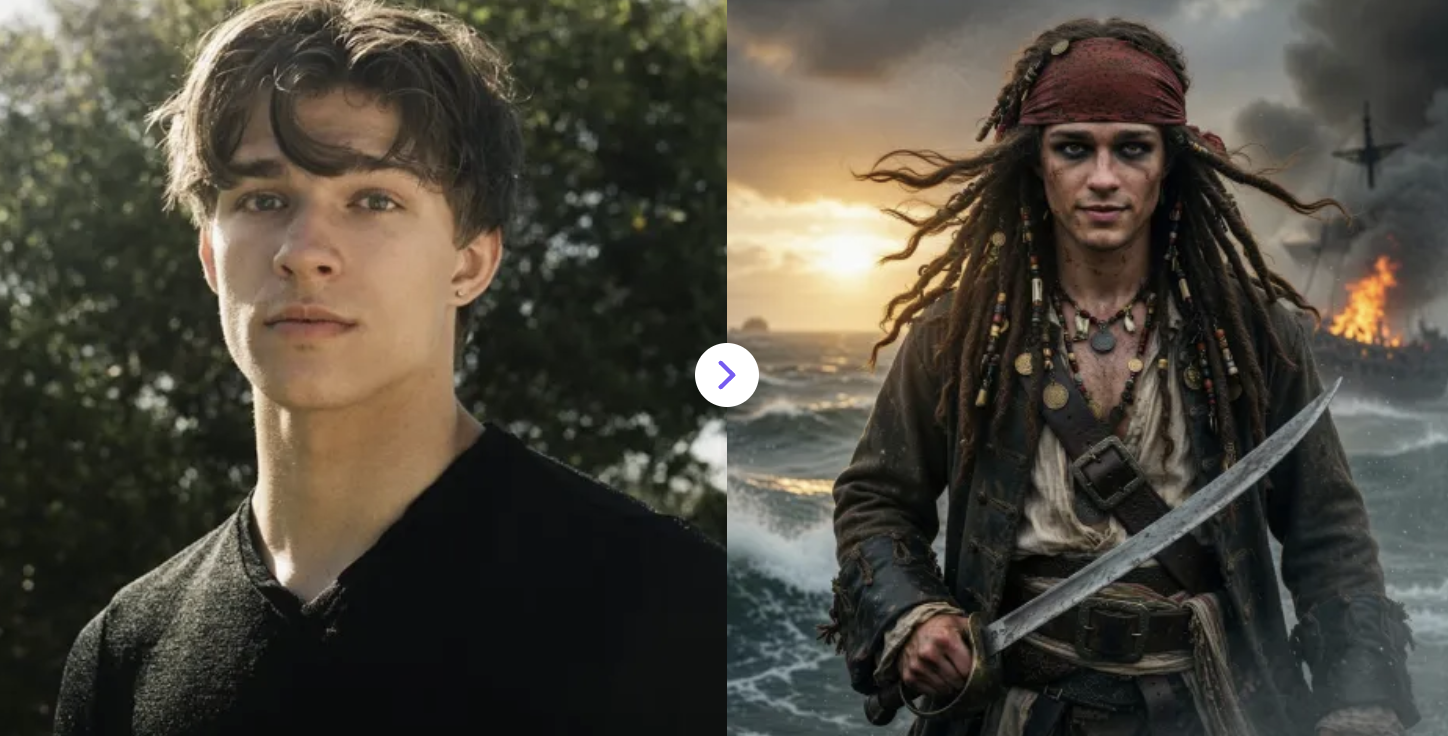
Turn any photo into a pirate adventure! Add eye patches, hats, and a rugged pirate look in seconds with AI.
✅ Prompt:
Transform the uploaded image into a legendary Caribbean fantasy pirate captain. Adapt the hairstyle, accessories, and outfit naturally to the subject in the photo. Include a red bandana, braided or beaded hair, layered jewelry (coins, bones, trinkets), weathered accessories, kohl-lined eyes, subtle scars, sun-worn skin, and realistic texture. Outfit should reflect a stylish and adventurous pirate aesthetic with fitted or layered garments, belts, sashes, and pirate-themed accessories. Pose the subject in a confident, ready-for-battle stance, holding a sword or appropriate pirate prop, body slightly angled for a strong presence. Expression: confident with a mysterious, epic edge. Environment: cinematic pirate world — stormy seas, burning ships, golden sunsets, with ocean atmosphere, smoke, fog, wind in hair and fabric. Lighting & Style: dramatic lighting, high contrast, sharp focus, gritty realism, ultra-detailed, cinematic, epic, and slightly mystical. Adapt all elements seamlessly to the uploaded image.
From the dark streets of Gotham to the icy kingdom of a Snow Queen, AI has made it easier than ever to turn yourself into a movie character — no Hollywood budget required. Whether you're experimenting with a Peaky Blinders portrait, a Na'vi transformation, or a full Marvel superhero makeover, the possibilities are truly limitless. All it takes is a photo, the right prompt, and a little imagination.
Try one of these AI generation ideas today and see which version of yourself steals the show. Don't forget to share your results — your followers might just want to try it too!