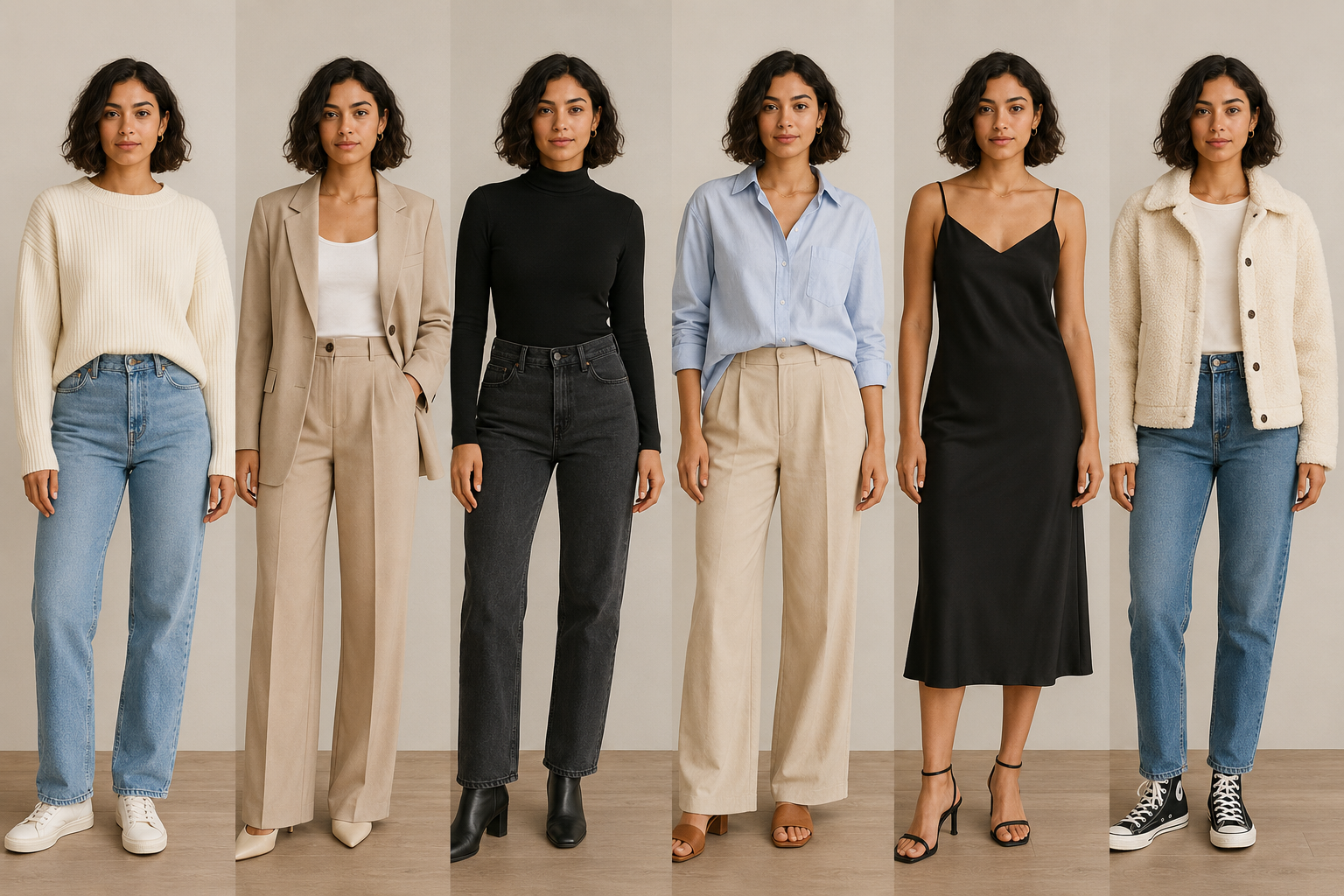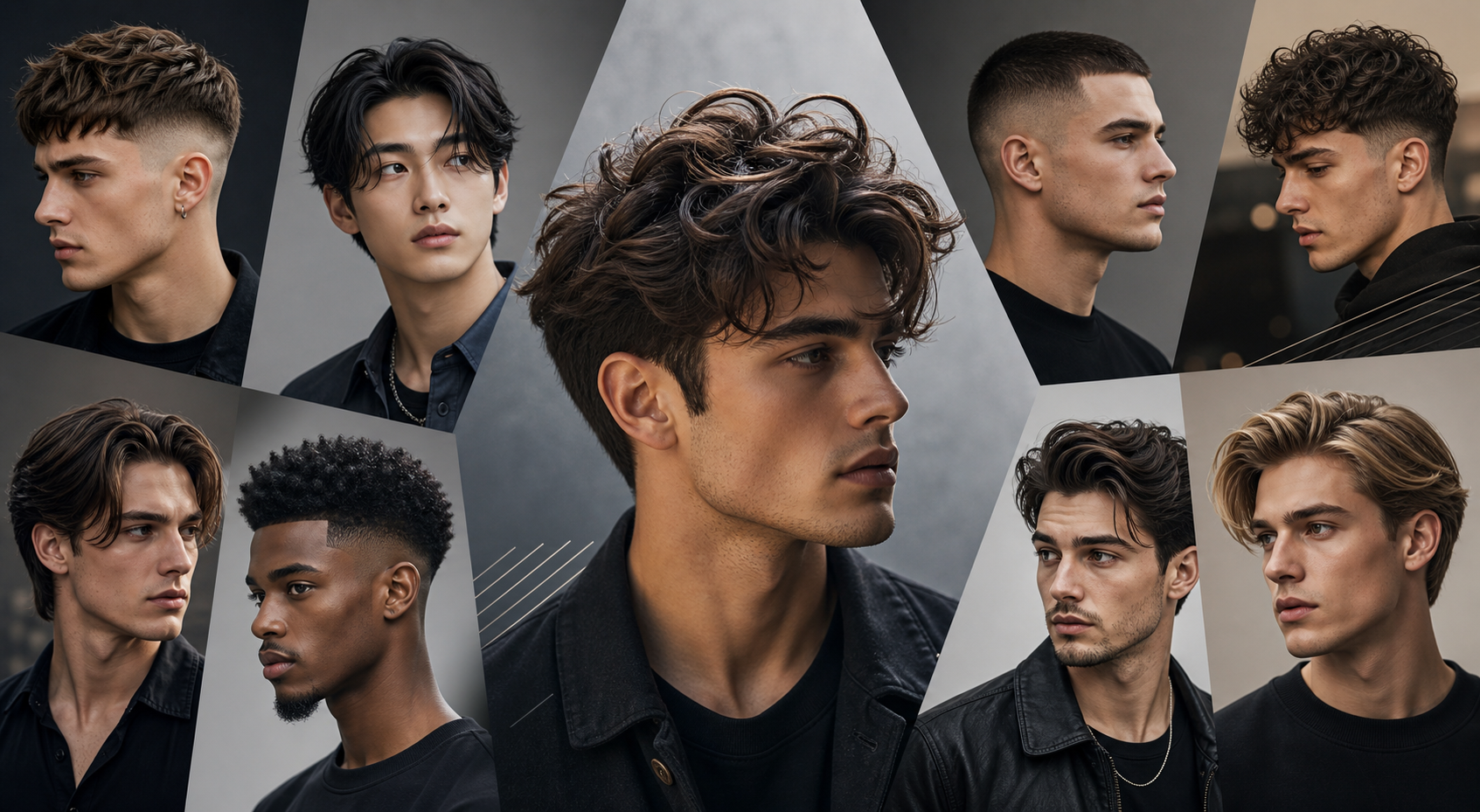


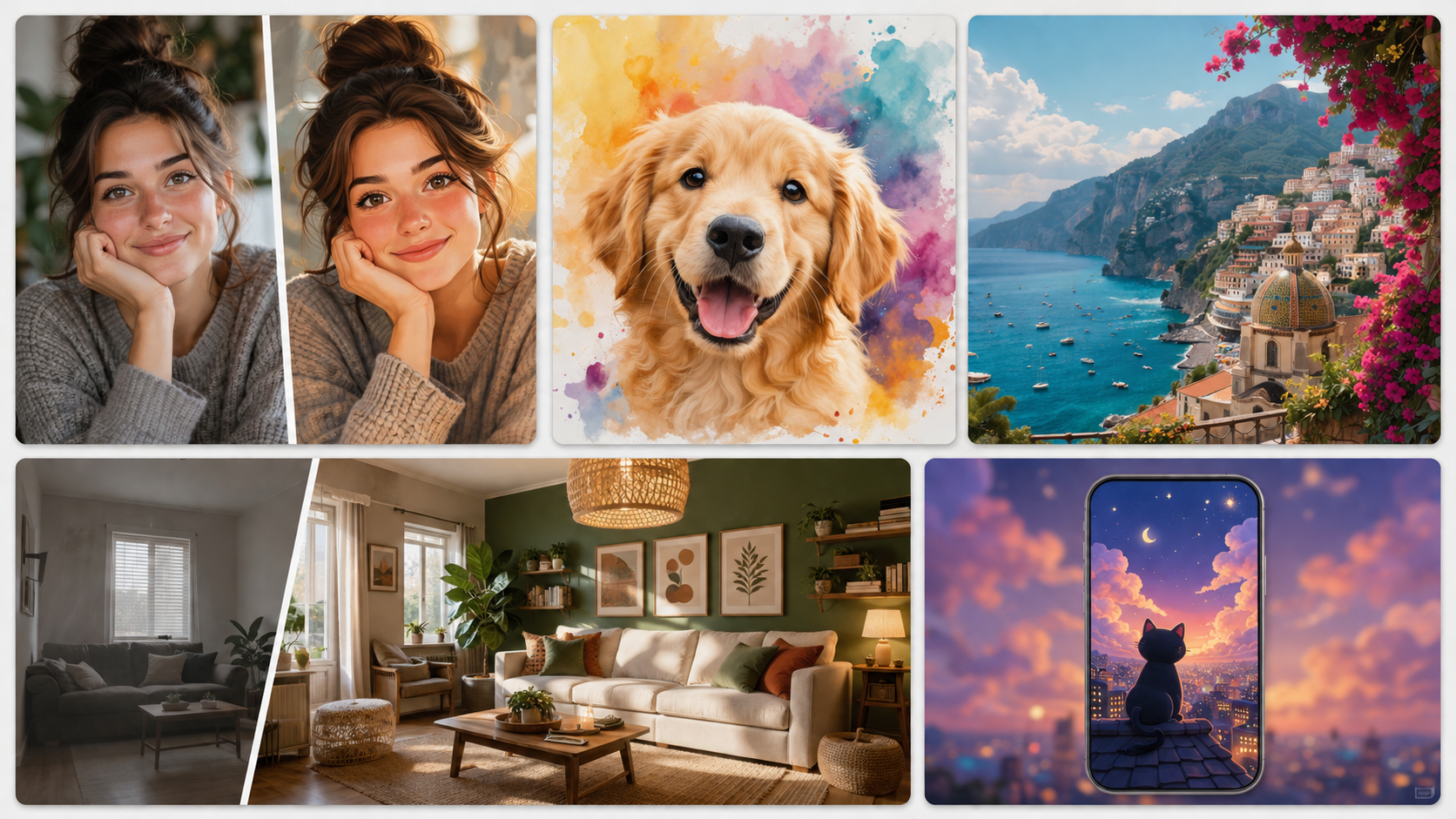
GPT Image 2.0works especially well when a prompt starts with something familiar: your portrait, a vacation photo, a pet, a favorite room, or an everyday object. These 50 practicalChatGPT image prompts turn those starting points into profile pictures, playful transformations, travel memories, room ideas, and simple photo edits. Use the ChatGPT Image Generator to explore a direction, then refine the result.
How to use ChatGPT Image 2.0 prompts
Want to try these ideas right away? Use ChatGPT Image Generator to create an image, then paste in one of the prompts below and refine the result.

GPT Image 2.0 is at its best when it can tell exactly what should change and what should stay put. Before pasting a prompt, decide what viewers should notice first, where the image will be used, and which details—such as your face, a pet’s markings, a product, or a room window—must remain recognizable.
- Start with a familiar subject:Upload a clear photo or describe the idea you want to create.
- Choose one visual change:a new outfit, setting, era, mood, or hairstyle.
- Protect important details:identity, proportions, markings, architecture, or the original moment.
- Improve one thing at a time:change the lighting, background, color, or composition instead of starting over.
Replace the bracketed details in each template with your own idea. The numbers are there to make the list easy to scan and revisit; you do not need to try the prompts in order.
Quick list
- 1. More personal profile pictures
- 2. Outfit and style changes
- 3. Photo eras and visual moods
- 4. Travel photos and postcard ideas
- 5. Couples and friends photo ideas
- 6. Pet transformations people love to share
- 7. Food, hobbies, and everyday moments
- 8. Turn an ordinary photo into a room concept
- 9. Avatars, posters, and shareable ideas
- 10. Small edits that make real photos more useful
1. More personal profile pictures
These are easy starting points for anyone with a clear portrait. Keep the face recognizable, then change the setting, mood, or visual treatment around it.
1.1 A professional headshot from a selfie
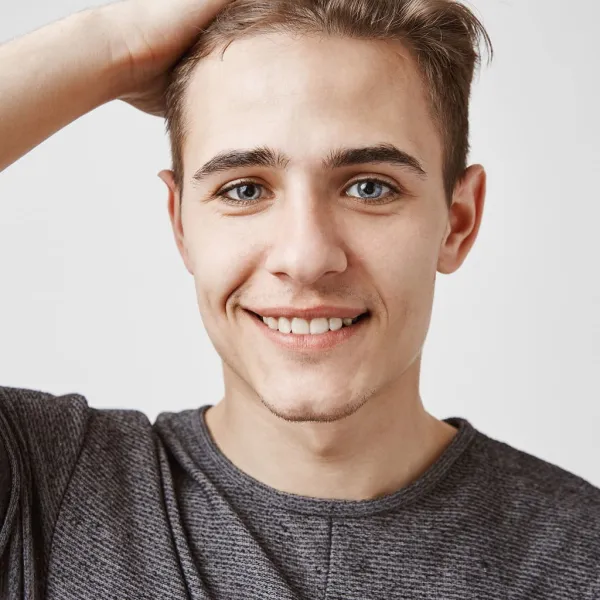 |  |
Best for: you need a polished headshot for a résumé, LinkedIn profile, or company bio.
Prompt:
Transform into a clean, professional headshot suitable for resumes, LinkedIn, and corporate profiles. The subject wears formal business attire such as a suit jacket, dress shirt, and optionally a tie or blouse. Hair is neat and well-groomed. The background is plain and neutral (e.g., light gray or beige), softly lit with no distractions. Lighting is even and studio-quality, with minimal shadows and natural skin texture. The composition includes extra padding around the head and shoulders for balance and flexibility in cropping. The overall look is confident, polished, and suitable for professional use.1.2 A candid café portrait
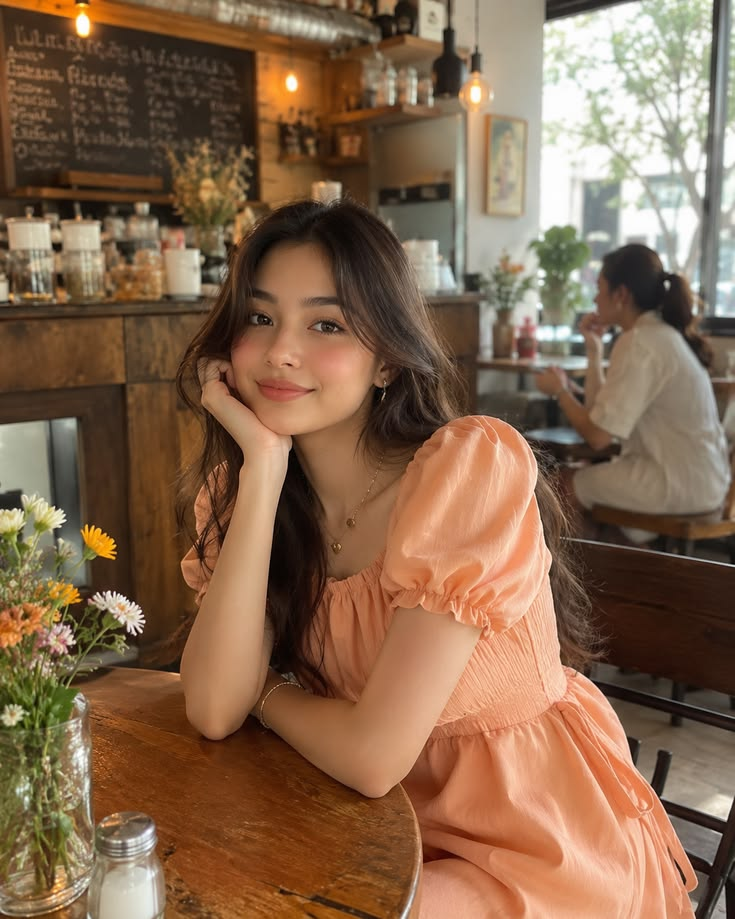
Best for: Whenyou want a warmer portrait than a typical studio headshot.
Prompt:
Use the uploaded portrait as the person reference. Place the person by a café window with a cup of coffee, soft morning light, natural posture, realistic skin and hair texture, and a candid lifestyle-photography look. Preserve the person's identity. Vertical 4:5 format.1.3 A cinematic night portrait
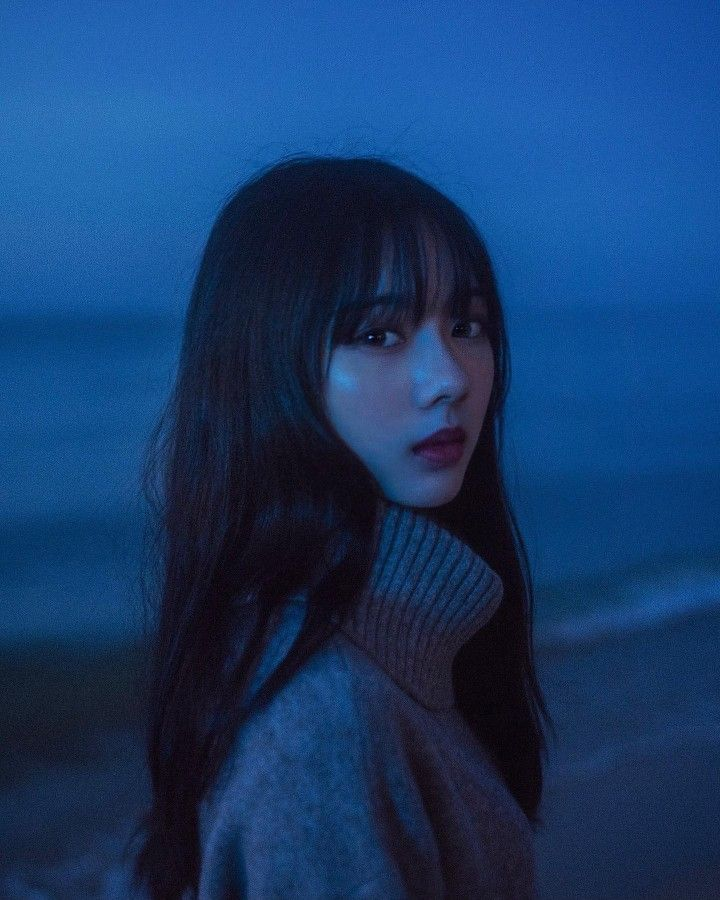
Best for: Whenyou want a striking but believable social profile image.
Prompt:
Use the uploaded portrait as the exact person reference. Create a cinematic night portrait on a softly lit city street, with reflections after rain, subtle neon color, realistic skin texture, and a relaxed expression. Preserve facial features and proportions. Vertical 4:5 format.1.4 A book-cover-style portrait
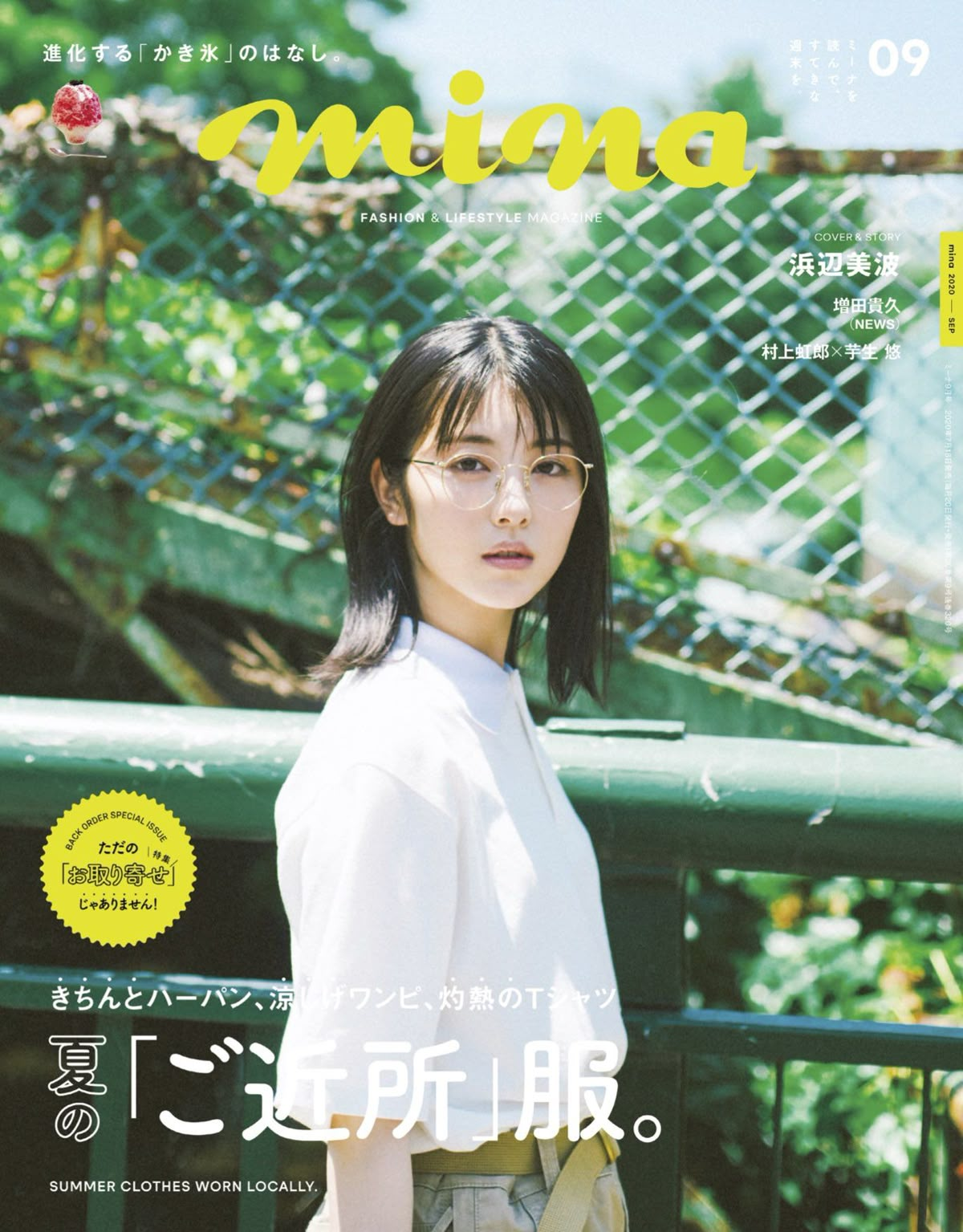
Best for: Whenyou want a creative portrait for a reading list or personal project.
Prompt:
Use the uploaded portrait as the person reference. Create an editorial portrait with [bookish mood], tactile paper and desk details, directional lamp light, and generous negative space for a title that will be added later. No generated words. Vertical 2:3 format.1.5 A relaxed outdoor portrait

Best for: Whenyou want a profile photo with a relaxed weekend feeling.
Prompt:
Use the uploaded portrait as the exact person reference. Place the person outdoors in [season] at [familiar location type], wearing [outfit], with natural late-afternoon light and a candid travel-photo feeling. Keep the background believable and the face recognizable. Vertical 4:5 format.2. Outfit and style changes
You do not need a fashion brief to try these ideas. Upload a clear photo, describe the look you want, and tell GPT Image 2.0 which parts of the person must remain unchanged.
2.1 Try a new everyday outfit

Best for: you want to preview a look before shopping or posting.
Prompt:
Use the uploaded photo as the exact person reference. Change the outfit to [style], keeping the person's face, body shape, pose, hands, hairstyle, background, and lighting unchanged. Make the clothing fit naturally with believable fabric folds. Vertical 4:5 format.2.2 Build a rainy-day look
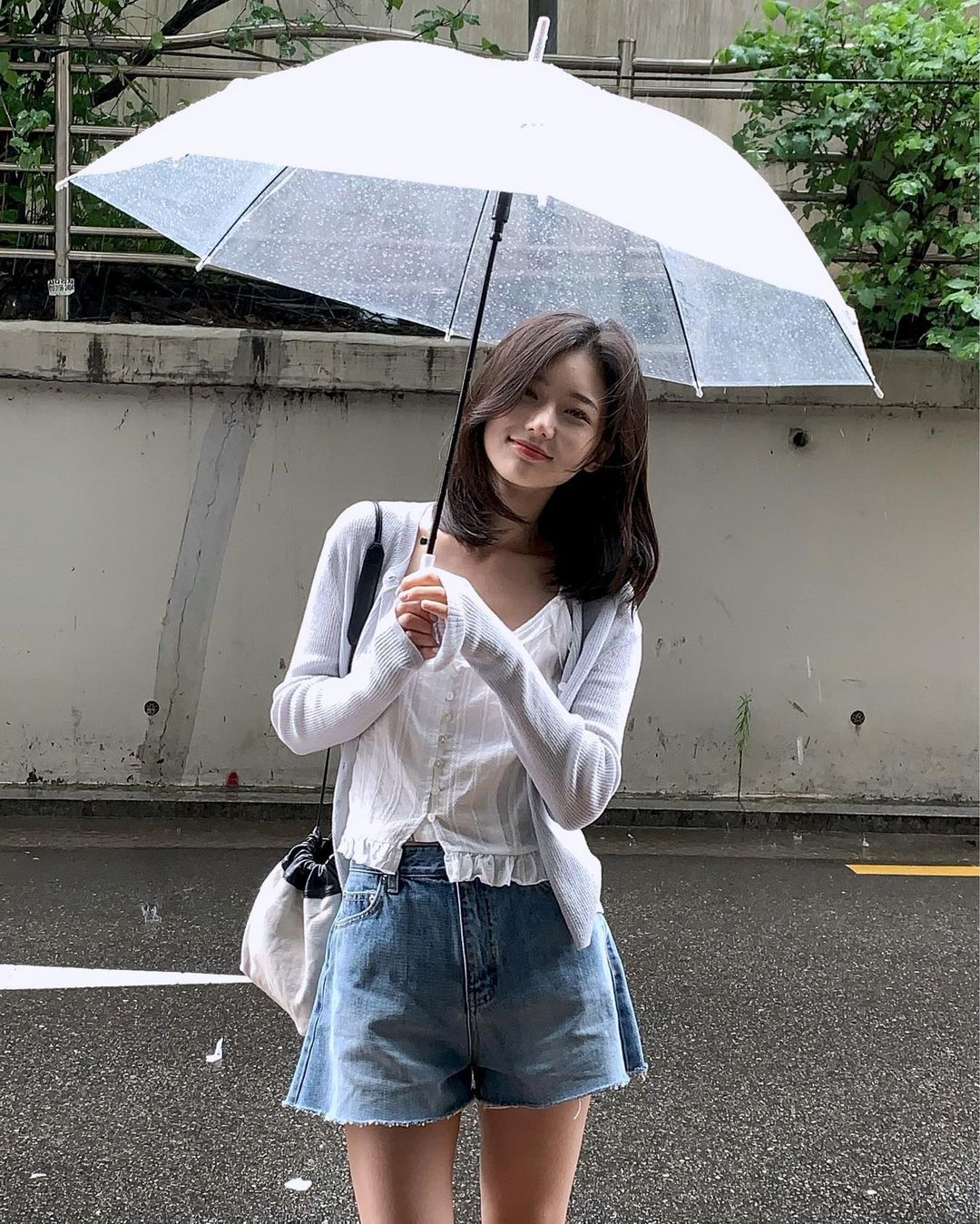
Best for: Whenyou want to make a simple seasonal change.
Prompt:
Use the uploaded portrait as the exact person reference. Dress the person in a practical rainy-day outfit with [coat], [boots], and [accessory]. Add soft overcast light and a wet city-street background, while preserving identity, pose, and realistic proportions. Vertical 4:5 format.2.3 Turn an ordinary photo into a fashion editorial

Best for: you want to heighten the visual treatment without changing the person.
Prompt:
Use the uploaded photo as the person reference. Restyle the outfit as [fashion direction] and place the person in a clean editorial setting with controlled studio light, realistic clothing texture, and a confident but natural pose. Preserve the person's face and body proportions. Vertical 4:5 format.2.4 Explore vintage clothing

Best for: you want to see yourself in another era.
Prompt:
Use the uploaded portrait as the exact person reference. Dress the person in a [decade] outfit with period-appropriate fabric, colors, and accessories. Use a matching [location] background and soft film photography, while keeping the face recognizable and the pose natural. Vertical 4:5 format.2.5 Design a coordinated group look

Best for: you want a fun group photo with friends.
Prompt:
Use the uploaded group photo as the exact starting point. Give everyone a coordinated [color palette] outfit while preserving each person's face, body position, height relationship, and expression. Keep the original setting and use realistic fabric folds. Wide 16:9 format.3. Photo eras and visual moods
AI Photo to Cartoon
A real portrait can be a more useful creative starting point than a long description. Use this approach when you want to change the treatment while keeping the person recognizable.AIPhoto to Cartoon。
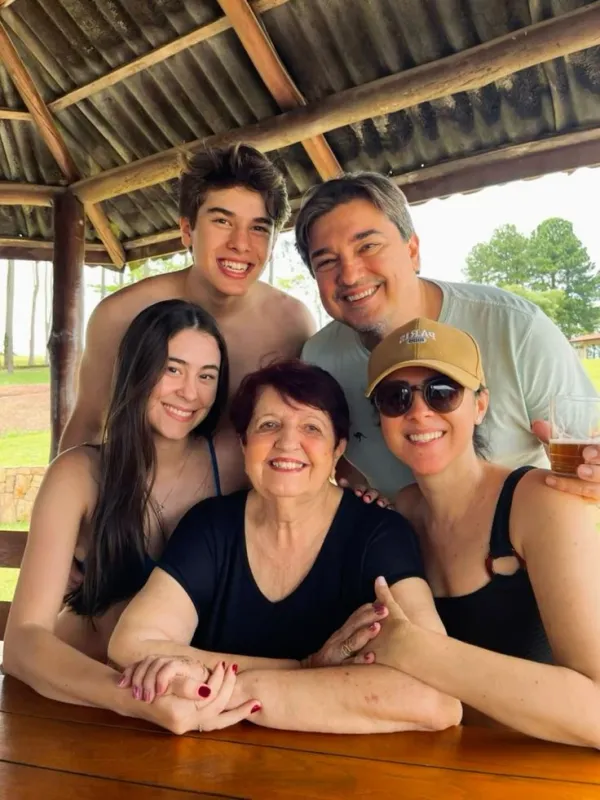 | 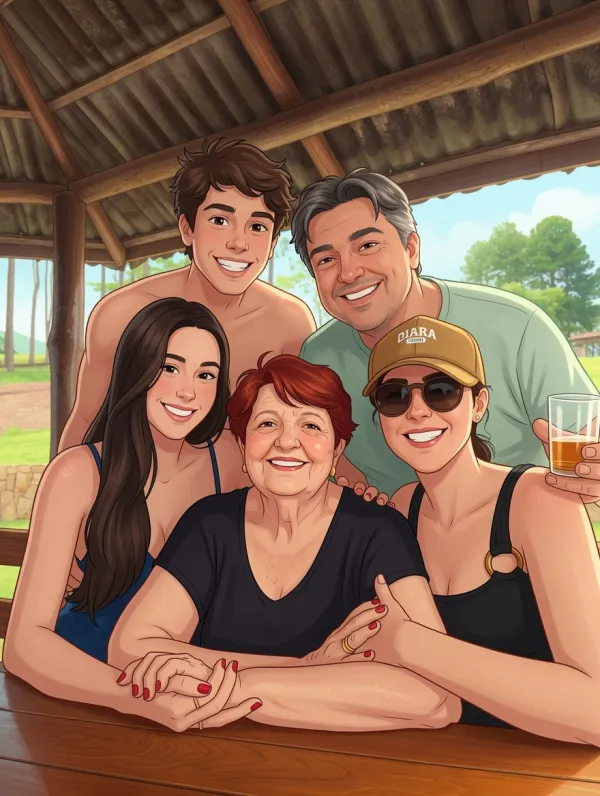 |
Example prompt: Transform the uploaded image into original polished cartoon artwork. Preserve the subject’s recognizable facial features, pose, markings, and key colors.
These prompts turn ordinary photos into shareable visual experiments. They work best when the original subject stays clear while the world around it changes.
3.1 A 1970s family photo
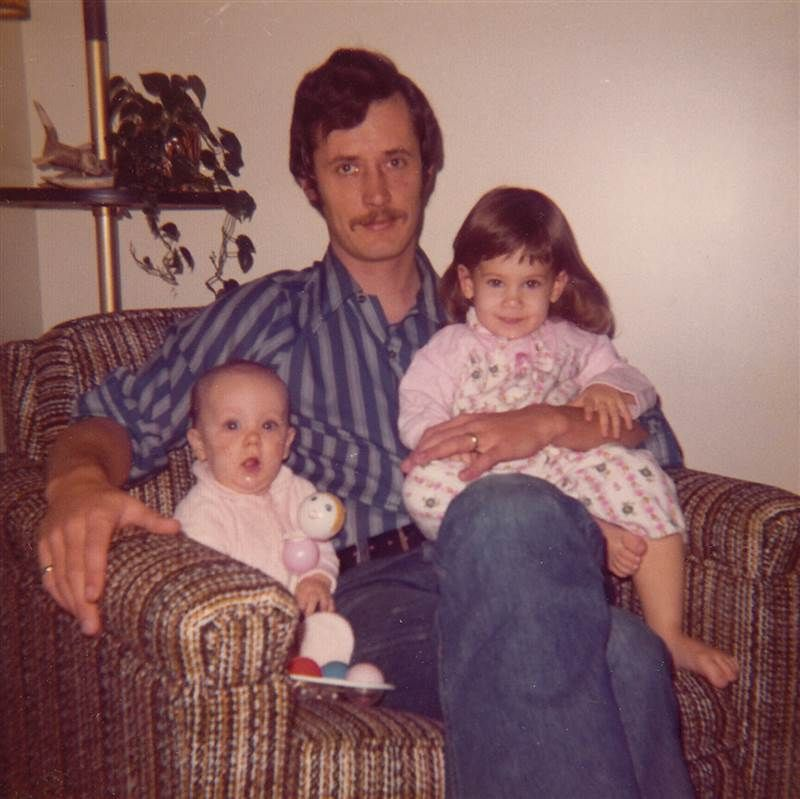
Best for: you want a warm vintage mood without changing the people.
Prompt:
Transform the uploaded family photo into a believable 1970s film photograph. Preserve every person's identity, pose, and clothing shape. Add warm film grain, slightly faded colors, soft flash, and a subtle period-appropriate indoor setting. Do not add text.3.2 A soft watercolor memory
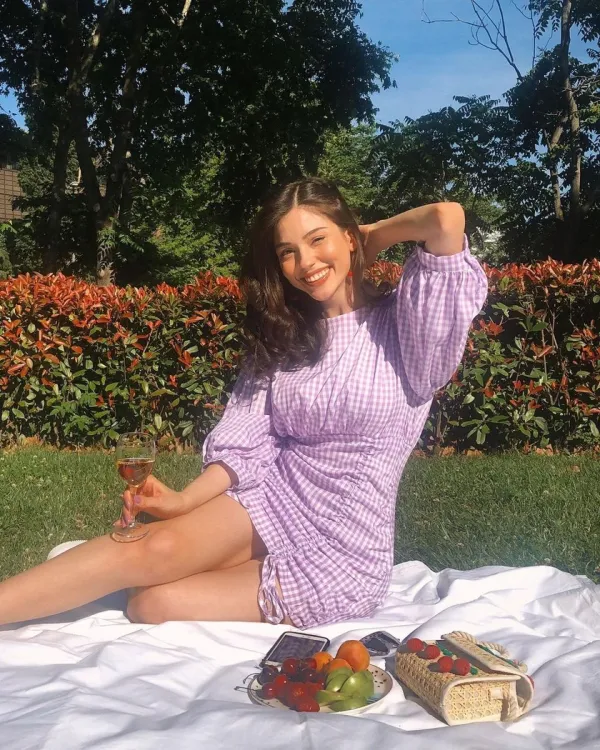 | 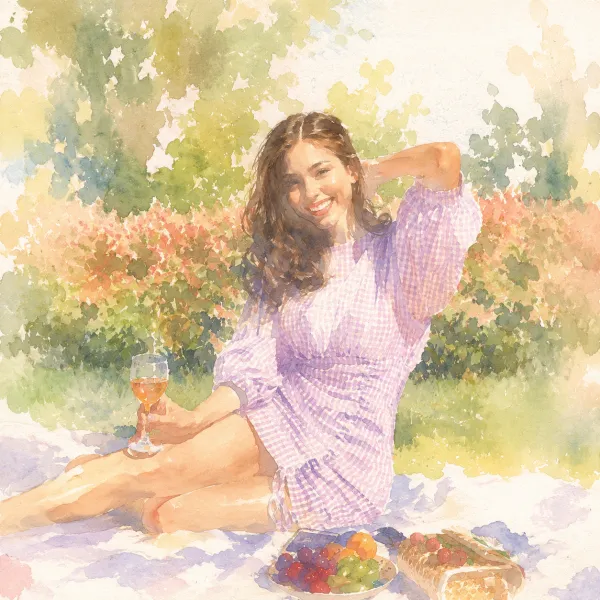 |
Best for: Whenyou want to portray a real moment with a softer visual treatment.
Prompt:
Turn the uploaded photo into a soft watercolor illustration. Preserve the main people, gesture, and important objects, but simplify the background into loose paper-and-paint textures. Use [color mood], visible brush variation, and a warm handmade feeling. Portrait format.3.3 A layered paper-cut portrait
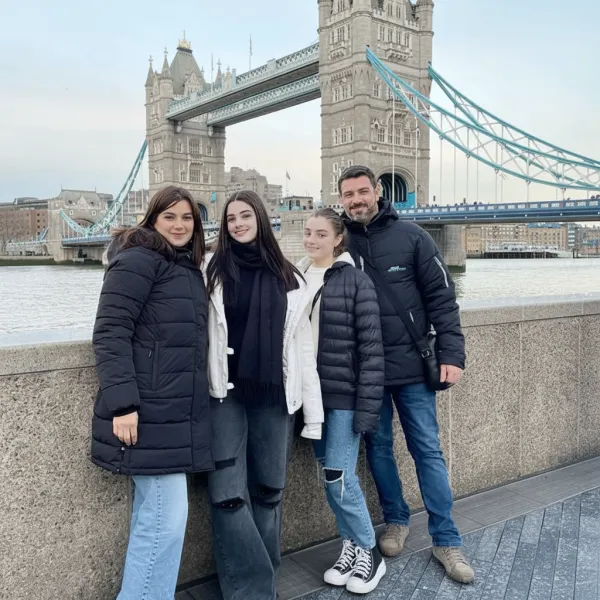 | 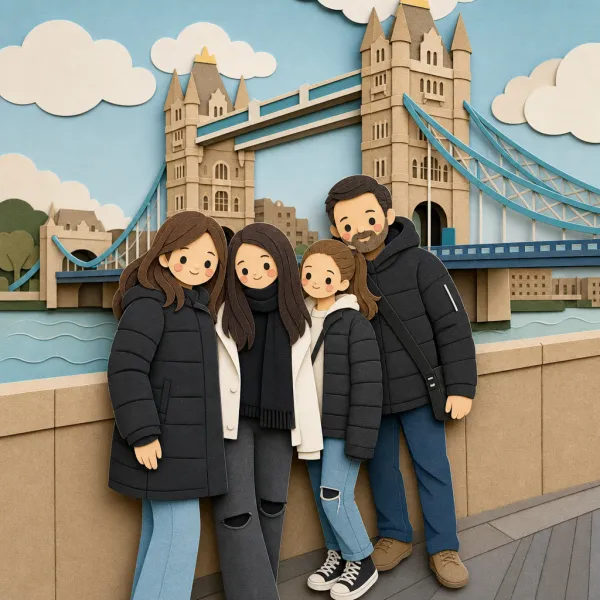 |
Best for: Whenyou want a classic, more understated version of the photo.
Prompt:
Convert the uploaded portrait into a timeless black-and-white studio photograph. Preserve the person's identity and natural skin texture. Use one large soft light source, gentle shadows, subtle film grain, and a simple dark background. Keep the expression unchanged. Vertical 4:5 format.3.4 A dreamy cloud-world portrait
Best for: you want something imaginative that still feels personal.
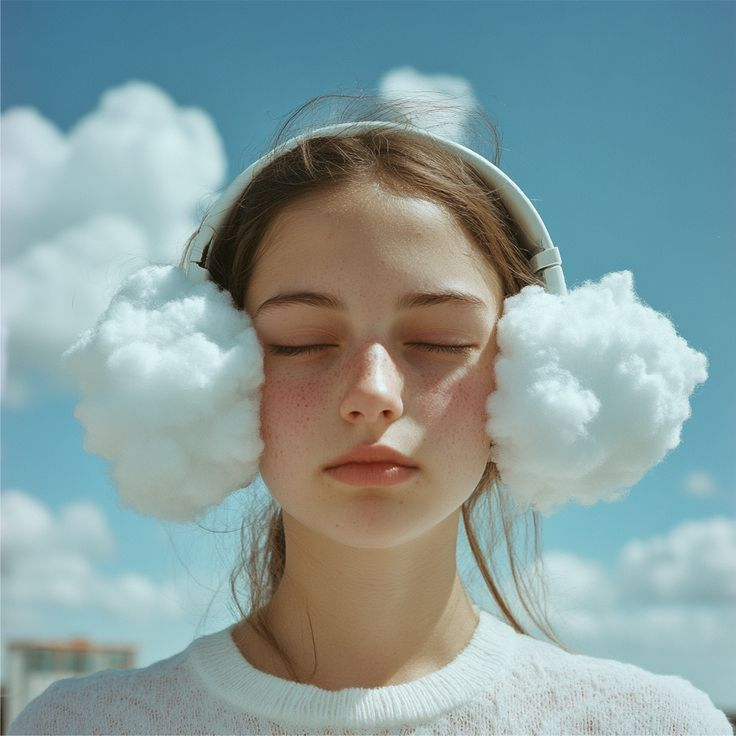
Prompt:
Use the uploaded portrait as the exact person reference. Place the person on a quiet cloud landscape at sunrise, with soft pastel light, natural clothing movement, and realistic atmospheric depth. Keep the face recognizable and the composition elegant rather than cartoonish. Vertical 4:5 format.3.5 A vivid magazine cover image
Best for: you want an editorial-looking image without fake text.
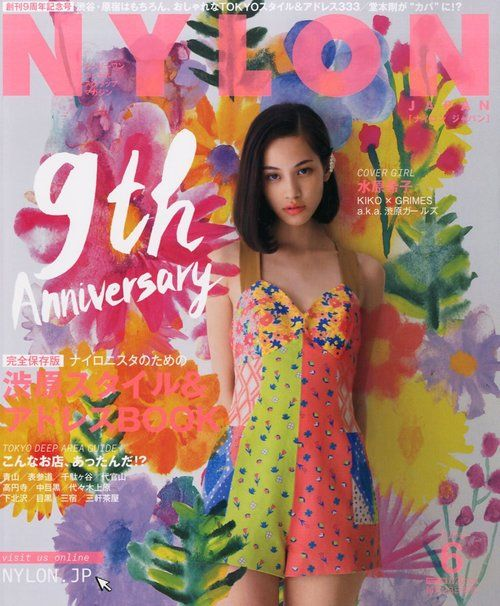
Prompt:
Use the uploaded portrait as the person reference. Create a bold contemporary magazine-cover image with [color palette], simple geometric shapes, dramatic but flattering light, and clean negative space for a title to be added later. Do not generate letters or logos. Vertical 2:3 format.4. Travel photos and postcard ideas
A location feels more personal when the prompt includes a small action, a weather detail, or a local cue. These ideas work with both travel photos and simple text descriptions.
4.1 Turn your photo into a travel postcard
Best for: Whenyou want a carefully designed keepsake rather than a simple filter.
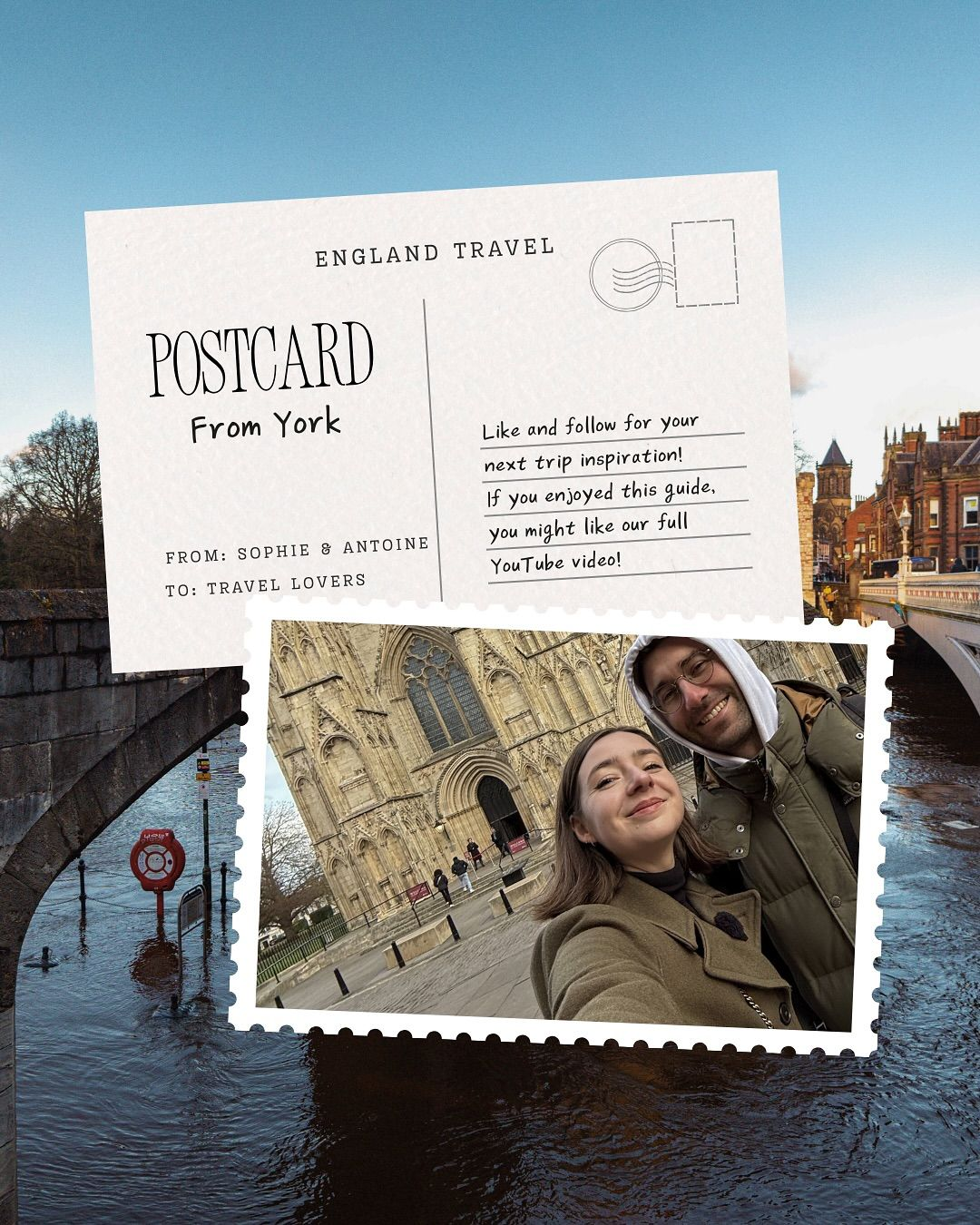
Prompt:
Use the uploaded travel photo as the exact subject reference. Turn it into a stylish illustrated postcard inspired by [place]. Keep the main landmark or person recognizable, use [color palette], textured print grain, and empty space for a title added later. Do not generate words. Vertical 2:3 format.4.2 A city walk in the rain

Best for: you want a city photo with more atmosphere.
Prompt:
Use the uploaded street or travel photo as the starting point. Add believable light rain, wet pavement reflections, warm shop windows, and a person walking with [umbrella or coat], while preserving the main architecture and camera perspective. Cinematic but realistic. Wide 16:9 format.4.3 A beach holiday film still

Best for: you want your holiday photo to feel like a film still.
Prompt:
Use the uploaded photo as the exact people and location reference. Reframe it as a warm film still at [time of day], with natural wind, realistic sunlight, subtle film grain, and a relaxed candid moment. Preserve the people's faces and body proportions. Wide 16:9 format.4.4 A cozy winter destination

Best for: you want to imagine yourself somewhere colder.
Prompt:
Use the uploaded portrait as the person reference. Place the person in a cozy winter town with soft snowfall, warm window light, [winter outfit], and realistic breath in the cold air. Keep the person recognizable and the scene grounded in natural perspective. Vertical 4:5 format.4.5 A miniature travel poster

Best for: Whenyou want a playful image from a favorite place.
Prompt:
Create a charming miniature travel poster for [place] using [landmark or local object] as the focal point. Use simplified shapes, tactile paper texture, a limited [three-color palette], and clear empty space for a title. Do not add readable text. Vertical 2:3 format.5. Couples and friends photo ideas
The most important rule for group edits is realism: keep everyone recognizable, preserve relationships and poses, and change only the setting or mood.
5.1 A movie-night poster with friends

Best for: you want a fun group image that captures a shared memory.
Prompt:
Use the uploaded group photo as the exact face and pose reference. Place the friends in a cozy cinematic movie-night setting with warm practical lights, popcorn, blankets, and a playful adventure-film mood. Keep every person recognizable and leave space for a title added later. Wide 16:9 format.5.2 A celebration above the clouds

Best for: you want a joyful, dreamlike group image.
Prompt:
Use the uploaded group photo as the exact people reference. Place everyone on a bright cloud terrace at sunset with soft colorful light, floating confetti, and natural celebratory poses. Preserve every face, body proportion, and relationship between people. Wide 16:9 format.5.3 A vacation album cover

Best for: Whenyou want one image to summarize a trip.
Prompt:
Use the uploaded friends or family photo as the exact people reference. Create a relaxed travel-album cover scene at [destination type] with a recognizable local detail, warm daylight, candid expressions, and clean space for a title. Do not generate words. Vertical 2:3 format.5.4 A slightly surreal formal portrait

Best for: you want a polished group photo that does not feel stiff.
Prompt:
Use the uploaded group photo as the exact people reference. Dress everyone in coordinated [color palette] formalwear and place them in [unexpected setting]. Use elegant soft light, natural expressions, and believable height and body proportions. Wide 16:9 format.5.5 A stacked family portrait
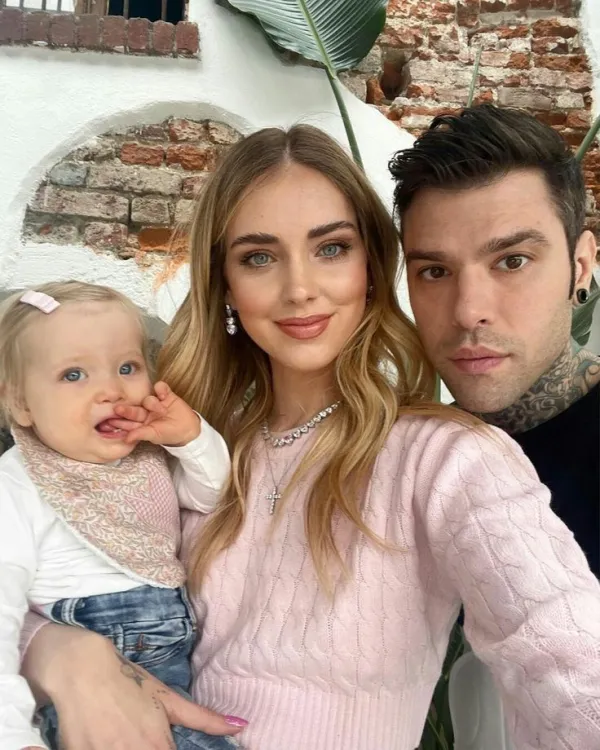 | 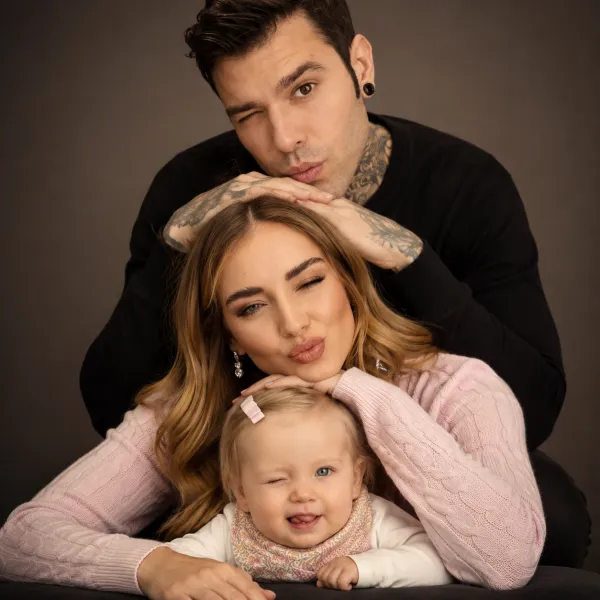 |
Best for: you want a lively avatar for a group chat.
Prompt:
Use the uploaded family photo as reference to create a high-end color studio portrait. Reimagine the family in a vertical stacked composition, with each family member positioned one above another in a balanced, layered arrangement. The top person gently connects with the person below (resting hands or leaning in), forming a cohesive “stacked” family structure. Capture soft smiles and emotional closeness, creating a warm, elegant, and heartwarming cinematic family portrait.6. Pet transformations people love to share
Pets are great creative subjects because a familiar face makes even a playful transformation feel personal. Preserve the animal’s markings and expression so it remains easy to recognize.
6.1 Your pet as a tiny café owner
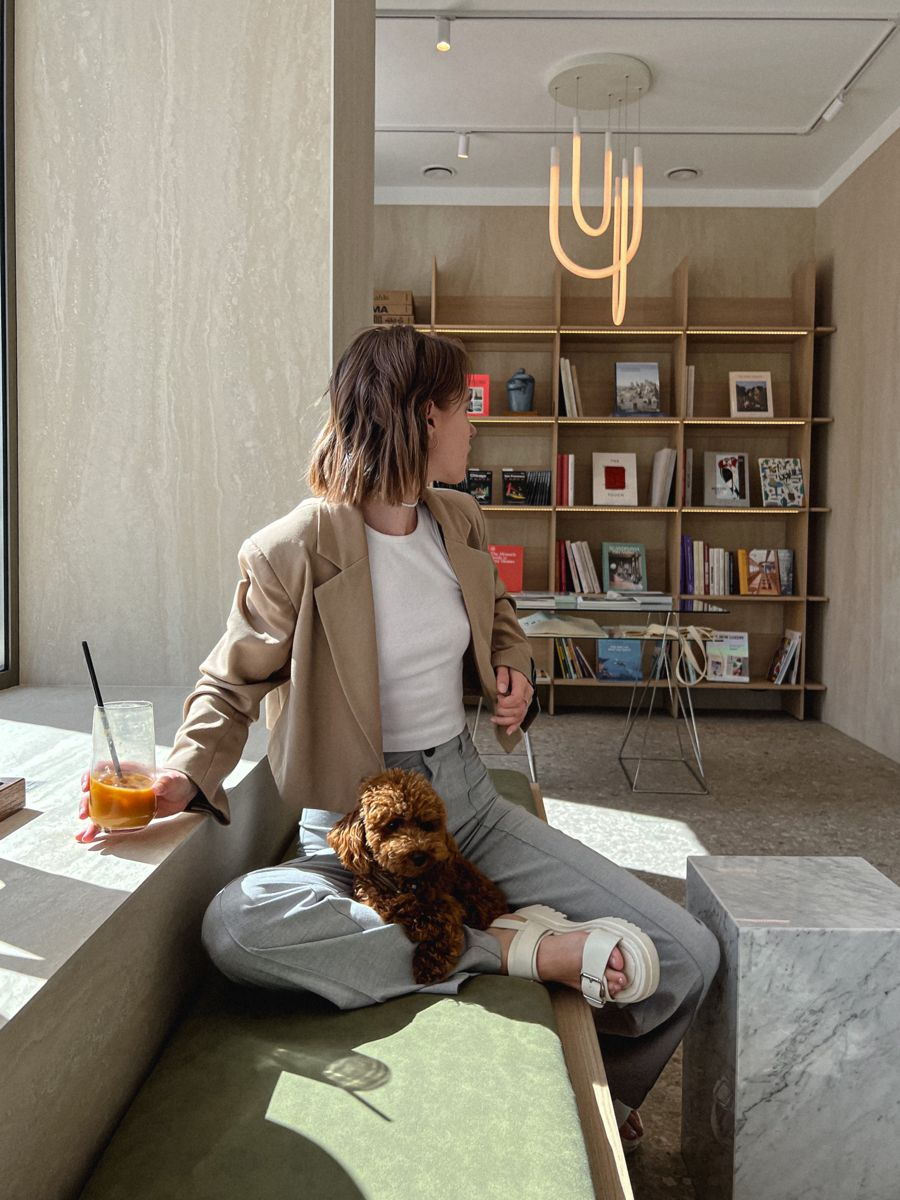
Best for: you want a funny image that still looks like your pet.
Prompt:
Use the uploaded pet photo as the exact animal reference. Place the pet behind a tiny cozy café counter wearing a simple apron, surrounded by appropriately scaled cups and warm window light. Preserve the pet's markings, face, fur texture, and expression. Vertical 4:5 format.6.2 A royal pet portrait
If you want to turn a pet photo into a polished, personality-filled portrait, this is a natural fit. TryAI Pet Portrait, then build on its ready-made royal treatment.
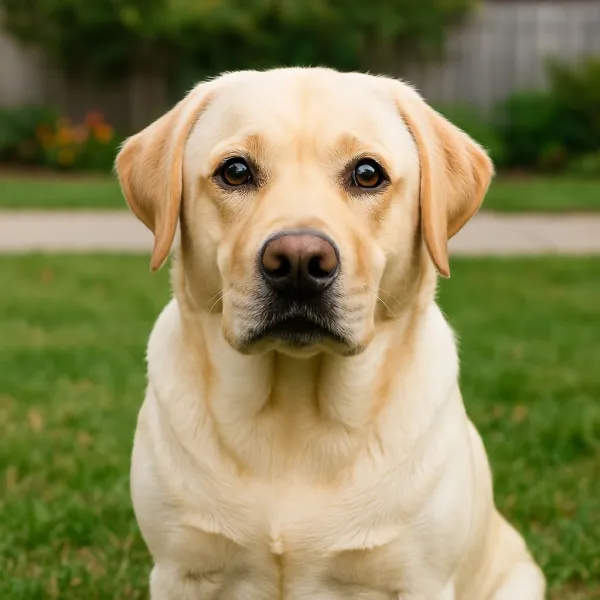 | 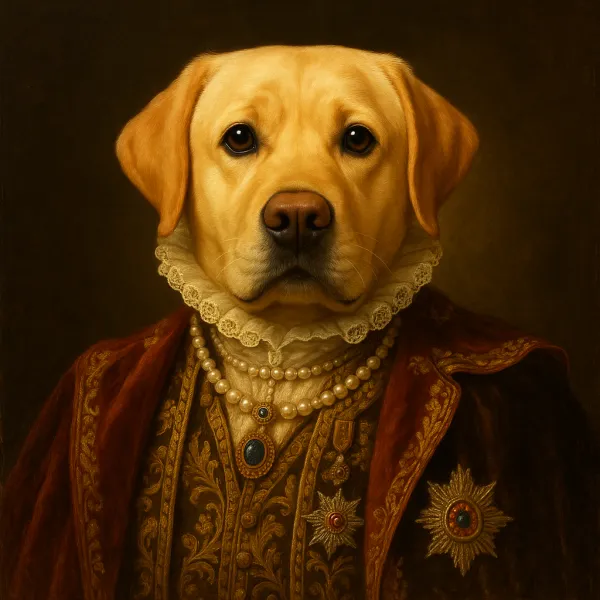 |
Example prompt: A dog in royal attire, painted in a vintage European oil-painting style with Renaissance elegance, dramatic warm lighting, a dark textured background, detailed fur, and aristocratic charm.
Best for: you want a playful framed portrait.
Prompt:
Use the uploaded pet photo as the exact animal reference. Create a humorous royal portrait with an ornate but believable outfit, rich fabric, warm studio light, and a classic painted background. Keep the pet's face, markings, and expression recognizable. Vertical 4:5 format.6.3 A travel postcard with your pet

Best for: you want to preserve a memorable walk or trip with your pet.
Prompt:
Use the uploaded pet photo as the exact animal reference. Place the pet at [travel setting] with one recognizable local detail, soft daylight, a cheerful travel-photography mood, and clean space for a title added later. Do not generate text. Vertical 2:3 format.6.4 An original superhero pet
Best for: you want an original avatar for a pet profile or group chat.
Prompt:
Use the uploaded pet photo as the exact animal reference. Turn the pet into an original colorful hero with a simple cape, dramatic rim light, and a bold but uncluttered city background. Preserve the animal's markings and expression. Do not imitate an existing character. Square 1:1 format.6.5 A cozy bedtime illustration

Best for: you want to turn a pet photo into a thoughtful keepsake.
Prompt:
Turn the uploaded pet photo into a warm storybook illustration of the animal sleeping in [cozy setting]. Use soft paper texture, gentle colors, small environmental details, and a calm bedtime mood. Preserve recognizable markings and do not add written words. Vertical 4:3 format.7. Food, hobbies, and everyday moments
These ideas start with things people photograph every day: breakfast, a desk, a recipe, a plant, or a favorite object. The prompt gives an ordinary moment a clearer visual direction.
7.1 Turn breakfast into a magazine photo
 |  |
Best for: you want a prettier image of something you cooked.
Prompt:
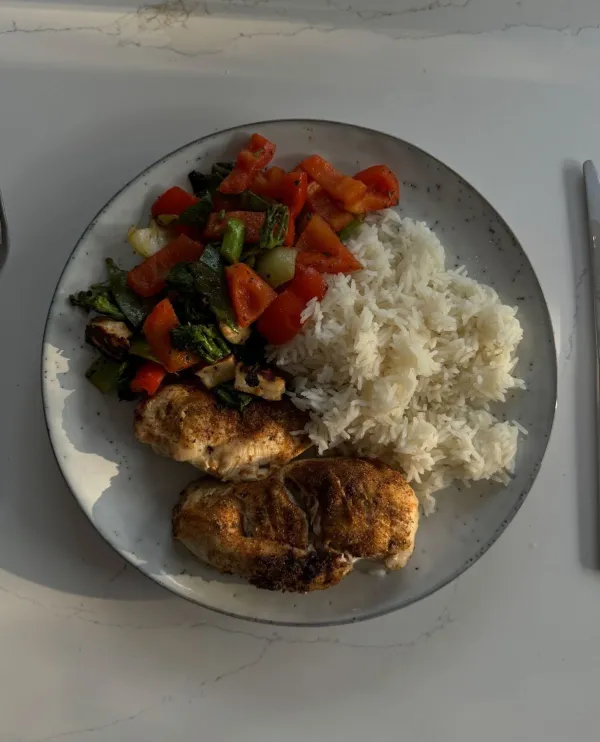
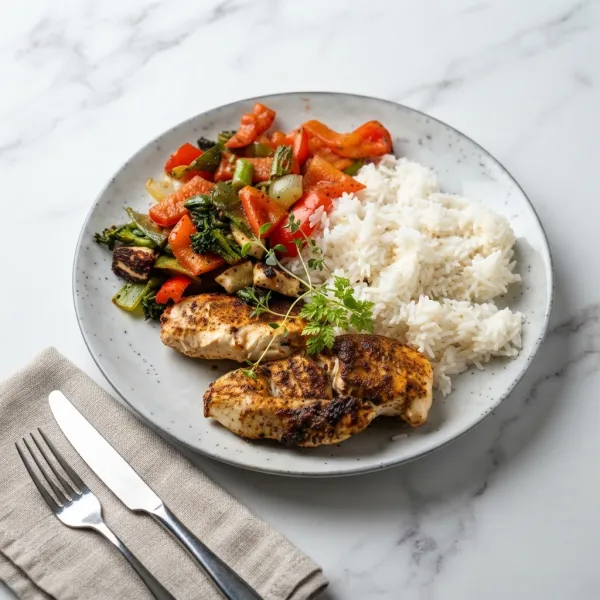
Use the uploaded breakfast photo as the exact food reference. Improve the composition with natural morning light, realistic texture, a simple table setting, and one useful prop such as a mug or newspaper. Keep the food recognizable and avoid adding ingredients that are not present. Vertical 4:5 format.7.2 A recipe card for one dish

Best for: Whenyou want a shareable image for a recipe post.
Prompt:
Use the uploaded dish photo as the exact food reference. Create a clean recipe-card visual with the dish centered, a light kitchen surface, a few of the actual ingredients nearby, and clear empty space for recipe details added later. Do not generate words. Square 1:1 format.7.3 A table that shows your hobby

Best for: Whenyou want a personal image for a hobby or weekend project.
Prompt:
Use the uploaded desk or hobby photo as the starting point. Arrange the existing objects into a warm editorial still life that clearly communicates [hobby], with natural window light, realistic material texture, and one small sign of use. Preserve the main objects and do not add text. Wide 16:9 format.7.4 A plant-care journal image

Best for: Whenyou want a small visual refresh for a plant photo.
Prompt:
Use the uploaded plant photo as the exact subject reference. Place the plant in a bright home corner with natural shadows, a simple watering or care detail, tactile pottery, and a calm editorial lifestyle look. Preserve the plant's shape and leave space for a note added later. Vertical 4:5 format.7.5 A favorite object as a tiny world

Best for: you want an imaginative image from an ordinary object.
Prompt:
Use the uploaded photo of [object] as the exact subject reference. Create a miniature world around it where [tiny activity] is happening, with believable scale, soft cinematic light, and detailed materials. Keep the original object recognizable and make the scene playful rather than chaotic. Square 1:1 format.8. Turn an ordinary photo into a room concept
AI Virtual Staging
For room ideas, a real photo of an empty room is more useful than a text-only description. If you want to explore furniture and decor while keeping the existing layout, this is a natural next step.AI Virtual Staging。
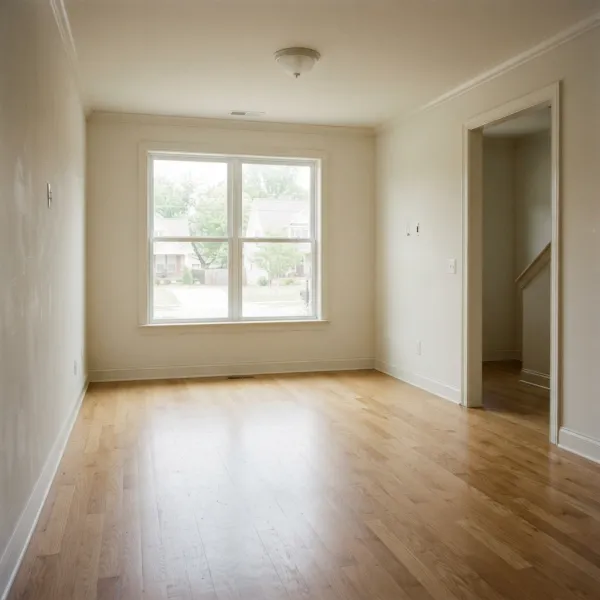 | 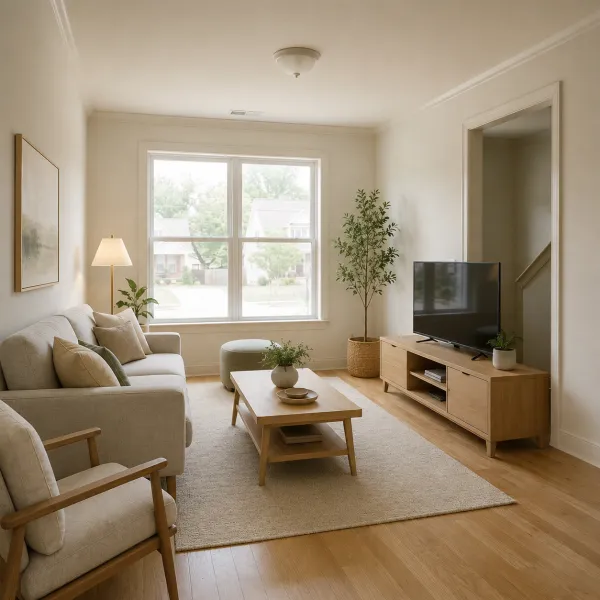 |
Example prompt: Modern Scandinavian living room.
You do not need to be an interior designer to try these ideas. Upload a real room photo and ask for visual direction while protecting the windows, walls, camera angle, and proportions.
8.1 A cozy reading corner
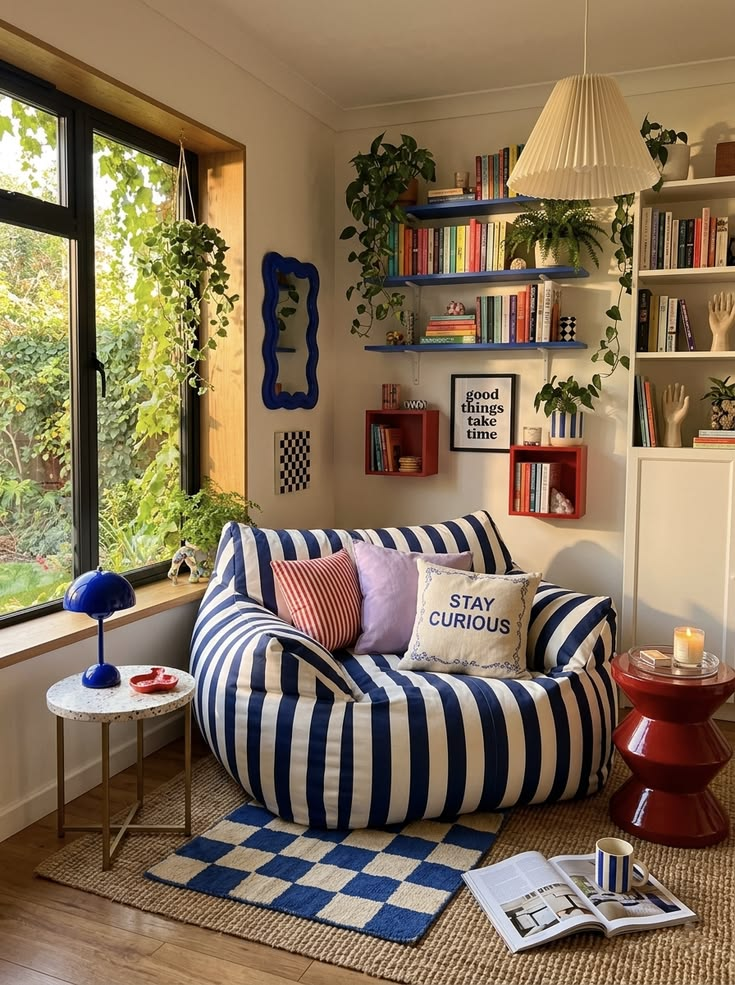
Best for: you want to see how a small change can improve a room’s mood.
Prompt:
Use the uploaded room photo as the exact starting point. Add a comfortable reading chair, a small lamp, a side table, and a few books in a warm [design style]. Preserve the existing walls, windows, floor, camera perspective, and light direction. Wide 16:9 format.8.2 A softer bedroom palette
Best for: you want to test colors before repainting.
Prompt:
Use the uploaded bedroom photo as the exact starting point. Keep the architecture, furniture placement, windows, and camera angle unchanged. Change the textiles and wall color to a calm [palette], using realistic fabric texture and natural daylight. Wide 16:9 format.8.3 A small balcony garden
Best for: you want to imagine how to use an overlooked corner.
Prompt:
Use the uploaded balcony photo as the exact starting point. Add appropriately scaled plants, a compact seat, warm string lights, and practical storage while preserving the railing, walls, floor, and camera perspective. Make the result achievable, not luxurious. Wide 16:9 format.8.4 A playful children’s room concept
Best for: Whenyou want an idea that is both fun and practical.
Prompt:
Use the uploaded room photo as the exact starting point. Create a cheerful kids' room with [color palette], practical storage, one reading or play zone, and age-appropriate furniture. Preserve the room dimensions, windows, and architecture. Wide 16:9 format.8.5 A seasonal guest-room refresh
Best for: you want a quick visual change without remodeling.
Prompt:
Use the uploaded room photo as the exact starting point. Refresh the room for [season] using only textiles, lighting, and a few removable accessories. Preserve the architecture, furniture scale, windows, and camera perspective. Keep the result natural and lived-in. Wide 16:9 format.9. Avatars, posters, and shareable ideas
AI Event Poster
When a shareable idea needs to become a usable event visual, this poster scene is more direct than a generic image prompt.AIEvent Poster。
 |  |
Example prompt: Create a striking black-and-gold Black Friday promotional poster.
These ideas work for profile pictures, phone wallpapers, invitations, and group-chat images. They are playful starting points, not promises of a finished branded design.
9.1 A personal phone wallpaper
Best for: you want a visual that feels like your own every time you unlock your phone.
Prompt:
Create a vertical phone wallpaper inspired by [interest or mood]. Use one clear central motif, [color palette], subtle depth, and a quiet area behind app icons. Make it polished and personal, with no words or logos. Vertical 9:16 format.9.2 A fantasy avatar
 |  |
Best for: you want a creative profile image that still reflects your personality.
Prompt:
Use the uploaded portrait as the exact face reference. Create an original fantasy avatar with [role or power], distinctive clothing, atmospheric light, and a simple environment that supports the character. Preserve the person's facial features and do not imitate an existing character. Square 1:1 format.9.3 A birthday invitation image
Best for: you want a playful image before adding the real details.
Prompt:
Create a playful birthday invitation visual for [age or theme] using [central object or motif], cheerful [color palette], and a clear empty area for the date and location. Keep the composition friendly and readable at small size. Do not generate words. Vertical 4:5 format.9.4 A custom sticker portrait
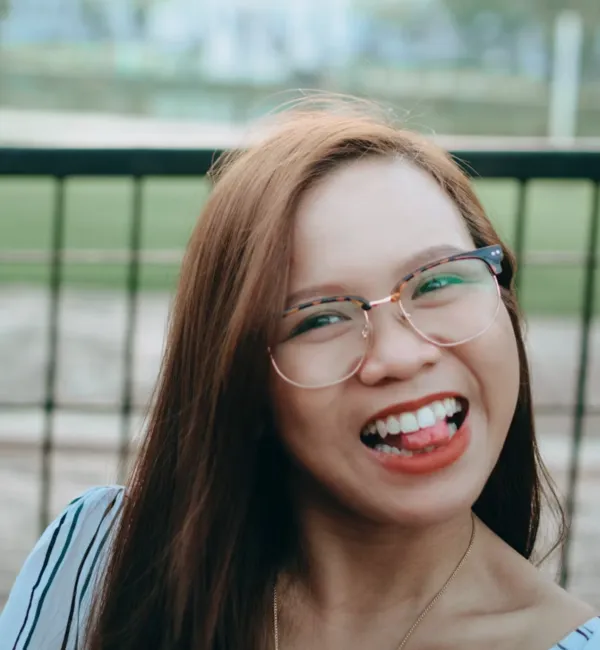 |  |
Best for: you want to turn one photo into a small set of chat stickers.
Prompt:
Use the uploaded portrait as the exact face reference. Create a clean sticker-style portrait with a bold outline, [color palette], and one expressive pose for [emotion]. Keep the person recognizable, use a simple background, and do not add lettering. Square 1:1 format.9.5 A dreamy album-cover design
Best for: Whenyou want a personalized visual for a playlist or mood board.
Prompt:
Create an atmospheric album-cover direction inspired by [music mood]. Use [central image], [color palette], controlled texture, and a strong focal composition with empty space for a title added later. Do not generate words, artist names, or logos. Square 1:1 format.10. Small edits that make real photos more useful
GPT Image 2.0 is often most useful for small edits: removing distractions, replacing a background, extending a crop, or changing the mood without changing the subject. For these upload-based edits, continue in theAI image editor。
10.1 Replace a distracting background

Best for: you like the subject but the background is wrong.
Prompt:
Use the uploaded photo as the exact starting point. Keep the subject's identity, shape, pose, lighting, and camera angle unchanged. Replace only the background with [new setting], matching the perspective and adding realistic contact shadows. Do not alter the subject.10.2 Remove an unwanted object

Best for: you want a cleaner photo without rebuilding the scene.
Prompt:
Use the uploaded image as the exact starting point. Remove [unwanted object] only. Reconstruct the surrounding background, shadows, reflections, and texture naturally. Preserve the main subject, crop, lighting, and every other detail.10.3 Change the color of one garment

Best for: Whenyou want to compare different style options.
Prompt:
Use the uploaded portrait as the exact starting point. Change only the [garment] to [new color or material]. Preserve the person's face, body shape, pose, hands, hairstyle, background, and lighting. Make fabric folds and shadows believable.10.4 Extend a photo for another crop

Best for: you need a landscape or portrait version of a good photo.
Prompt:
Extend the uploaded image from [current ratio] to [new ratio]. Preserve the original subject, lighting, perspective, and quality. Naturally generate the missing surroundings and leave clean space on the [side] for future copy. Do not stretch or alter the subject.10.5 Turn an ordinary photo into a polished keepsake
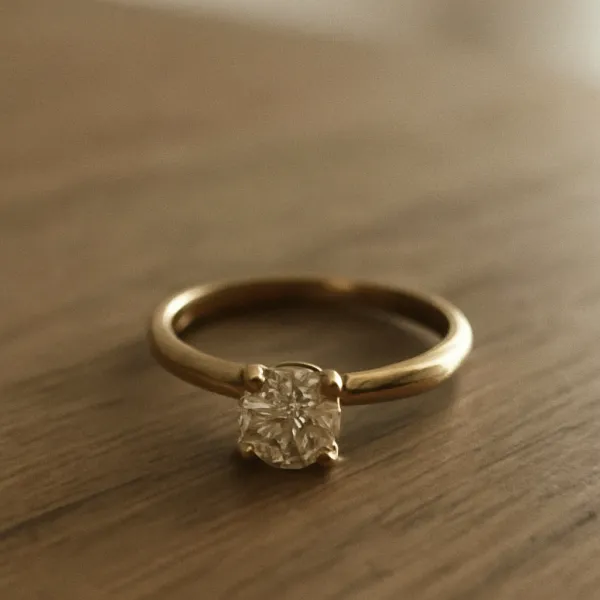 |  |
Best for: you want to improve a real photo without losing the memory it contains.
Prompt:
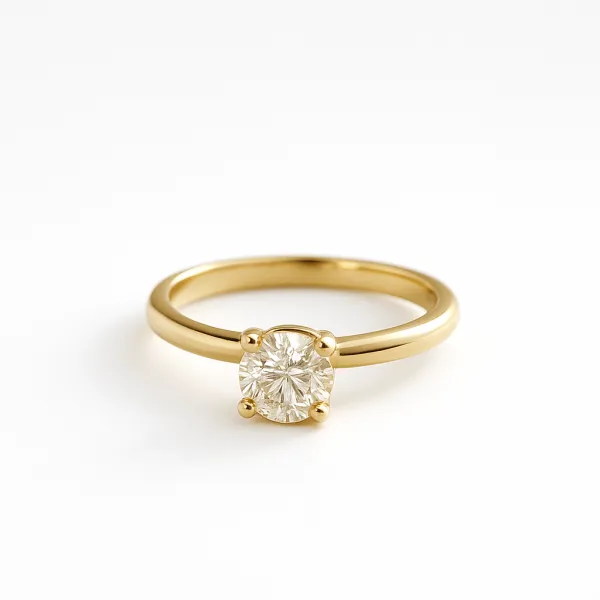
Use the uploaded photo as the exact starting point. Improve only the light, color balance, and background distractions while preserving the people, objects, expressions, and original moment. Keep the result natural, with realistic texture and no artificial beauty retouching.What to change when the result is close
If the person, pet, or object changes, ask GPT Image 2.0 to preserve its features, proportions, markings, or perspective. If the mood feels wrong, adjust the light or color. If the crop is awkward, ask for more space on one side. For uploaded photos, make one edit at a time.
Frequently asked questions
Should I paste every prompt exactly as written?
No. Replace the bracketed details and remove anything that does not belong in your image. A focused request is easier to refine than a long list of unrelated instructions.
Can I use these prompts with my own photos?
Yes. Start with a clear image, then state which details must stay unchanged. This works especially well for portraits, pets, outfits, rooms, and simple background edits.
How do I keep a person or pet recognizable?
Treat the uploaded image as the source of truth and name the identity details to preserve. Instead of describing an entirely new character, change the original background or style.
Which aspect ratio should I choose?
Use vertical formats for portraits and social posts, wide formats for group scenes and wallpapers, square formats for avatars and stickers, and 2:3 for postcards or cover-style images.
Start with what you already have.
Choose the numbered prompt closest to your photo or idea, replace the brackets, and generate a first direction. Keep the version that still feels like you—or like the place, pet, or memory you started with—then make one small change.