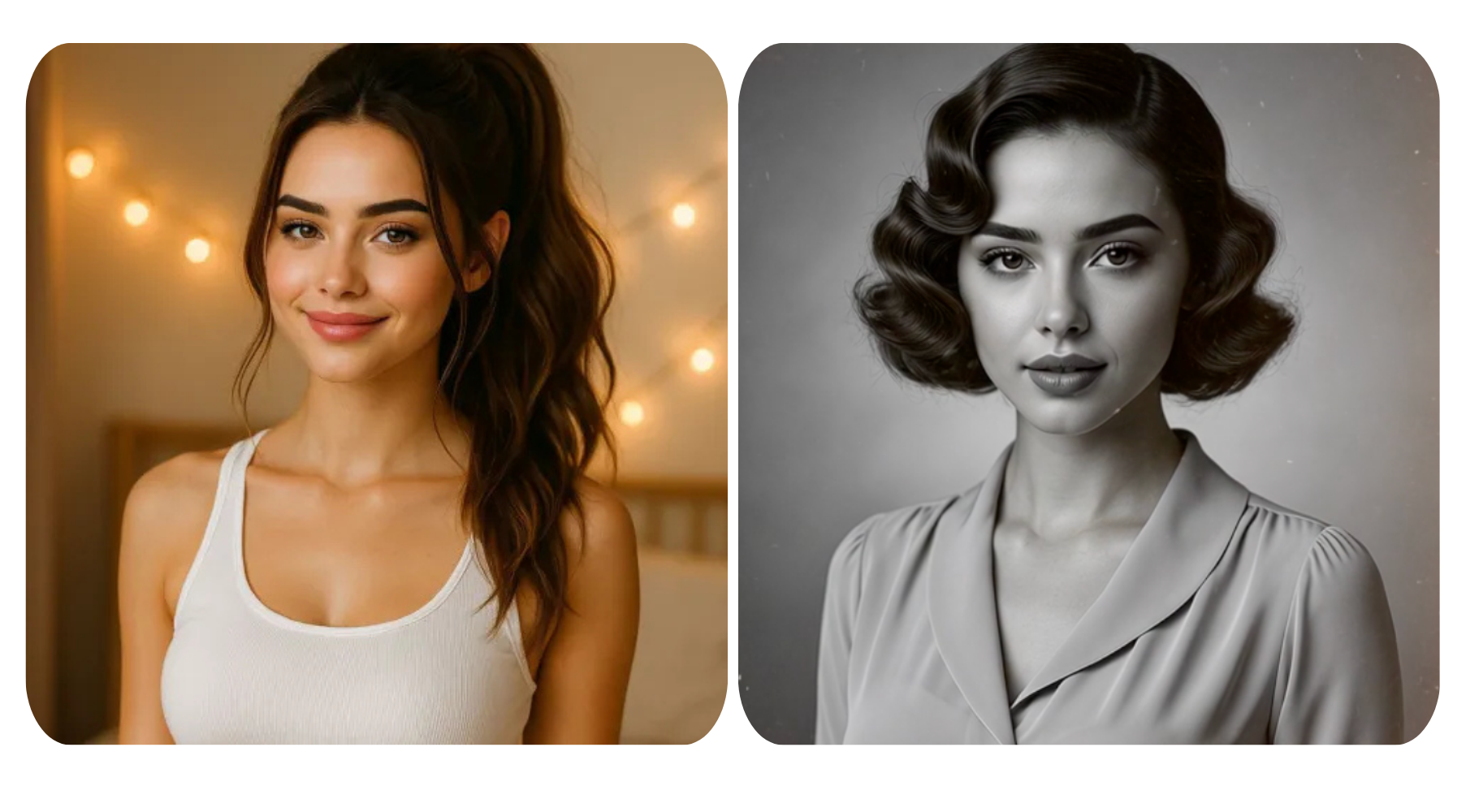


Let's be honest — most of us have a camera roll full of decent photos that never see the light of day. Maybe the lighting was a bit off, the background was cluttered, or it just didn't have that something to make you want to post it. That's where AI comes in, and before you roll your eyes, this isn't about replacing your creativity or making everything look fake and over-filtered.
In 2026, With AI image to video technology getting better by the day, here are 10 ways you can use AI to give your photos a real shot at going viral. Here are 10 ways you can use AI to give your photos a real shot at going viral.
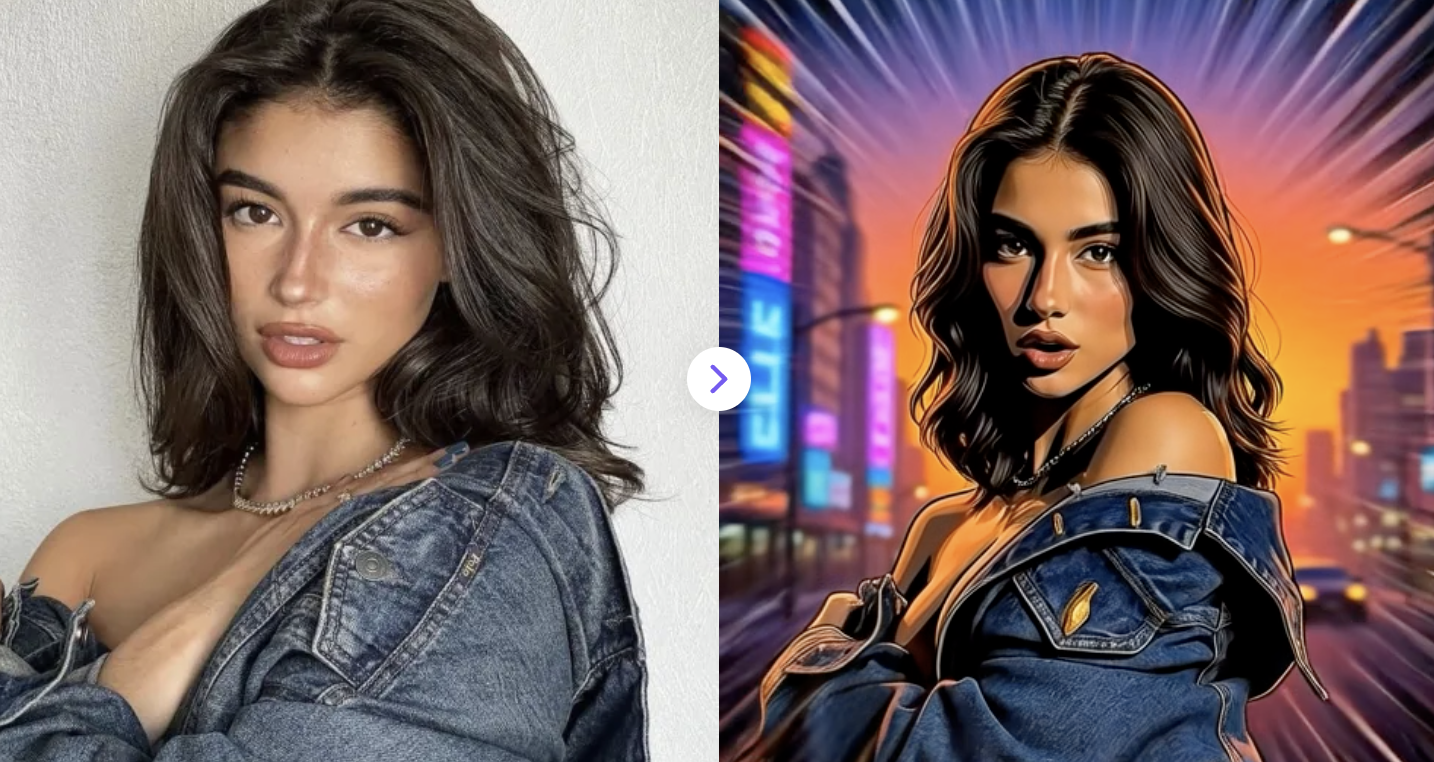
1. Apply GTA Video Effect to your photo
Upload your image and transform it into a stylized AI video with GTA-inspired effects and dynamic style transfer.
✅ Prompt:
A bright comic-book flash transition bursts across the screen, filling the frame with bold graphic light. As the flash fades, the uploaded photo transforms into a strong Grand Theft Auto poster-style illustration. Keep the same person, face, pose, hairstyle, and clothing from the original photo. The character becomes a stylized illustrated figure with thick black outlines, cel-shaded colors, sharp facial shadows, high contrast lighting, and bold comic-style rendering. The background turns into a vibrant urban city scene with neon lights and sunset tones, inspired by classic GTA promotional artwork. The character stands confidently like a video game protagonist while the camera slowly pushes in. Graphic novel aesthetic, bold outlines, cel shading, dramatic lighting, Rockstar-style video game poster art, highly stylized GTA illustration.
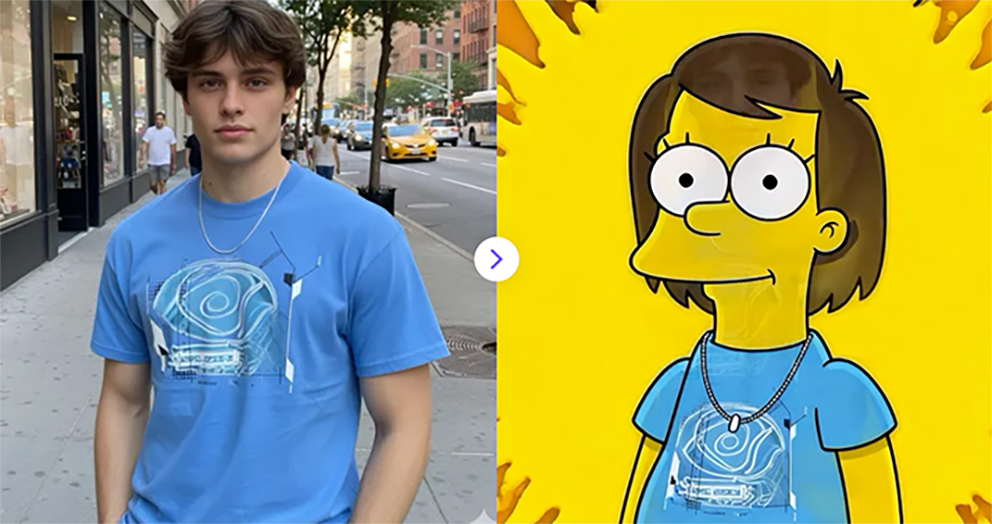
2. AI Simpsons Character Video Generator
Upload a photo and instantly generate a fun Simpsons-style transformation video that turns you into a cartoon character in seconds.
✅ Prompt:
Transform the portrait into a cartoon character in the style of The Simpsons. A colorful paint splash transition spreads across the image, covering the portrait with bright yellow cartoon paint before revealing the transformation. Keep the same hairstyle, clothing, pose, and facial structure, but convert the person into a yellow-skinned Springfield cartoon character. Large round white eyes with small black pupils, simple nose, overbite mouth, smooth yellow skin, simplified facial features. Flat 2D cartoon illustration with bold black outlines and bright colors. Clean orange background, classic American animated TV show style, simple shading, highly recognizable Springfield cartoon aesthetic. Flat 2D cartoon illustration with bold black outlines and bright colors. Clean orange background, classic American animated TV show style, simple shading, highly recognizable Springfield cartoon aesthetic.
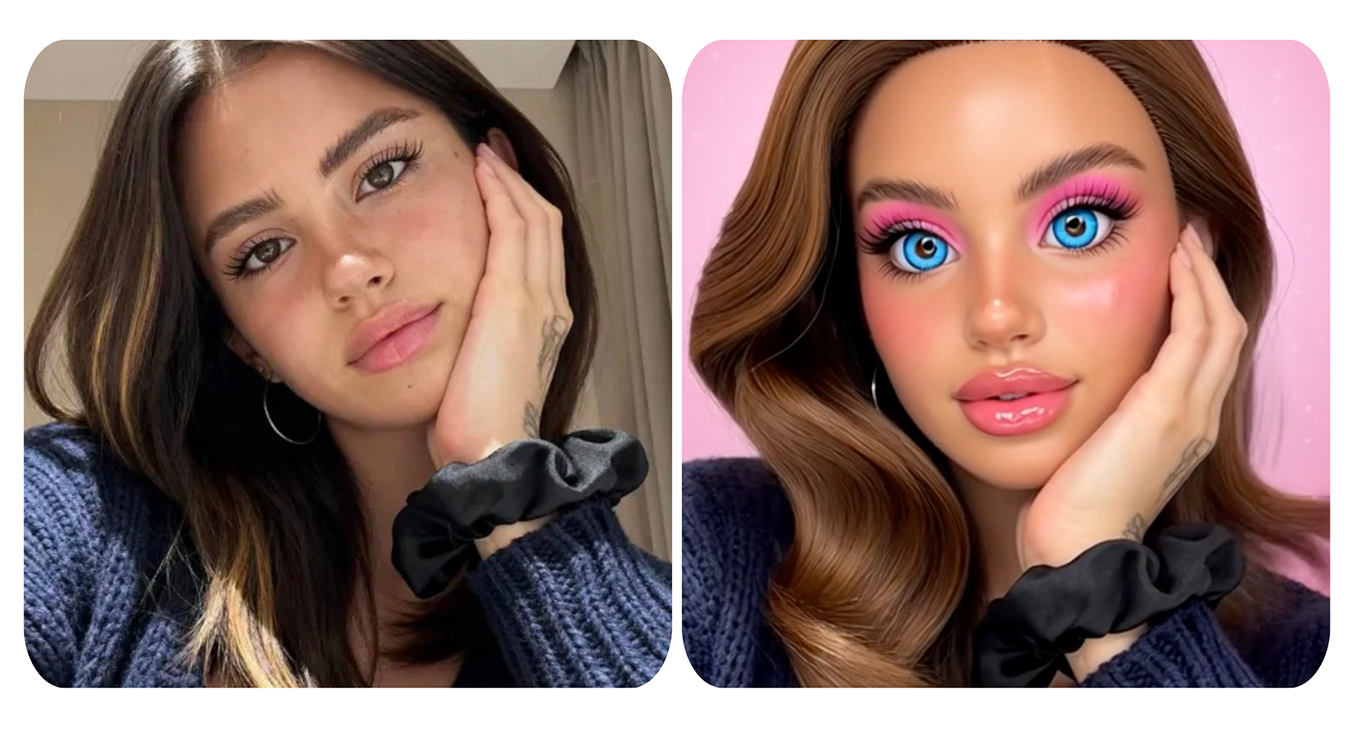
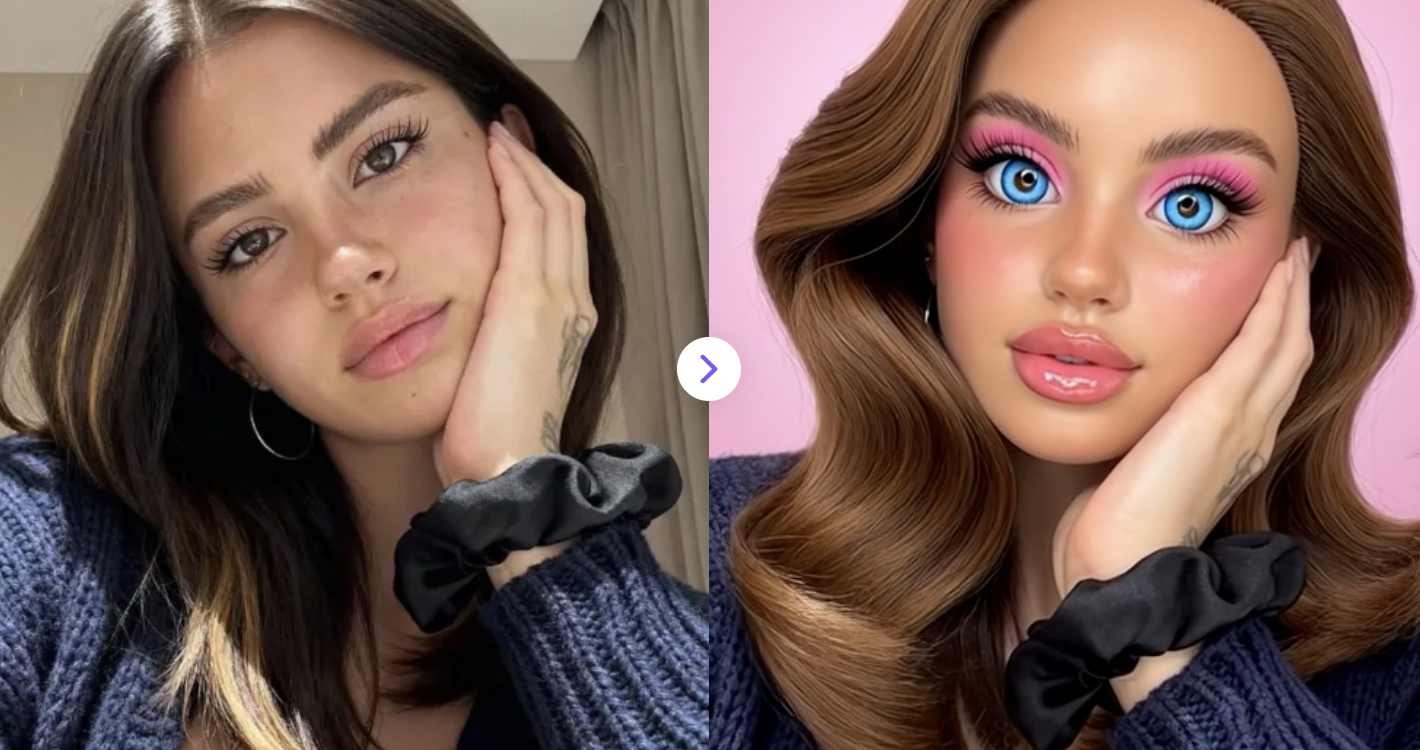
3. Turn Yourself Into a Barbie-Style Doll
Upload a photo and instantly transform yourself into a Barbie-style AI doll with a fun animated transformation video. 🎀
✅ Prompt:
Transform the portrait into an iconic Barbie-style fashion doll. Smooth glossy plastic skin like a vinyl toy, oversized sparkling blue eyes with long dramatic eyelashes, tiny nose, full glossy pink lips, and perfectly symmetrical doll-like facial features. Long silky hair styled like a fashion doll. Glamorous pink makeup and flawless complexion. The character should look like a collectible Barbie doll figure with exaggerated beauty proportions. Bright pastel pink color palette, soft studio lighting, dreamy toy packaging aesthetic. High-detail 3D doll rendering while keeping the original pose.
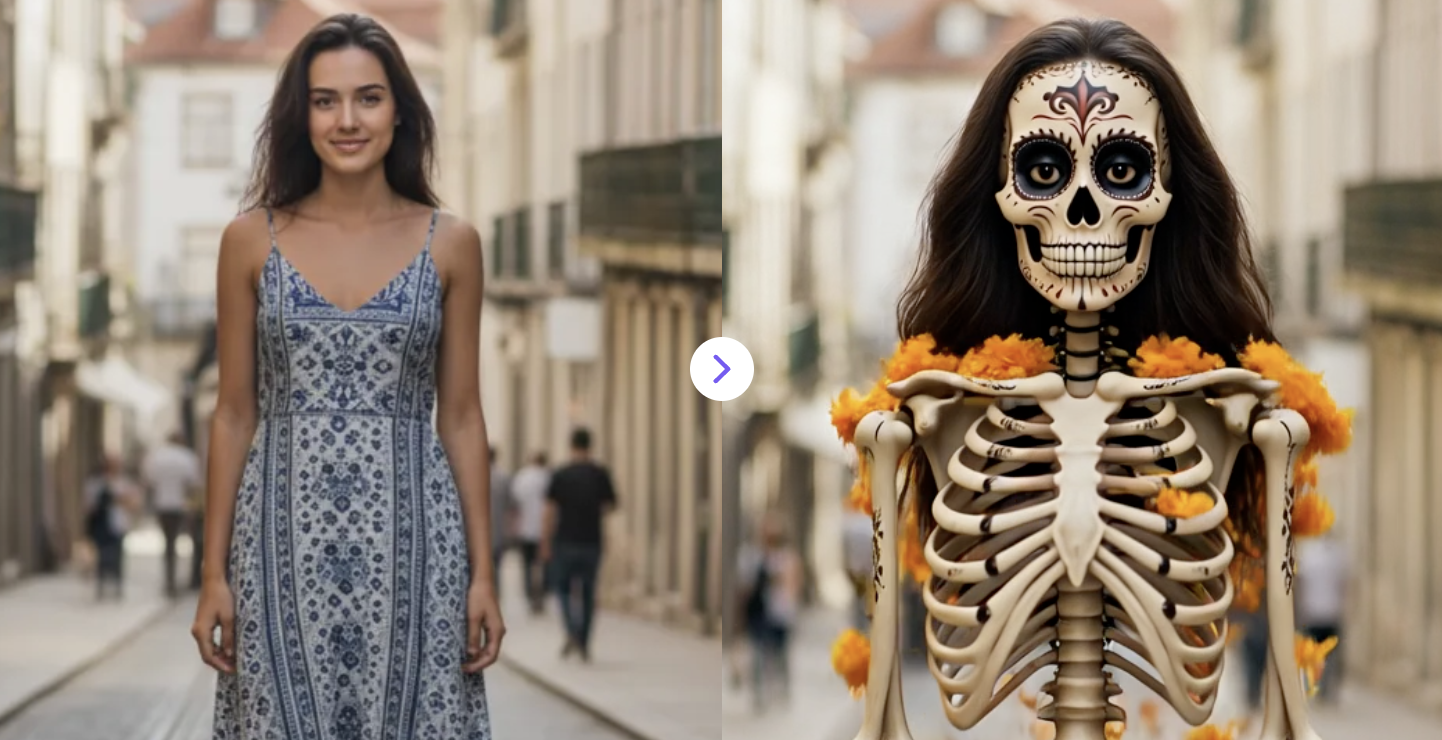
4. Transform Your Photo Into a Coco-Inspired Video
Use the AI Coco Filter to turn your photo into a vibrant skeleton-style video inspired by Coco in seconds.
✅ Prompt:
Marigold petals rise and swirl gracefully around the person in a controlled spiral. The petals thin and dissolve smoothly in a soft, continuous transition, revealing the subject quickly and cleanly. The subject appears as a Coco-style skeleton version of themselves, with a highly detailed calavera face, expressive preserved eyes, cinematic lighting, and polished 3D Pixar-like shading. Keep the same hairstyle. The reveal feels elegant, seamless, and intentional, not abrupt.
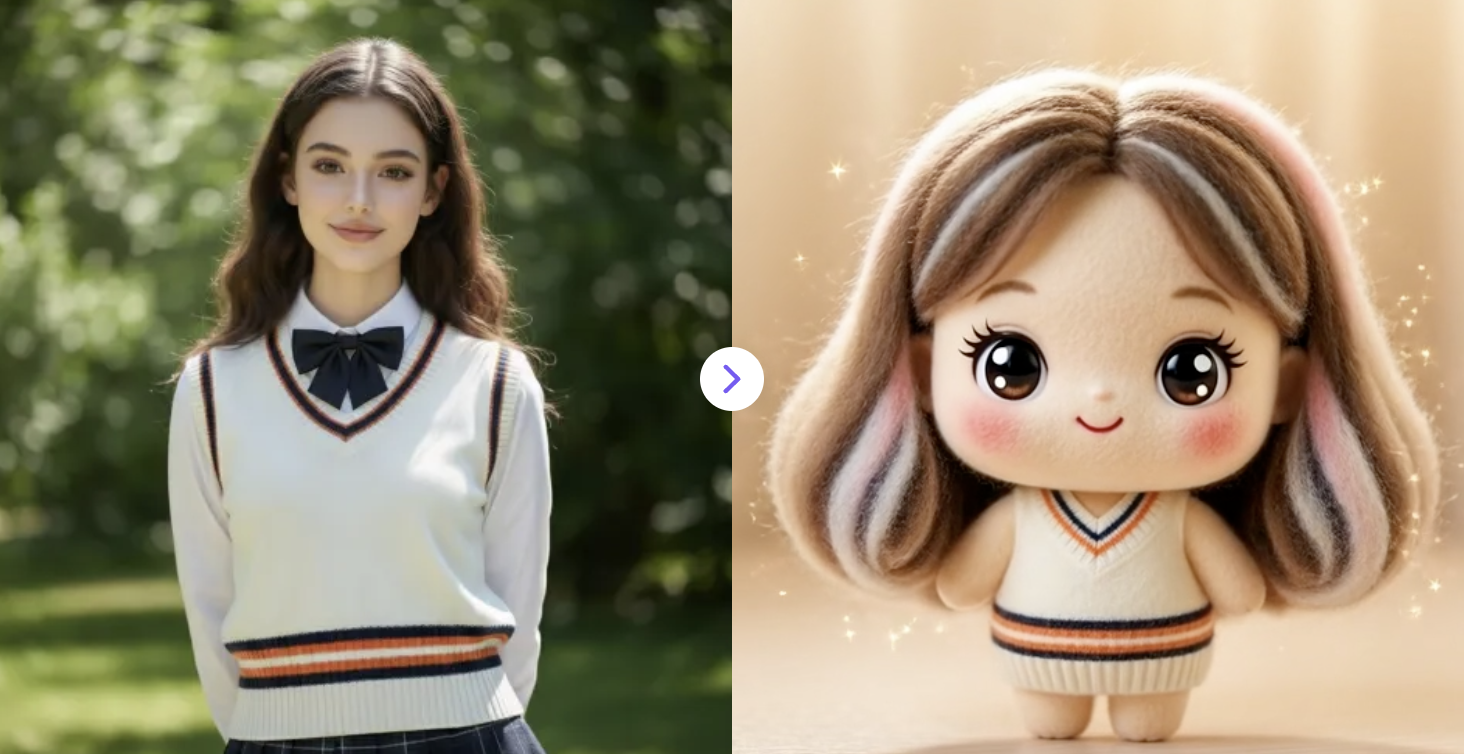
5. Transform photos into felt-doll style animations
Transform photos into dynamic felt-doll style animations with AI. Create soft, handcrafted wool characters in motion for cute videos.
✅ Prompt:
A bright white light flash transition at the center, blooming outward and briefly overexposing the image.. then show the subject turn into a handmade needle-felted plush figure. Use soft wool felt textures with visible fibers and fuzzy edges. Simplify shapes into rounded, cute proportions with a slightly oversized head and small body. Replace realistic fur with layered felt wool, gently blended color patches, and soft gradients. Add large, glossy, toy-like eyes with a cute, innocent expression. Surface should look tactile and handcrafted, with subtle imperfections typical of needle felting. Lighting should be warm, cozy, and soft, giving a pastel, comforting atmosphere. Overall style should resemble a kawaii felt plush toy, not a real animal.
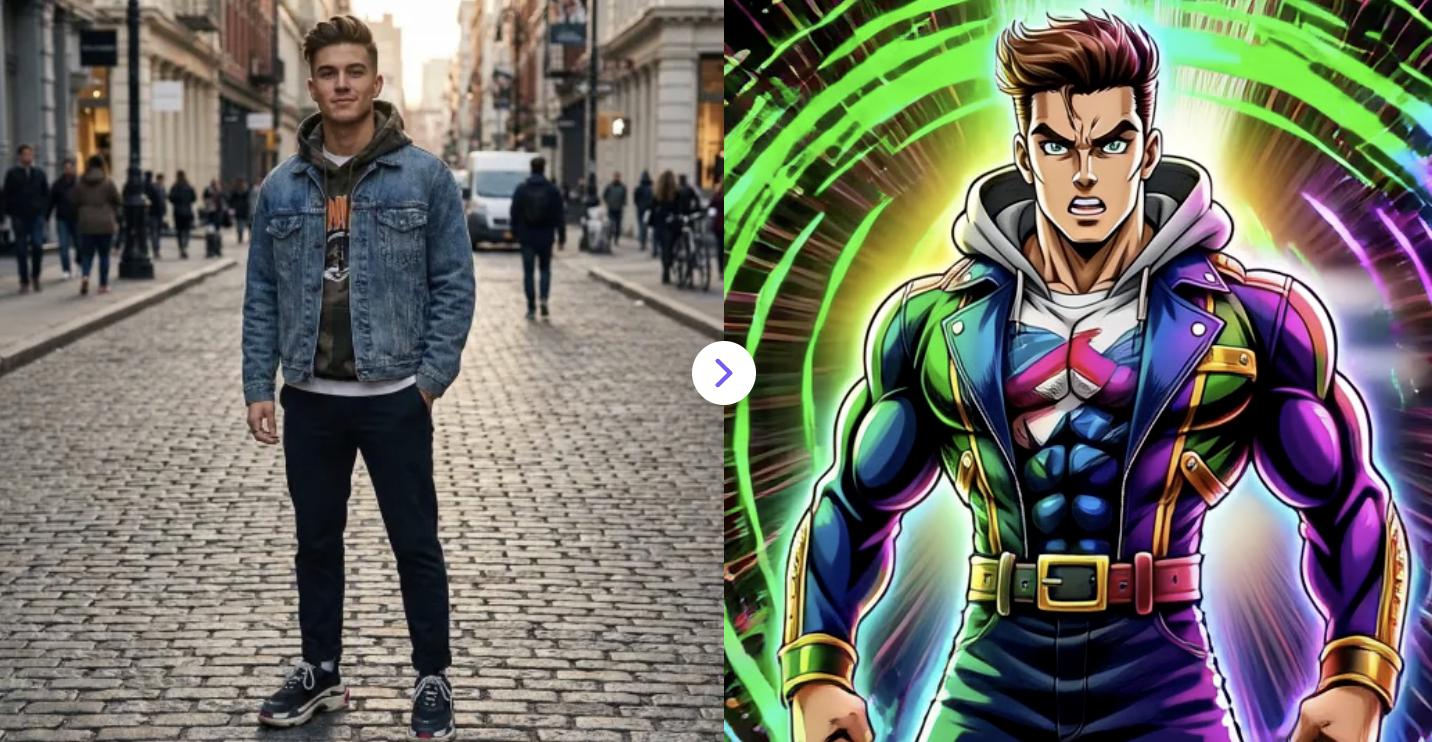
6. Turn Photos to JoJo-Style Videos
Create JoJo-style videos from your photos for free! Transform images with dynamic anime effects inspired by JoJo's Bizarre Adventure.
✅ Prompt:
Transform the person in the image into a character drawn in the style of JoJo’s Bizarre Adventure. Use bold, high-contrast anime shading with dramatic lighting and sharp cel-shaded shadows. Exaggerate anatomy slightly with a heroic, muscular build and strong posture. Add intense facial expression, sharp jawline, and expressive eyes with heavy linework. Apply vibrant, surreal color palettes (neon greens, purples, pinks, gold accents). Outfit should resemble flamboyant JoJo fashion: form-fitting clothes, stylized belts, metallic details, and iconic accessories. Background should be abstract and dynamic with diagonal speed lines, flowing energy strokes, and painterly textures. Overall look should feel dramatic, powerful, and iconic anime artwork, not realistic.
7. Turn Any Photo into a Gothic Video
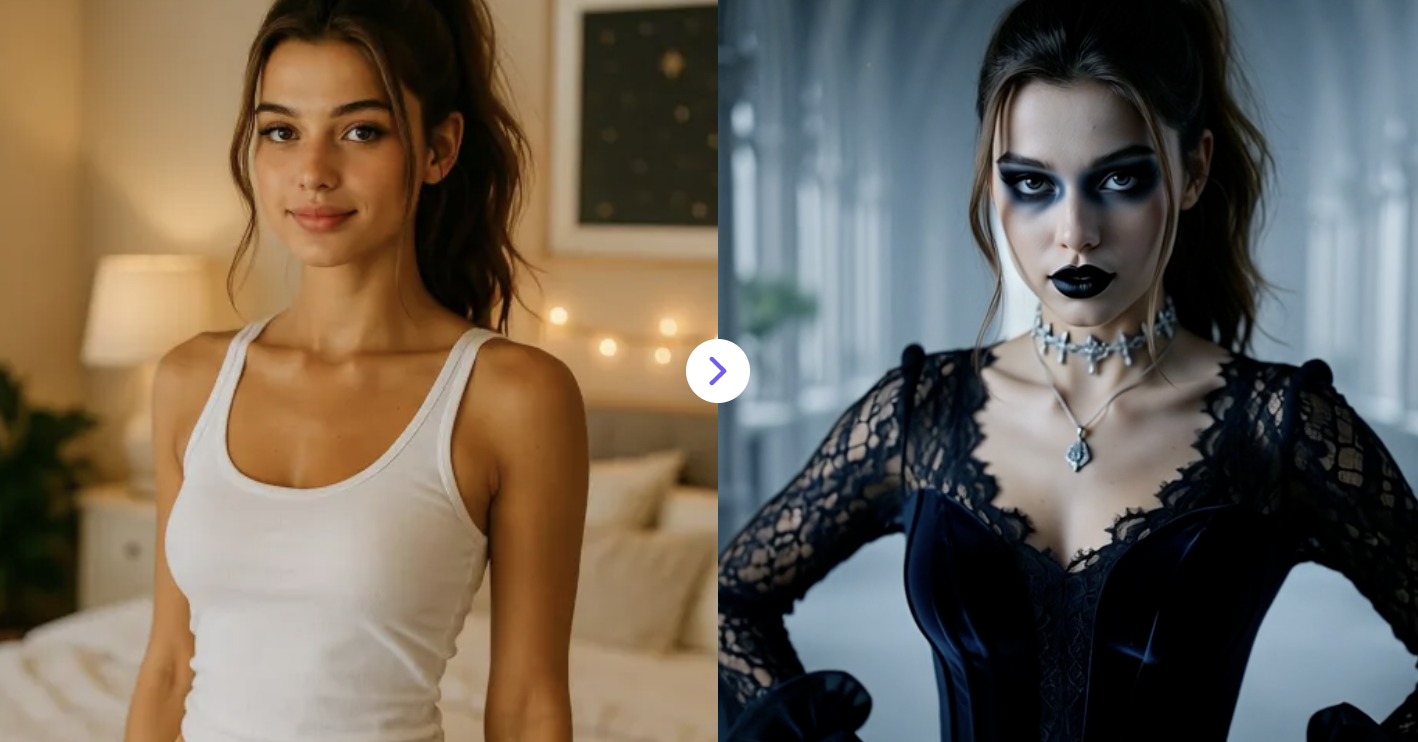
Upload once, get a fully animated gothic video instantly. The easiest way to add dark motion effects to your images.
✅ Prompt:
Create a dramatic transformation of the subject from the reference photo. Add pale skin tone, dramatic dark eyeliner, bold black lipstick, and smoky shadows. Create a moody atmosphere with soft lighting and gothic elegance, perfect for a stylish goth aesthetic.
The outfit features elegant dark clothing made of lace-inspired and velvet-textured fabrics, complemented by silver-toned accessories such as a decorative choker, pendant necklace, or detailed rings. The background is blurred and atmospheric, suggesting a historic or cathedral-inspired interior with misty ambience.
8. AI Mugshot Video Generator Online
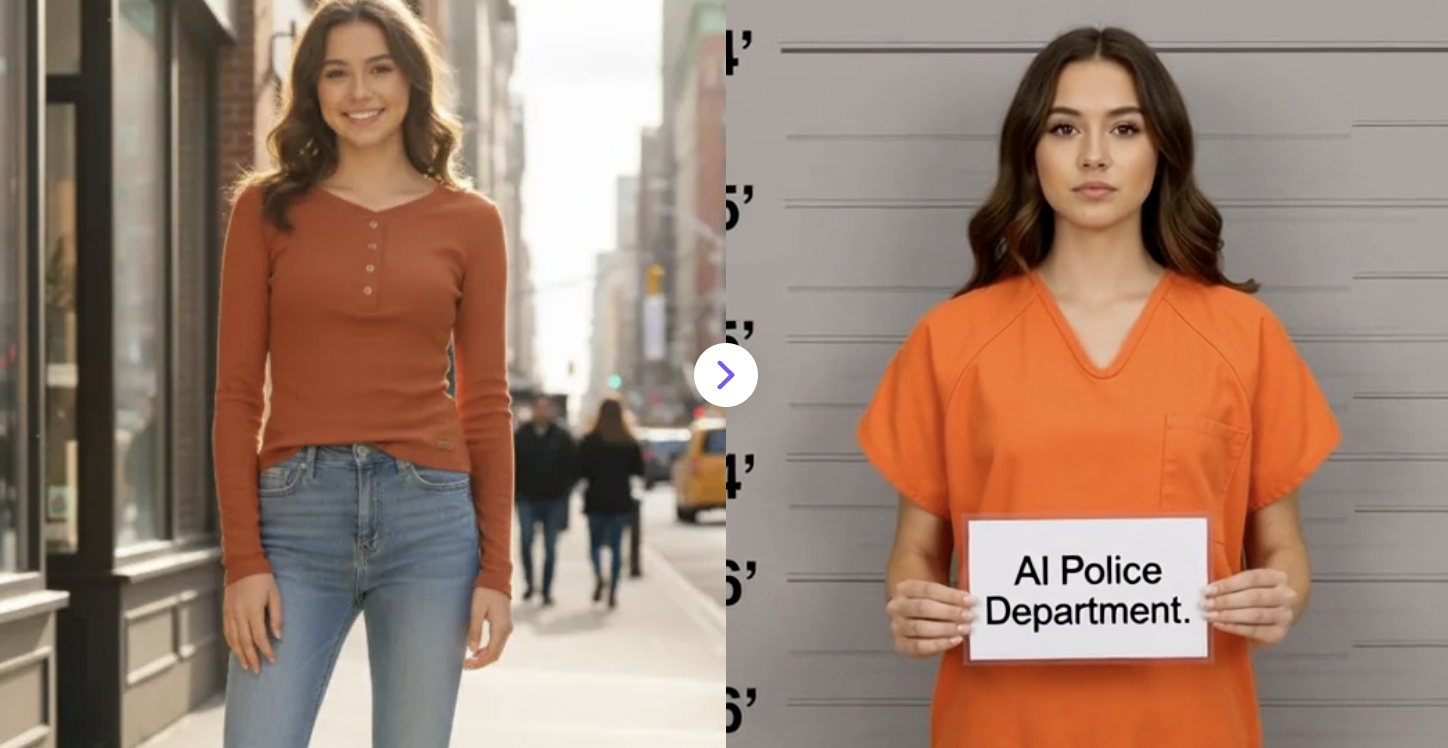
Generate AI mugshot-style videos from photos in seconds. Creative video effects with AI-powered transformation.
✅ Prompt:
A subtle scan light passes smoothly from top to bottom across the entire frame. As the scan light moves, the environment and the subject transform at the same time, shifting instantly into a professional police mugshot setting with a neutral wall featuring clear inch height measurement lines. During the same scan pass, the subject’s clothing seamlessly changes into an orange prison uniform with clean edges, realistic fabric texture, and proper fit. After the scan completes, the subject raises a standard mugshot placard to the stomach displaying “AI Police Department.
9. AI Muscle Growth Video
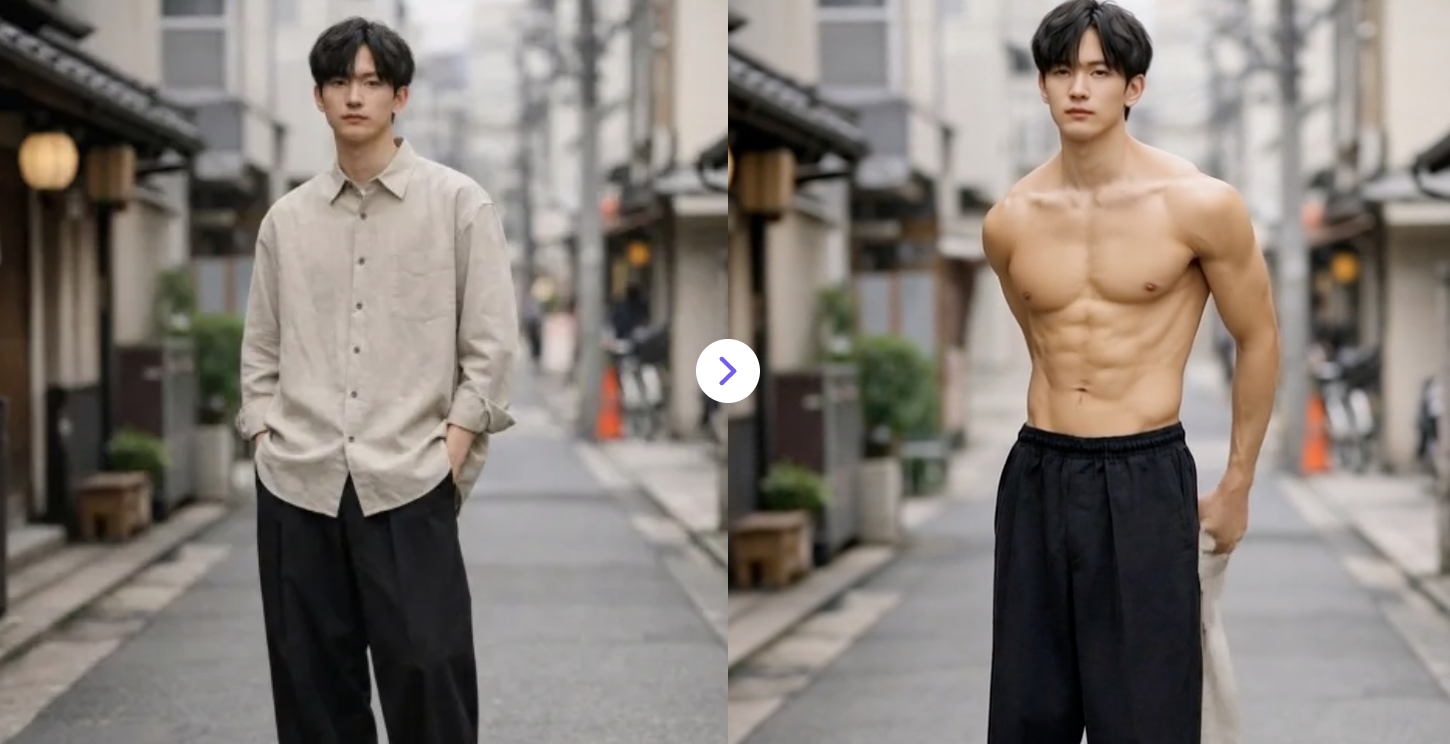
Turn body goals into reality with AI Muscle Video Effects. Create incredible muscle transformations from your photos in seconds.
✅ Prompt:
The person slowly removes their top, revealing a fit, athletic, toned physique with natural muscle definition. The body proportions are realistic and balanced, suitable for either a male or female appearance. Movement is smooth and natural.
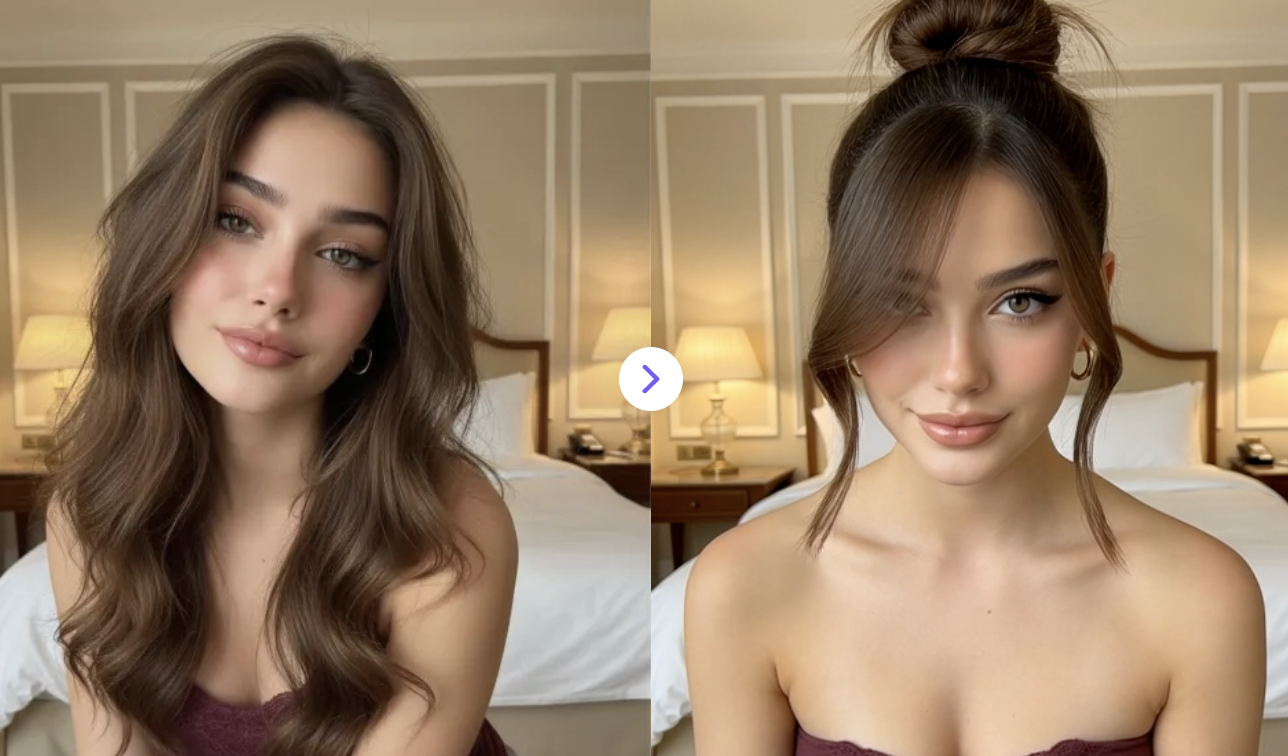
10. AI Hairstyle Changer Video
Upload a photo and instantly try new hairstyles in videos. AI transforms looks with smooth transitions—easy, fun, and creative.
✅ Prompt:
Smoothly transition through 5–6 different hairstyles in a fast, seamless sequence. Each style change should feel natural and fluid, showcasing various haircuts and styles while preserving facial identity and realism.
Maintain subtle motion and natural lighting. The transitions should be clean and distortion-free, with realistic hair textures and professional salon-style transformations. Each hairstyle should clearly differ while keeping the subject recognizable.
There you have it — 10 genuinely fun ways to stop letting your photos collect digital dust and start creating content that actually gets attention. Whether you're going full GTA poster mode, channeling your inner Barbie doll, or just curious what you'd look like as a Simpsons character, these AI photo transformation tools make it easier than ever to stand out in a crowded feed. The best part? You don't need to be a designer or video editor to pull any of this off. As AI video generators and AI image editors keep getting better in 2026, the gap between a casual phone photo and scroll-stopping viral social media content is basically gone. So pick one effect, try it on a photo you've been sitting on, and see what happens — your most liked post might just be one AI transformation away. And if you're looking to go deeper, explore more AI filter effects for content creators , free AI photo editors, and the best AI tools for social media growth to keep your creative game sharp all year long.